www.eaton.com
Network
Management Card
(Network-MS)
User Manual
Network Management Card
– User Manual 34003991XT_EN/JC
Page
64/143
4.4.7 Access control
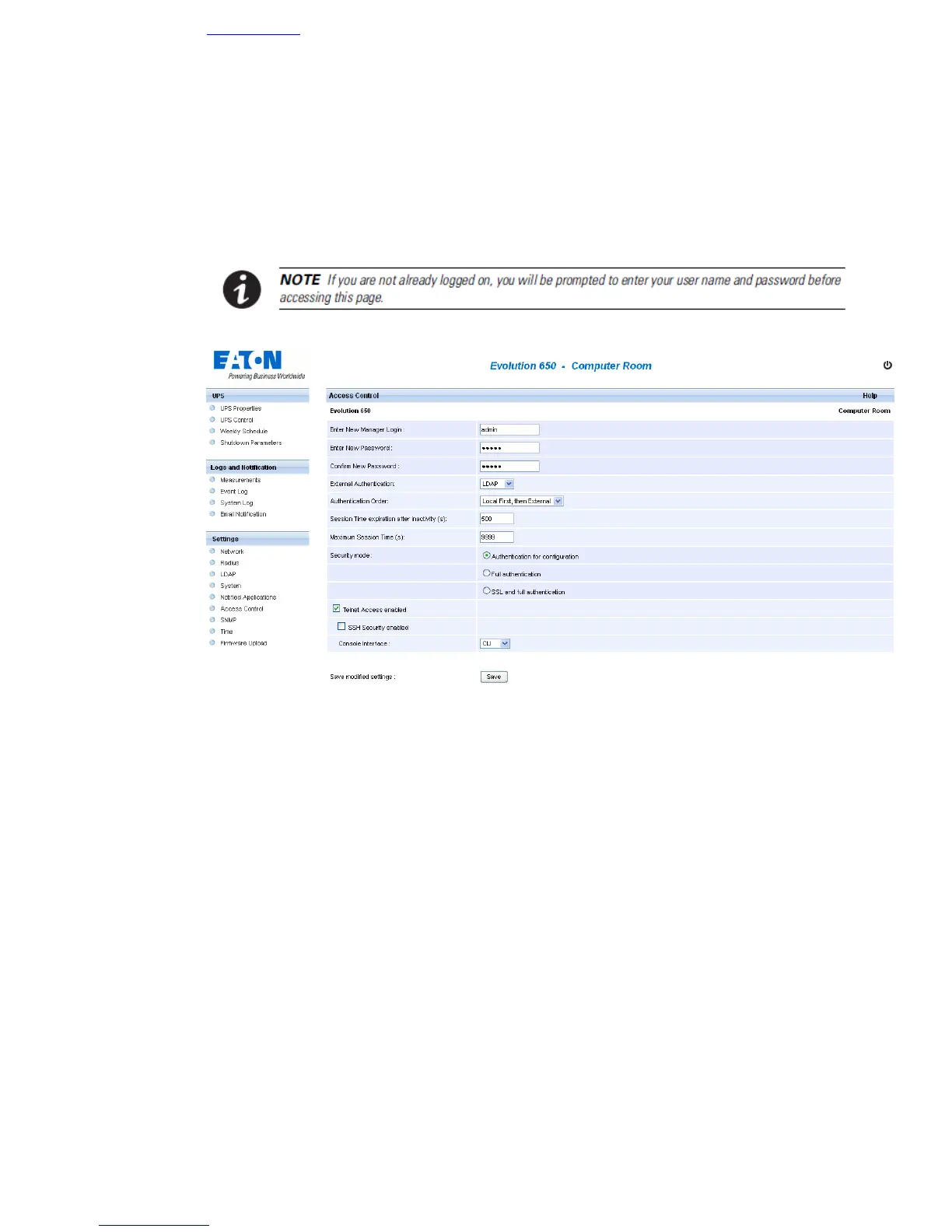
Click on Access Control in the menu.
This menu enables configuration of the different parameters enabling secure access to the card via a browser.
• Enter New Manager Login: The login user name. This text field (limited to thirty characters) enables
secure access and modification of pages. Default value is admin.
• Enter New Password: This text field (limited to thirty characters) enables secure access to
Configuration menu pages. Default value is admin.
• Confirm New Password: Re-enter the new password.
• External Authentication: identifies the type of authentication used between LDAP and Radius. If None
is chosen, the local user database is used.
• Authentication Order: identifies the priority order used between local and external authentication.
• Session Time expiration after inactivity (s): identifies the time after which the session is closed if no
activity is detected.
• Maximum Session Time (s): identifies the maximum time of a session whatever activity.
• Security mode: Manages the various authentication methods for page access:
Authentication for configuration: Only the configuration pages are protected by login / password
Full authentication: All pages are protected by login / password
SSL and full authentication: All pages are protected by login / password and are only accessible in
SSL
SSL Access: When selected, access to the Web interface is made in secure mode (https).



 To Next Page