www.eaton.com
Network
Management Card
(Network-MS)
User Manual
Network Management Card
– User Manual 34003991XT_EN/JC
Page
47/143
4.3 Notification
4.3.1 Email Notification
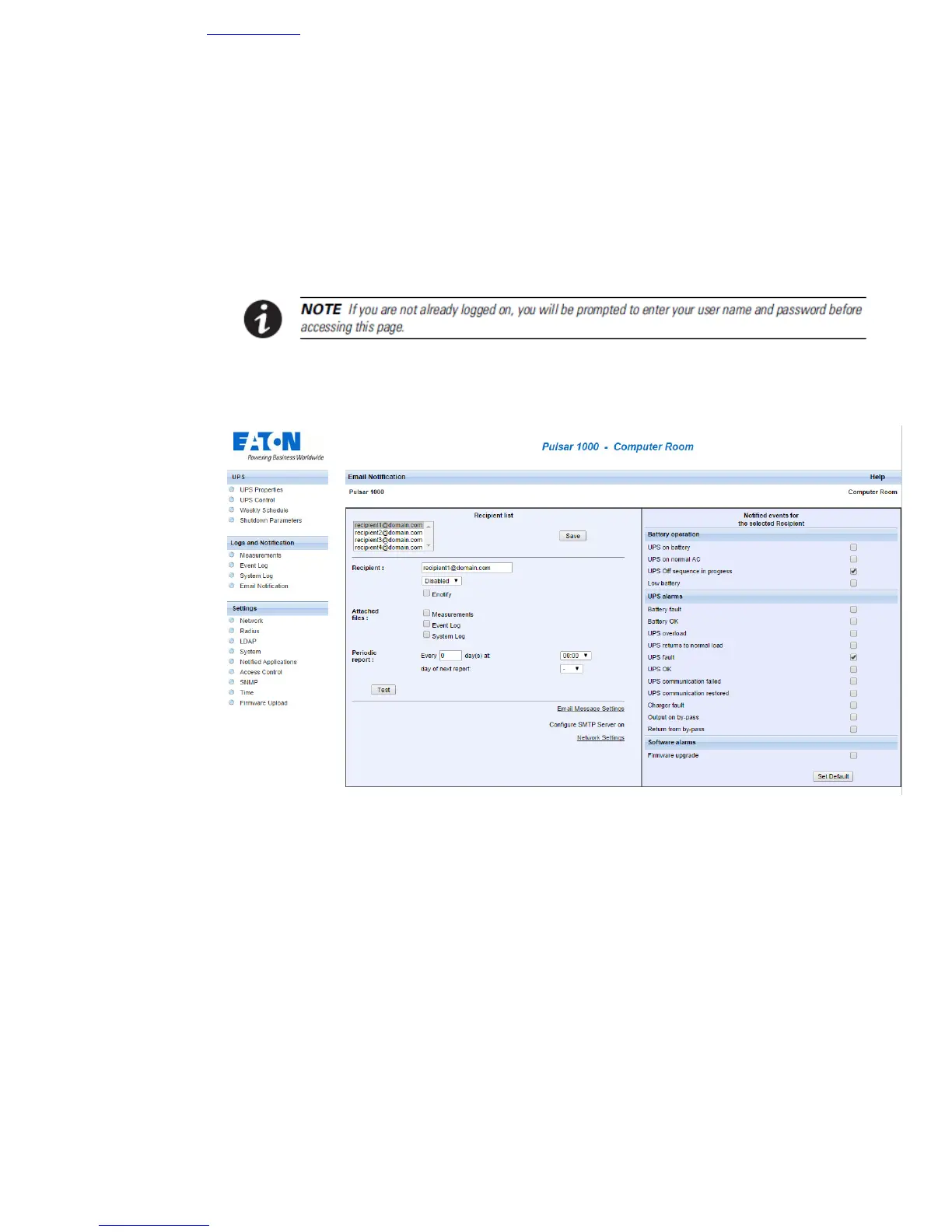
The card offers the possibility of redirecting UPS alarms to an e-mail server. The format of these e-mails is
compatible with mobile telephone transfer systems using text messages (SMS).
SMS notification requires the use of a third-party application that converts emails to SMS.
• Recipient List:
On the left side of this page, up to four recipients can be configured to receive e-mails from the card.
Each addressee has its own trigger events, selected from the right side of the page, for which an e-mail
is sent. The card’s log indicates e-mail transmission errors.
Each recipient is configured with the following parameters:
◗ Recipient: (Field is limited to 99 characters) this is the e-mail address of the person
or department to receive the e-mail.
The default value is : recipientx@domain.com
◗ eNotify: This parameter enables communications to the Eaton eNotify Monitoring
and Diagnostics Service. NOTE: Available only for customers with a valid eNotify
Service Contract.
◗ Attached files: The files selected (Measurements, Event log, System log,
Environment measurements) are enclosed with each e-mail sent. The files are sent



 To Next Page