www.eaton.com
Network
Management Card
(Network-MS)
User Manual
Network Management Card
– User Manual 34003991XT_EN/JC
Page
18/143
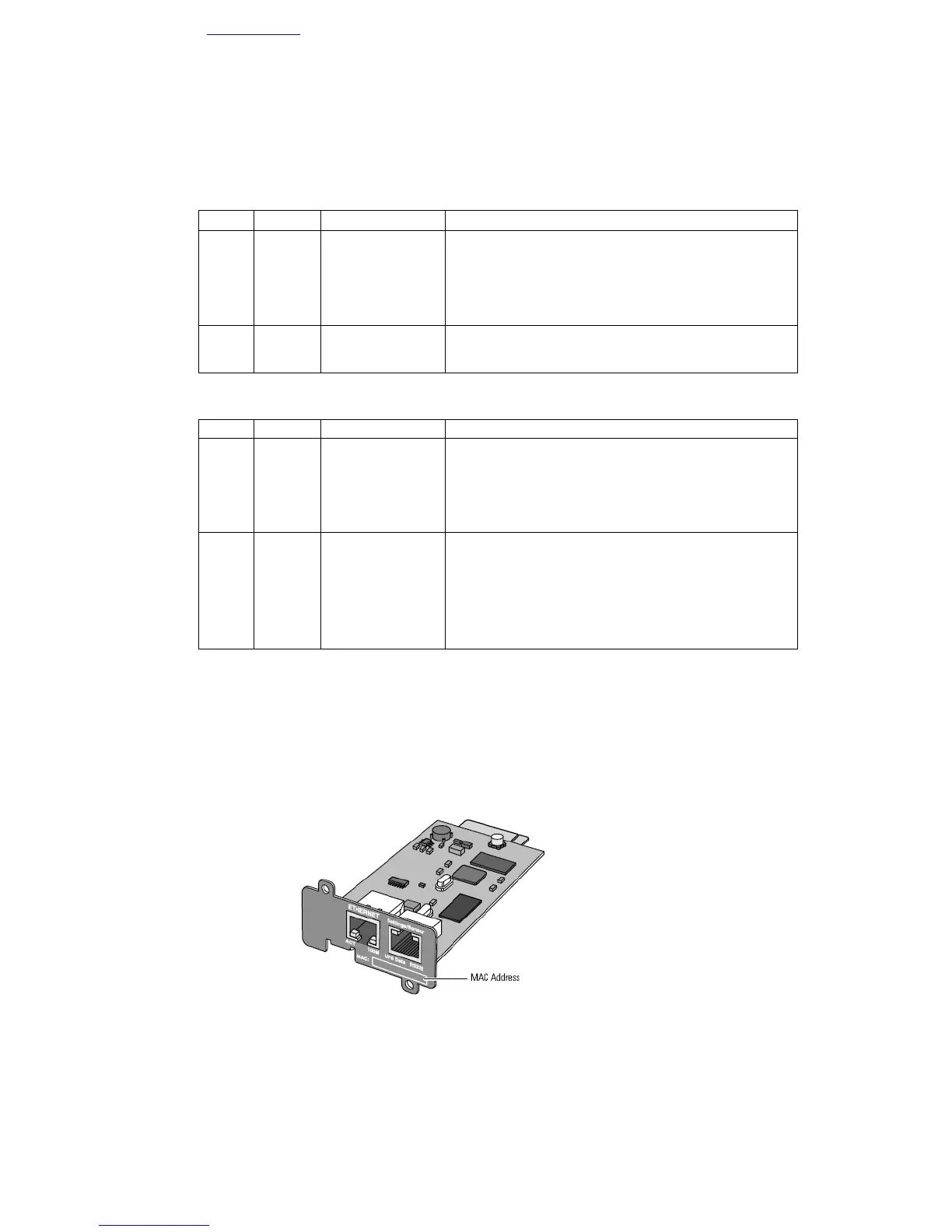
Ethernet Port
LED Colour Activity Description
ACT Green
• Off • Card not connected to the network.
• On
• Card connected to the network but without
activity
• Flashing • Port is active in receiving /
transmission
100M Orange
• Off • Port operating at 10Mbits/s.
• On • Port operating at 100Mbits/s.
Settings/Sensor Port
LED Colour Activity Description
UPS Green
• Off • Card startup in progress.
Data
• On • Communication with UPS in progress
• Flashing
• Normal operation. Communication with the UPS
is operational
RS232 Orange
• Off • Configuration menu is active
• On • Normal operation. Configuration menu is
deactivated
• Flashing • Communication with the Environment Sensor
(option).
2.3 Installation in the UPS
The Network Management Card (Network-MS) is "hot-swappable". It can be installed in all UPSs of the EATON
Pulsar series or EATON Powerware series equipped with a Minislot without having to shut it down.
• On the UPS, remove the cover from the Minislot
• Insert and tighten the card's retaining screws
• Connect the ETHERNET cable
• Wait 2min 30s. The card is completely operational when the green UPS Data LED flashes continuously.



 To Next Page