Installation and Startup of CI 3000 / SIOX
52
Version 2.09 09. April 2014
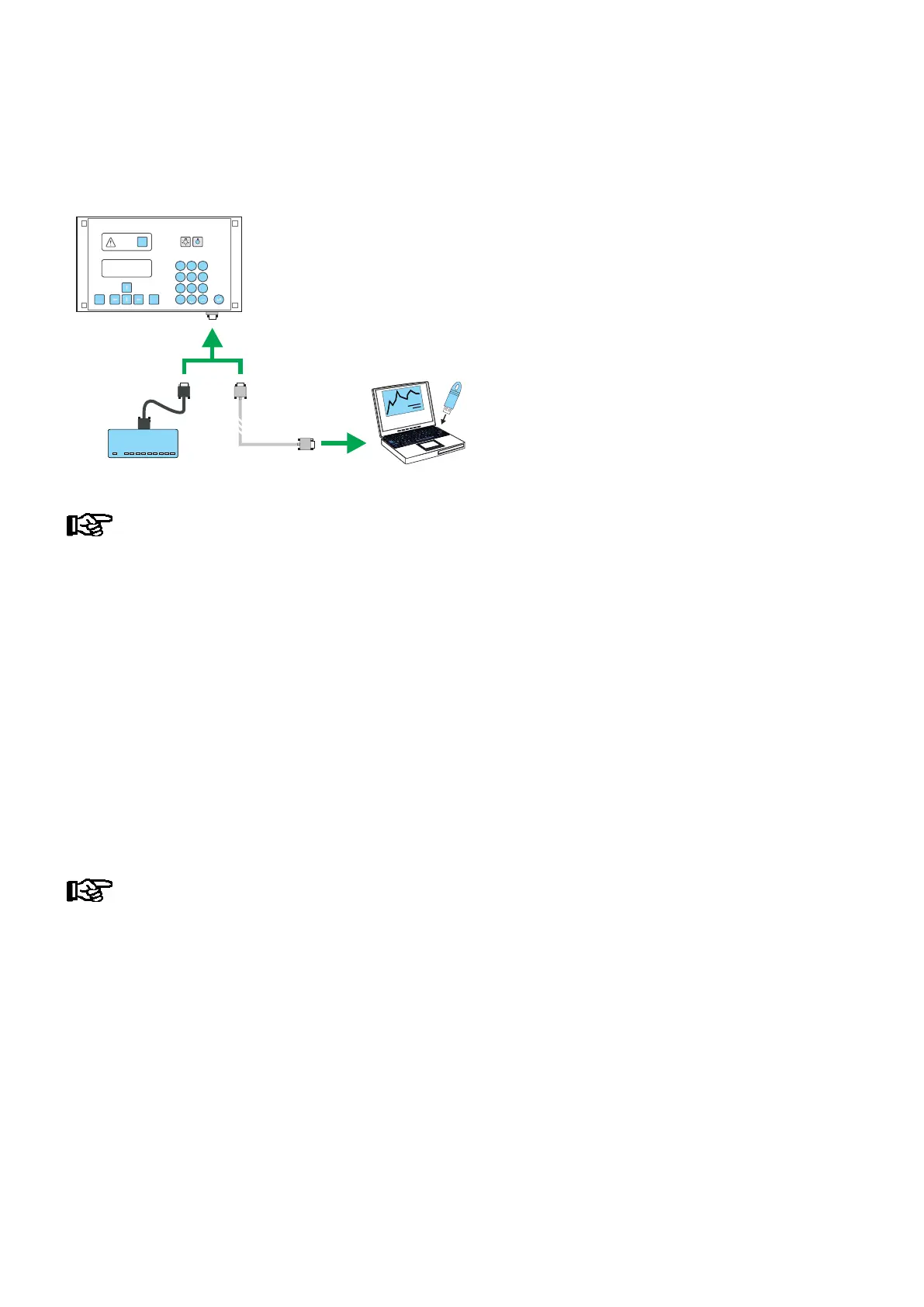
S Connect the PC via the ”COM1” serial interface to the CI 3000 MODEM interface
(remove modem cable if required).
MODEESC
PRIO 1
PRIO 2
,
9
WXYZ
7
PQRS
8
TUV
6
MNO
4
GHI
5
JKL
3
DEF
2
ABC
1
0
ALARM
RESET
LDSWin
MODEM
(COM1)
MODEM
COMx
ZNR. 51203 80 130 DEF
If another interface other than ”COM1” (e.g. ”COM2”) is to be used, then Update Software must be
run as follows via the ”Execute” menu item in the Windows start menu: CI3000_Vx.xx.exe -c2
S Double click the update software CI3000_Vx.xx.exe to run the program.
S Click OK to start download and follow the instructions on the screen, e.g. restart the CI 3000.
S Turn off power to the CI 3000 Store Computer when download is completed.
S New model: Return the WDOG DIP switch to ON and the BOOT DIP switch to OFF
Previous model: Remove the BOOT jumper and reconnect the WDOG jumper.
In other words, restore the jumpers to the positions occupied prior to downloading
S Turn on power to the CI 3000 Store Computer, which then performs first start.
S Start the LDSWin software, go online but DO NOT update the data on the PC! Open the menu Store/Archiving
in order to run the backup of the store configuration saved using the LDS Win software (for further details see
the LDSWin operating instruction).
S Disconnect the download cable and reconnect the modem cable if necessary.
S The current software version is shown in Screen 8-3 (System Info).
Restart: Following a power outage the CI 3000 Store Computer restarts
with all settings made by the user.
First start: Restart with all settings deleted.
Exception: Settings made for modem and fault report transmission are preserved,
enabling alarms and messages to be signalled.
Frequent restarting while the Store Computer is powering up (about 2 min.) can result in errors in
archive management.



 To Next Page