Function of CI 3000
28
Version 2.09 09. April 2014
4.10 Timers
When employing extension modules (SIOX ), timers with up to 7 switching times per relay output can be confi
gured in menu 6-1-7. Control times can be set accurate to the minute and can be spread over individual
weekdays or groups of weekdays: (Mo-Fr, Mo-Sa, etc.).
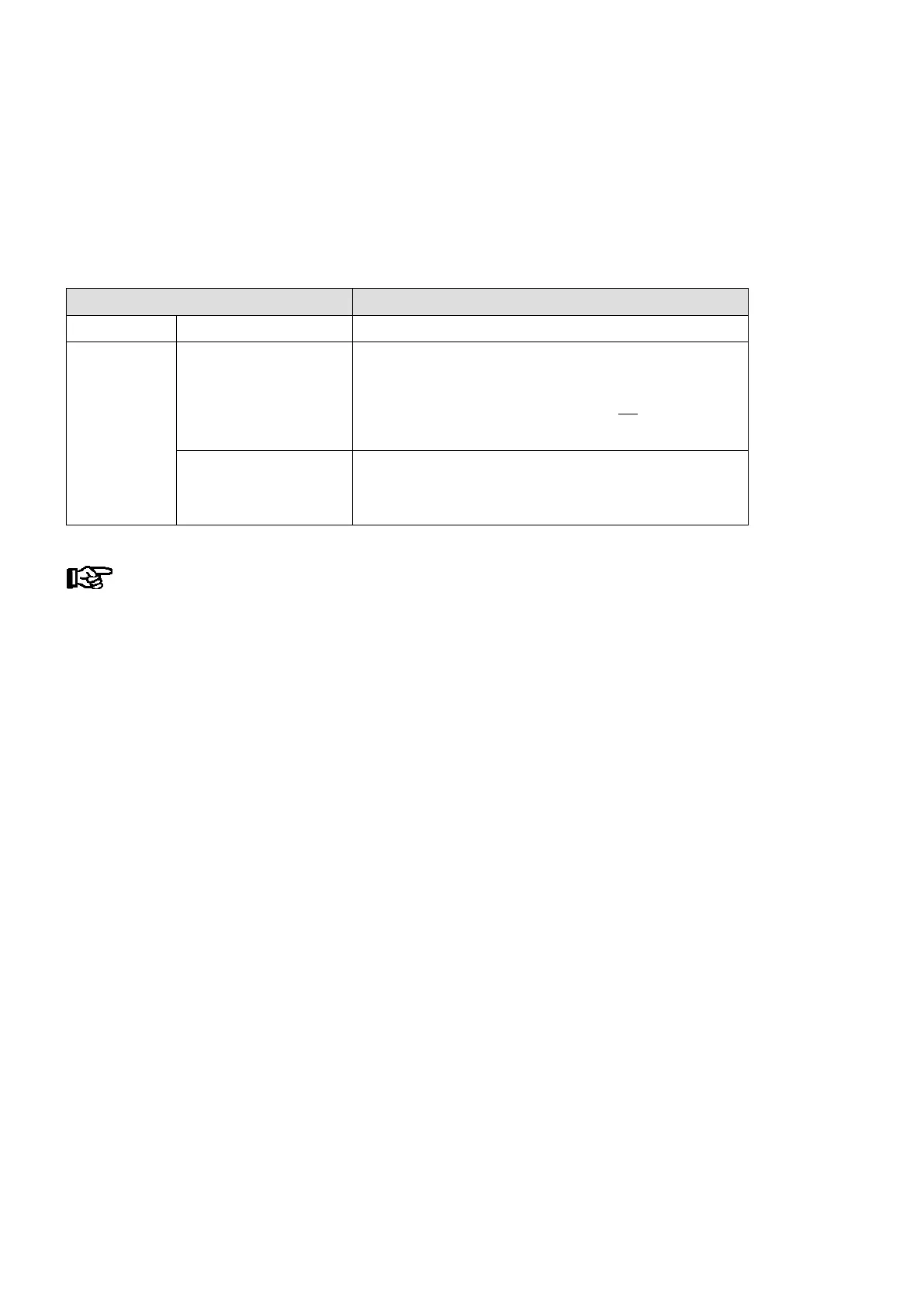
Control times Allowable period
Weekday Mo, Tu, We, Th Fr, Sa, Su 0:00 - 23:59
Weekday group
Mo-Fr, Mo-Sa, Sa-Su Start earliest 0:00
End latest 23:59, but not before start time
Rule: Start time must be earlier than end time
Control times extending beyond midnight are not
allowed:
Example: Start 21:00
End 7:00 !!!
Mo-Su (one Week) 0:00 - 23:59
Control times extending beyond midnight are allowed
Beispiel: Start 20:00
Ende 8:00
If the timer is to run beyond midnight (e.g. 20:00 - 8:00), it must be set for individual days,
e.g. Mo 20:00 - 23:59 - Tu 0:00 - 8:00 or for the weekday group Mo-Su, then to 20:00 - 8:00!
Separate control times may overlap: 1st timer Mo-Su 20:00 - 8:00
2nd timer Su 0:00 - 23:59
In addition to the switching output each relay output can be assigned a passing contact, either as an alternative
or additionally. The passing contacts switch simultaneously with the switching output and back off again after a
duration of ca. 5 seconds.
4.11 Energy management
If the digital inputs of the store computer, i.e. of a SIOX module, are configured in menu 6-1-6-1 as S0 or M bus
measuring points for energy management, then energy consumption, capacity, water or gas consumption can
be recorded.
When evaluating the power tariff signal delivered by the power company, the power can be recorded, evaluated
and displayed separately for off-peak and peak tariff.
The recorded daily consumption and capacity are archived in circular buffers for a year and a week respectively.
They can be read out via modem or network using a PC and presented in a chart or a graph using the PC soft
ware LDSWin (see the PC Software LDSWin Operating instruction).



 To Next Page