Installation and Startup of CI 3000 / SIOX
53
Version 2.09 09. April 2014
5.11 Replacing the battery
Battery replacement is only possible with models supplied after 01 January 2009.
The Store Computer contains a backup battery (type: 1,2 Ah / 1/2 AA / 3,6 V Lithium). A Battery Low alarm (Er
ror No. 10) will be signalled when the battery needs replacing.
Warning - hazardous electrical voltage!
Danger of electric shock! When changing batteries, the safety instructions in chapter 1 of the work
safety instructions are to be observed. Power supply to all connectors must be switched off before
connecting or disconnecting them. Circuit boards may only be replaced when power supply is dis
connected. Mark connectors as necessary BEFORE disconnecting them. Grip circuit boards only at
the edges.
ESD (electrostatic discharge) regulations must be observed and complied with, see section 1.5.
Battery replacement procedure:
In order to change the battery, it is necessary to remove the store computer from the unit. The re
moval of the CAN bus (assuming there is a CAN bus at the AL 300 operator terminal) will trigger an
error message at the latter! Ensure that the service mode has been activated at the AL 300 and/or
that the service centre has previously been informed.
No alarms or messages can be sent from the unit to the service centre for the duration of the battery
replacement process, and no EU archives may be created or operating data recorded!
1. Remove the Store Computer (with disconnected connectors) from the control panel
(see Section 5.1 - Control Panel mounting).
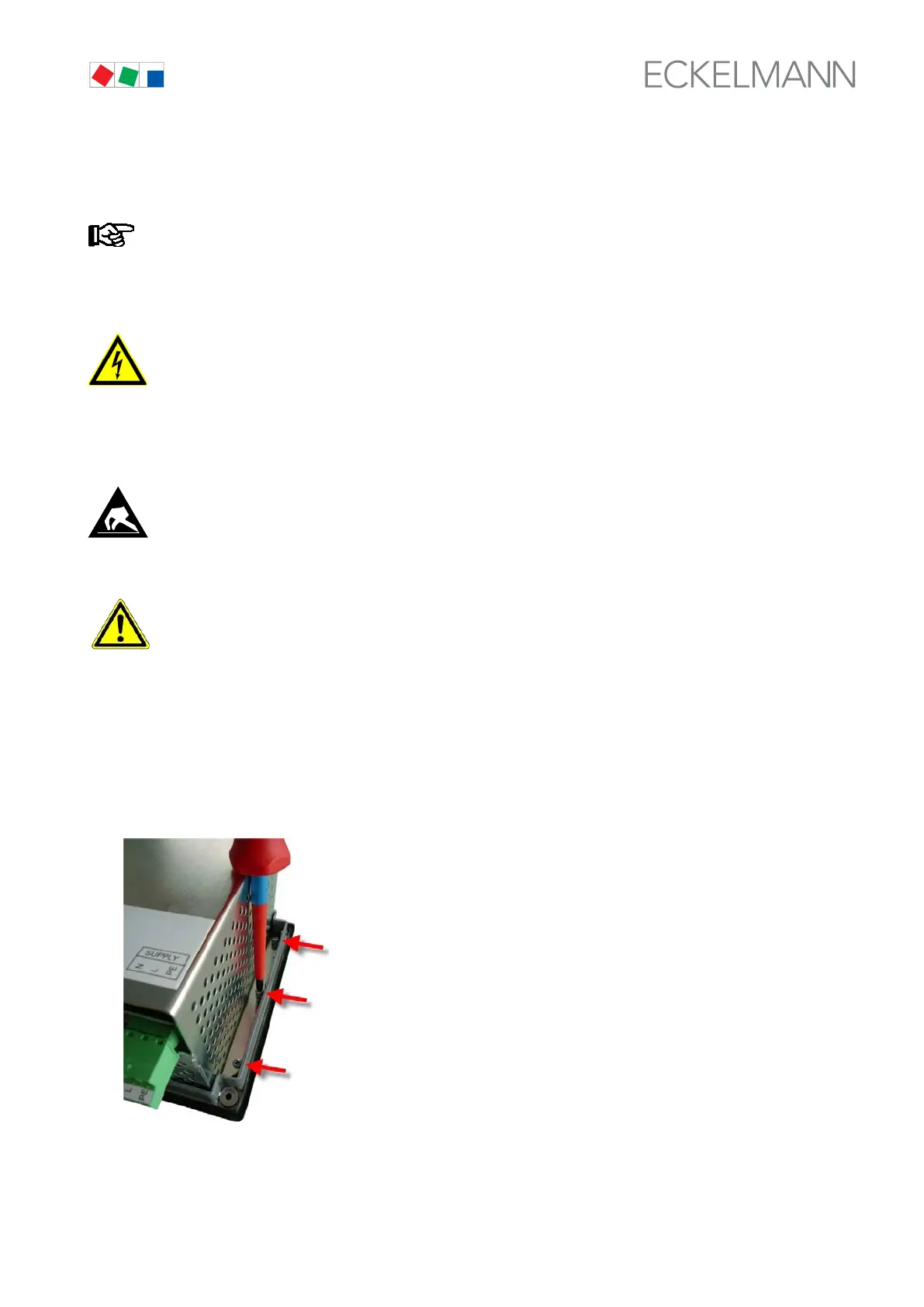
2. Place the store computer front down on a clean, dry and level surface and unscrew the
six screws that connect the metal cage to the front panel on the right and left.



 To Next Page