Installation and Startup of CI 3000 / SIOX
54
Version 2.09 09. April 2014
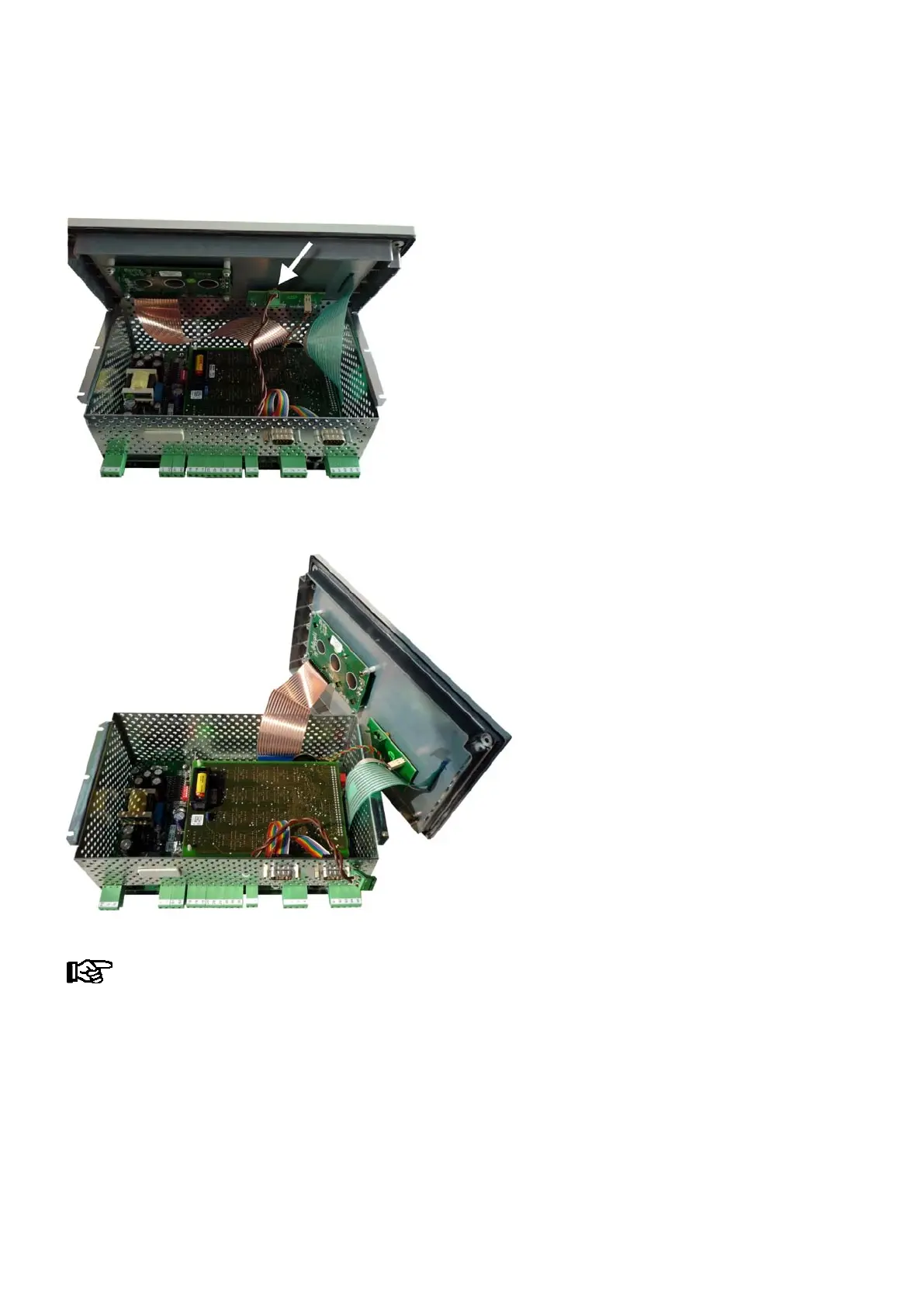
3. Carefully turn the Store Computer over face up, lift the front panel and disconnect the green two-pin con
nector (see arrow in the picture) from the small switch wiring board. Leave the other connectors in place!
4. Then carefully lift off the front panel and carefully set it down in upright position (see picture)!
Do not bend the ribbon cable!



 To Next Page