Operation of CI 3000
65
Version 2.09 09. April 2014
7 Operation of CI 3000
7.1 Operating interface
MODEESC
PRIO 1
PRIO 2
,
9
WXYZ
7
PQRS
8
TUV
6
MNO
4
GHI
5
JKL
3
DEF
2
ABC
1
0
ALARM
RESET
(3)(1)(2) (5)(4)(11)
(6)
(10) (7)(9) (8)
ZNR. 35365 12 830
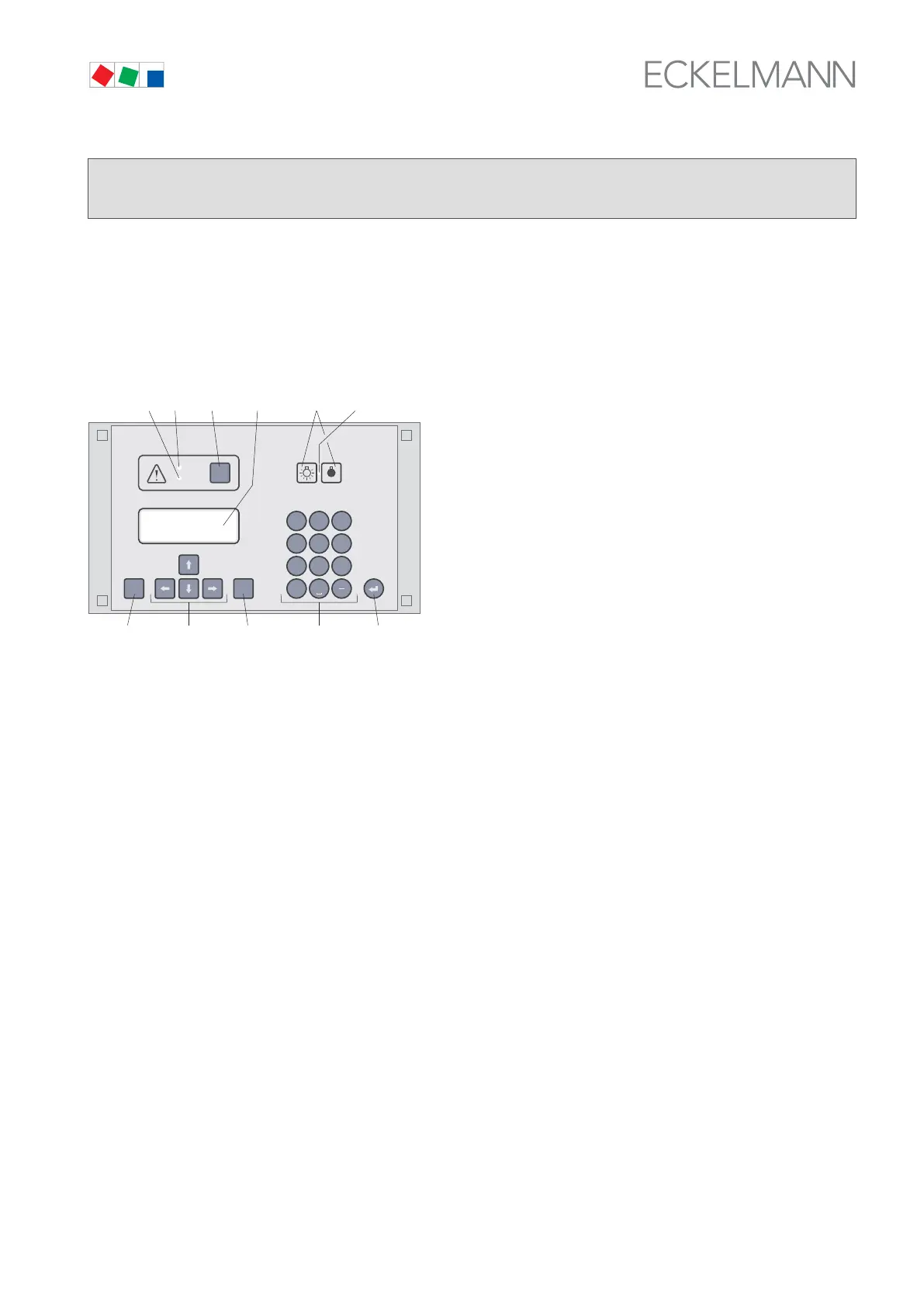
(1) Priority 1 alarm indicator light
(2) Priority 2 alarm indicator light
(3) Reset key to stop buzzer and horn (AUX) and cancel alarms
(4) External lighting on/off switch (general lighting)
(5) Lighting on/off switch indicator light
(6) ENTER key
(7) Alphanumeric keypad
(8) MODE key, CAPS SHIFT function for text entry
(9) Cursor keys
(10) ESC key
(11) Display (4 lines of 20 characters)
7.2 Menus and screens
Differentiation is made between menus and screens at the operating level.
Numbering of menus and screens
Each menu in the menu tree can be opened by entering a specific number and each operating screen in a menu
can be opened by selecting it in the menu. This is achieved by distinct marking by numbers and letters in the
menu tree. Numbers 1, 2, etc. identify the menu and the letters a, b, etc. identify the order of the screens in the
menu.



 To Next Page