Installation and Startup of CI 3000 / SIOX
55
Version 2.09 09. April 2014
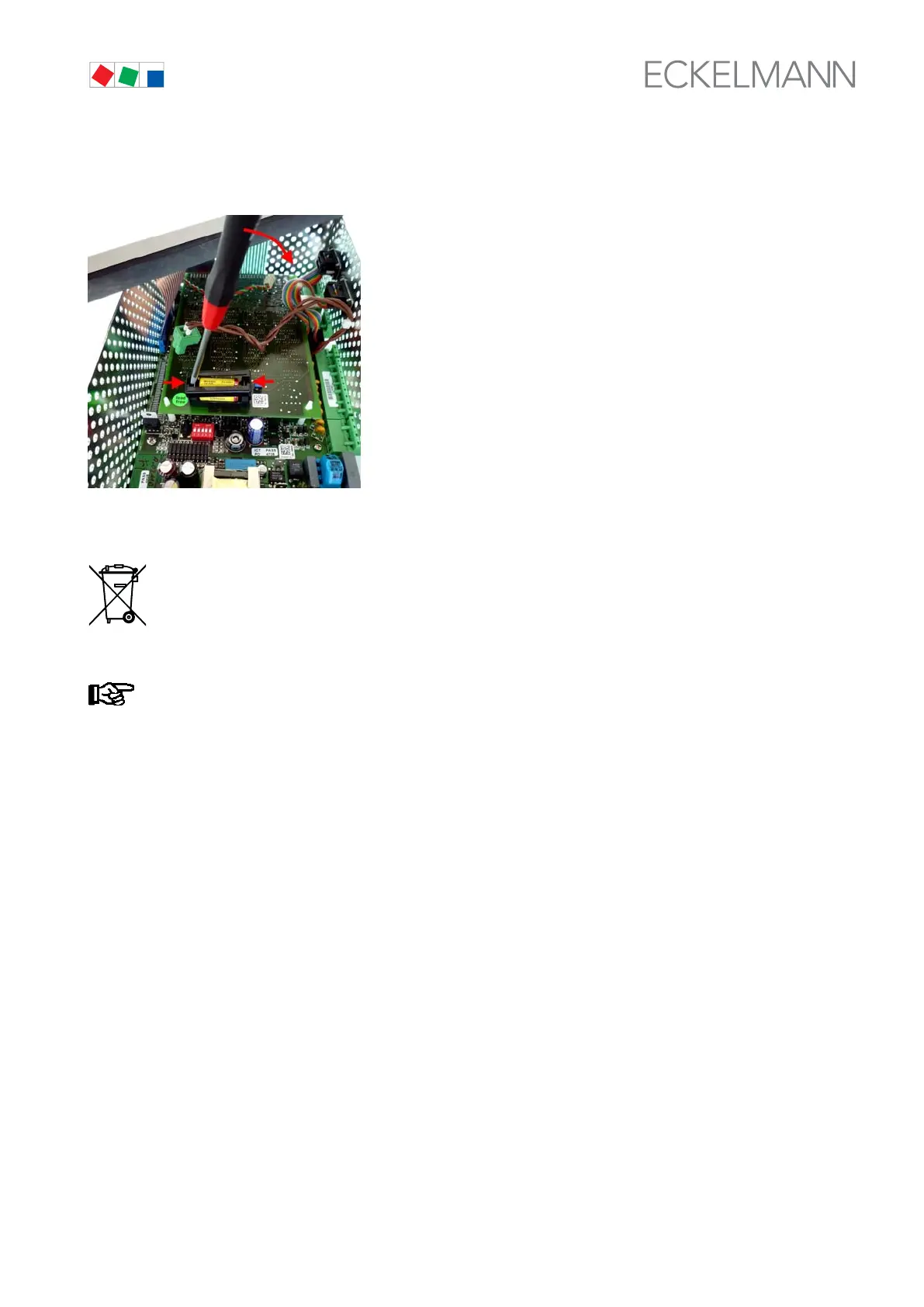
5. Now unbolt the battery holder carefully on the right and left, gently levering it out
with a screwdriver and then lifting it upwards:
6. Then pull the battery from the battery holder and dispose of it in a proper manner.
Never dispose of this product with other household waste. Please inform yourself of the local regula
tions for the separate disposal of electrical and electronic products. The correct disposal of your old
equipment will protect people and the environment from possible negative effects.
You will find further information in the chapter ”Decommissioning and Disposal”.
Do not touch the new battery with metal pliers, as it might be short-circuited and destroyed:
- wipe the new battery with a clean, dry cloth,
- do not touch the contact faces on the edges of the new battery.
7. Pick up the new battery with a cloth and press it in its holder.
8. Re-assemble in the reverse order. Before doing so, make sure the
green two-pin connector are properly connected (white arrow in picture).
9. Re-install the Store Computer in the control panel and re-connect all connectors.
10. Re-connect the Store Computer to the power supply.



 To Next Page