H50/H51 Hematology Analyzer User Manual Service
- 44 -
Chapter 13 Service
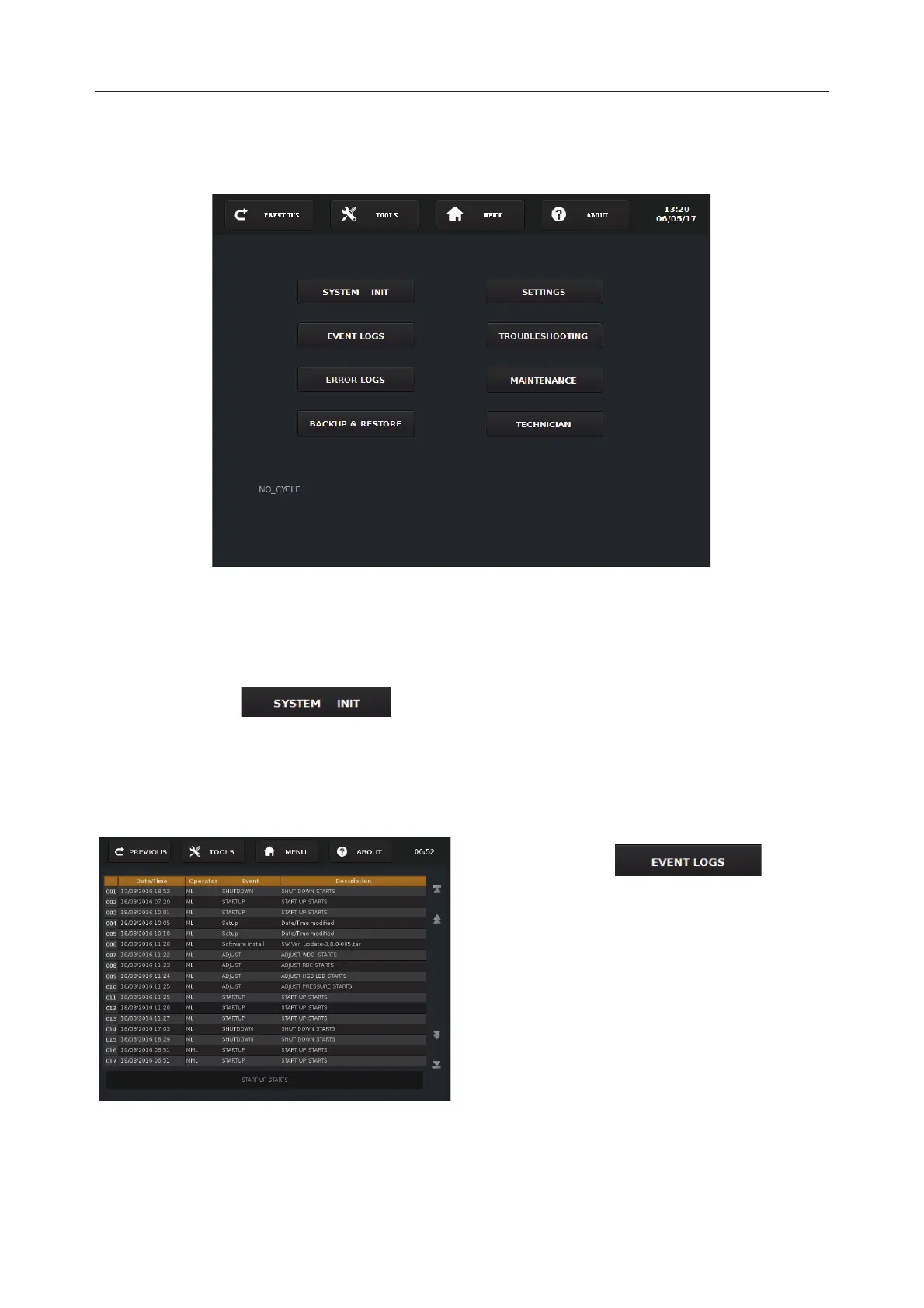
Press Service on the main screen to enter into the Screen 12 -1.
Screen 12-1
13.1 System Initialization
Press System Init ( ) and the system will automatically perform mechanical
initialization.
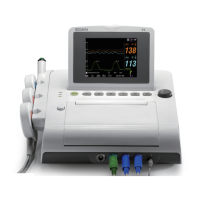
13.2 Event Logs
Event Logs Screen
ress Event Logs (
into the Event Logs Screen.
The event logs record the information: Date
/Time, Operator, Event and description. It
can store up to
1000 data entries.
4
data entries on every
page.


 To Next Page