Control Unit IV Reference Manual Installation
529-0004 Ver.3 2-5
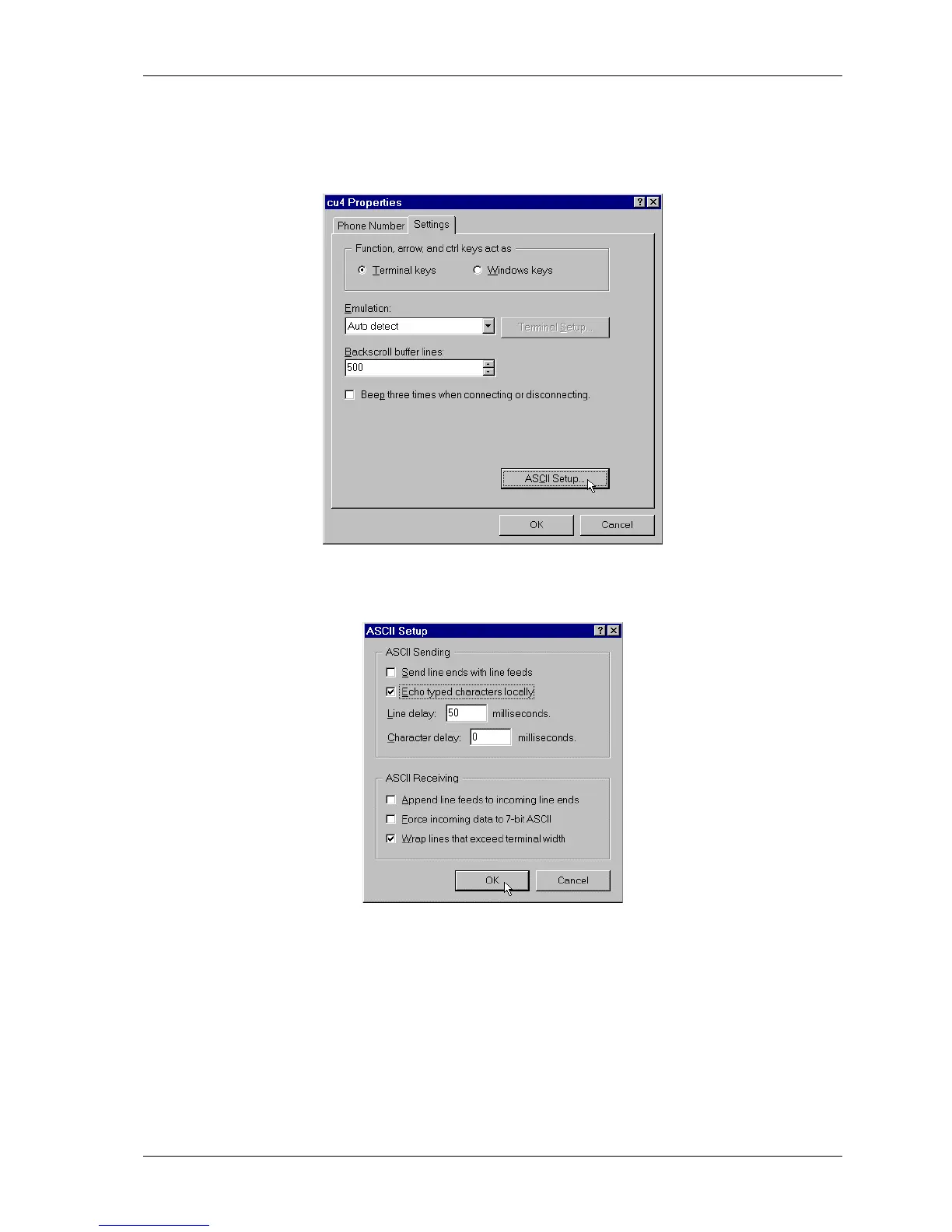
5. To display the commands and instructions received during communication, use the File
menu in the menu bar and select Properties. When the Properties window opens, select
the Settings tab and click the
ASCII SETUP
button.
6. This calls up the ASCII setup window. Check the Echo typed characters locally box,
and click
OK
to return to the Properties window.
7. When the Properties window reappears, click
OK
again. Your connection is now ready to
be used to communicate with the Control Unit. It can also be used to set up the modems.



 To Next Page