Technical Support - MDM
72/104
599 77 39-16 Rev. 00
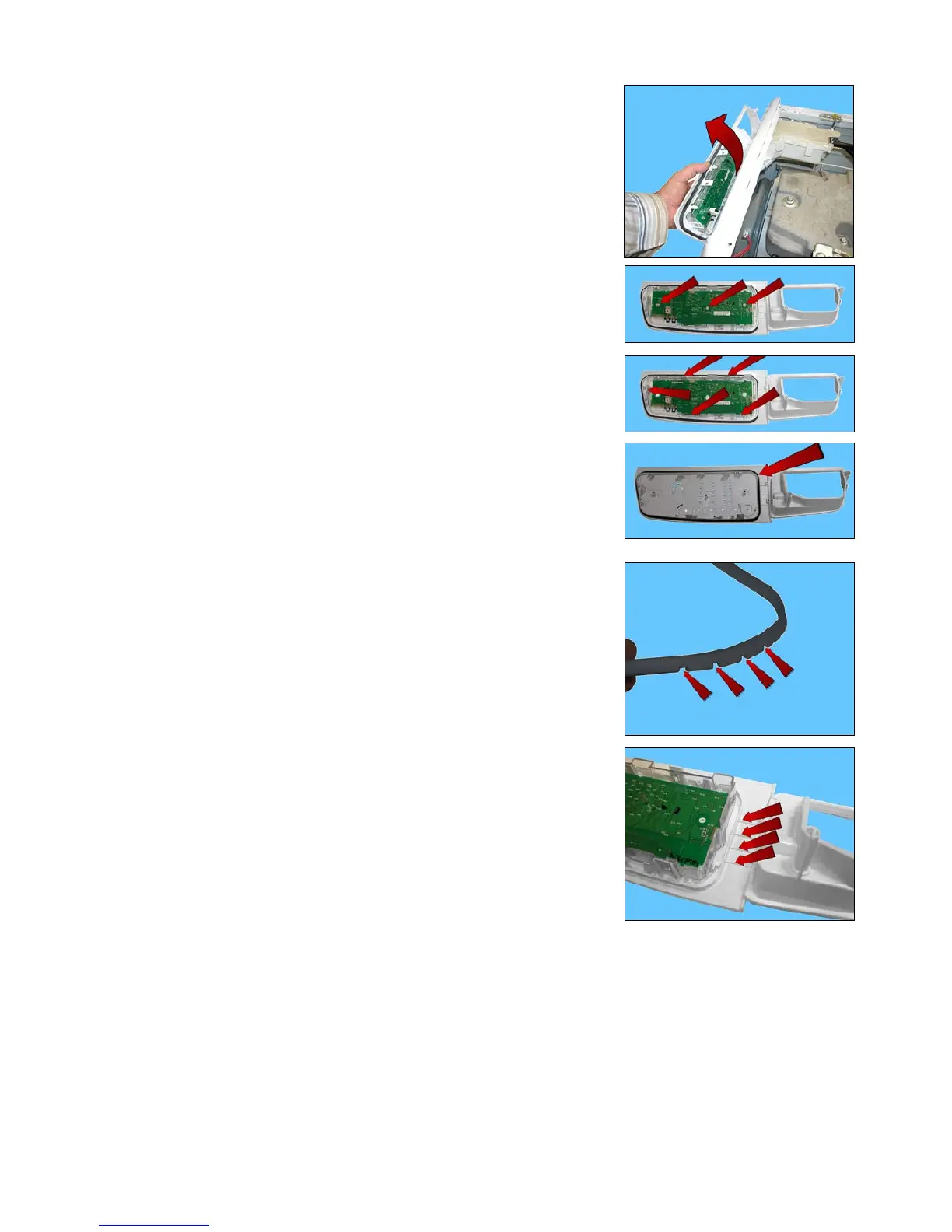
Extract the control panel.
Remove the three screws which secure the display board assembly to the
control panel.
Release the hooks securing the display board assembly to the control panel.
On the control panel, a small wall has been created around the display board
seat, which is surrounded by a seal, which prevents any water seepage from
coming into contact with the display board itself.
When reassembling:
Place the four reference marks featured in the seal (shown by the arrows).
Against the four reference marks featured on the control panel.




 To Next Page