DCM00002 REV. 16 49
5.8 Preset Name Screen
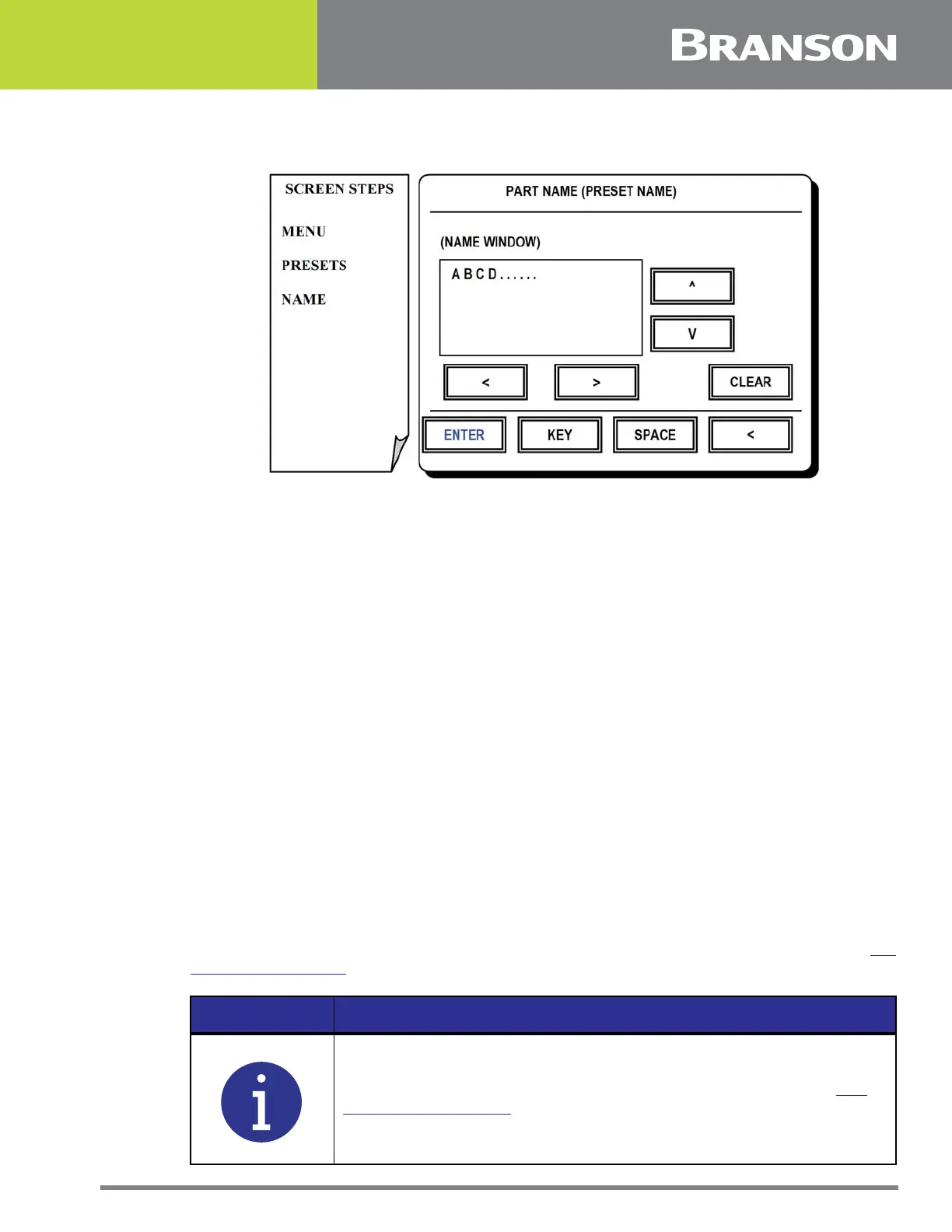
Figure 5.7 Preset Name screen
Preset Name Screen
Names are created from this screen. The reason for creating a name is to associate it with
particular group of weld settings and then store it in the controller library. A preset name
may contain up to 20 characters.
Press one of the following options for this screen:
UP, DOWN, LEFT or RIGHT ARROWS
To navigate cursor over the desired character in the selection box.
KEY
To add the character in the name window.
SPACE
To add spaces in name window.
ARROW (lower right hand of screen)
To backspace one character.
CLEAR
To erase all characters in the name window.
ENTER
To return to Preset Menu when you are satisfied with the name you have created. See 5.7
Preset Menu Screen.
NOTICE
The name will not be saved until it is stored in the library. See 5.9
Preset Library Screen.



 To Next Page