EasyManua.ls Logo

Endress+Hauser Proline 200 - User Manual

Endress+Hauser Proline 200
218 pages
Print Icon
To Next Page IconTo Next Page
Loading...
Products Solutions Services
Operating Instructions
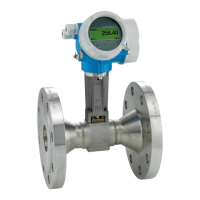
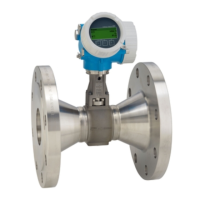
Proline Prowirl F 200
PROFIBUS PA
Vortex flowmeter
BA01222D/06/EN/03.15
71299421
Valid as of version
01.01.zz (Device firmware)

Table of Contents

Other manuals for Endress+Hauser Proline 200

Questions and Answers

  • C
    Chad DickersonAug 13, 2025
    What to do if the Endress+Hauser Measuring Instruments device measures incorrectly?
    • B
      Betty LoganAug 13, 2025
      If your Endress+Hauser Measuring Instruments device is measuring incorrectly, you should first check and correct the parameter configuration. Also, make sure to observe the limit values specified in the Technical Data.
  • J
    joshuahendersonAug 16, 2025
    How to fix dark local display and no output signals on Endress+Hauser Proline 200 Measuring Instruments?
    • J
      John BrownAug 16, 2025
      If the local display is dark and there are no output signals on your Endress+Hauser Measuring Instruments, consider the following: * Ensure the supply voltage matches the value on the nameplate; if it doesn't, apply the correct supply voltage. * Verify the polarity of the supply voltage and correct it if wrong. * Check the connection of the cables and correct if necessary. * Check terminals if they are plugged into the I/O electronics module correctly. * If the I/O electronics module is defective, order a spare part.
  • R
    Russell MyersAug 20, 2025
    Why is the Endress+Hauser Proline 200 Measuring Instruments device showing the correct value on the local display, but the signal output is incorrect?
    • K
      Katherine SolomonAug 20, 2025
      If your Endress+Hauser Measuring Instruments device shows the correct value on the local display, but the signal output is incorrect, it may be due to a configuration error. Check and correct the parameter configuration.
  • J
    Jeffrey AdamsAug 25, 2025
    What to do if the Endress+Hauser Proline 200 Measuring Instruments local display is dark but signal output is within the valid range?
    • I
      Ivan GarciaAug 25, 2025
      If the local display on your Endress+Hauser Measuring Instruments is dark, but the signal output is within the valid range: * The display may be set too bright or too dark. Set the display brighter by simultaneously pressing the appropriate buttons. Set the display darker by simultaneously pressing the appropriate buttons. * Check that the cable of the display module is correctly inserted into the main electronics module and display module. * If the display module is defective, consider ordering a spare part.
  • T
    Travis HessAug 27, 2025
    How to restore write access to parameters on Endress+Hauser Measuring Instruments?
    • R
      Rachel HansonAug 28, 2025
      If you have no write access to parameters on your Endress+Hauser Measuring Instruments: 1. Check if hardware write protection is enabled and set the write protection switch on the main electronics module to the OFF position. 2. Verify the current user role and access code. Check user role and enter the correct customer-specific access code.
  • B
    Brittany BauerAug 31, 2025
    Why is the backlighting of local display red on Endress+Hauser Proline 200?
    • S
      Samantha HaynesAug 31, 2025
      The red backlighting on the local display of your Endress+Hauser Measuring Instruments indicates that a diagnostic event with an "Alarm" diagnostic behavior has occurred. Take remedial measures.
  • V
    Virginia WhiteSep 4, 2025
    What does "Communication Error" on Endress+Hauser Proline 200 Measuring Instruments mean?
    • D
      Danielle HowellSep 4, 2025
      If the message "Communication Error" "Check Electronics" appears on the local display of your Endress+Hauser Measuring Instruments, it means that communication between the display module and the electronics is interrupted. Check the cable and the connector between the main electronics module and display module. If needed, order a spare part.
  • S
    Stephen HollowaySep 7, 2025
    How to change the language on Endress+Hauser Proline 200 Measuring Instruments?
    • A
      April HesterSep 8, 2025
      If the text on the local display of your Endress+Hauser Measuring Instruments appears in a foreign language, follow these steps: 1. Press the appropriate buttons for 2 seconds to reach the "home position". 2. Press the indicated button. 3. Set the desired language in the Language parameter.

Endress+Hauser Proline 200 Specifications

General IconGeneral
Housing MaterialAluminum, Stainless Steel
Output Signal4-20 mA, pulse, frequency
CommunicationHART, PROFIBUS DP, Modbus, Foundation Fieldbus
Power Supply24 V DC, 100-230 V AC
DisplayLCD with backlight
ApprovalsATEX, IECEx, CSA
Protection ClassIP67
MaterialStainless steel
Measurement PrincipleCoriolis
Process ConnectionFlange, Thread, Tri-Clamp, Weld-in
Nominal DiameterDN 1 to DN 150
Temperature Range-50°C to +200°C

Related product manuals