Multi-Function Control ETMFC610 http://www.entecene.co.kr
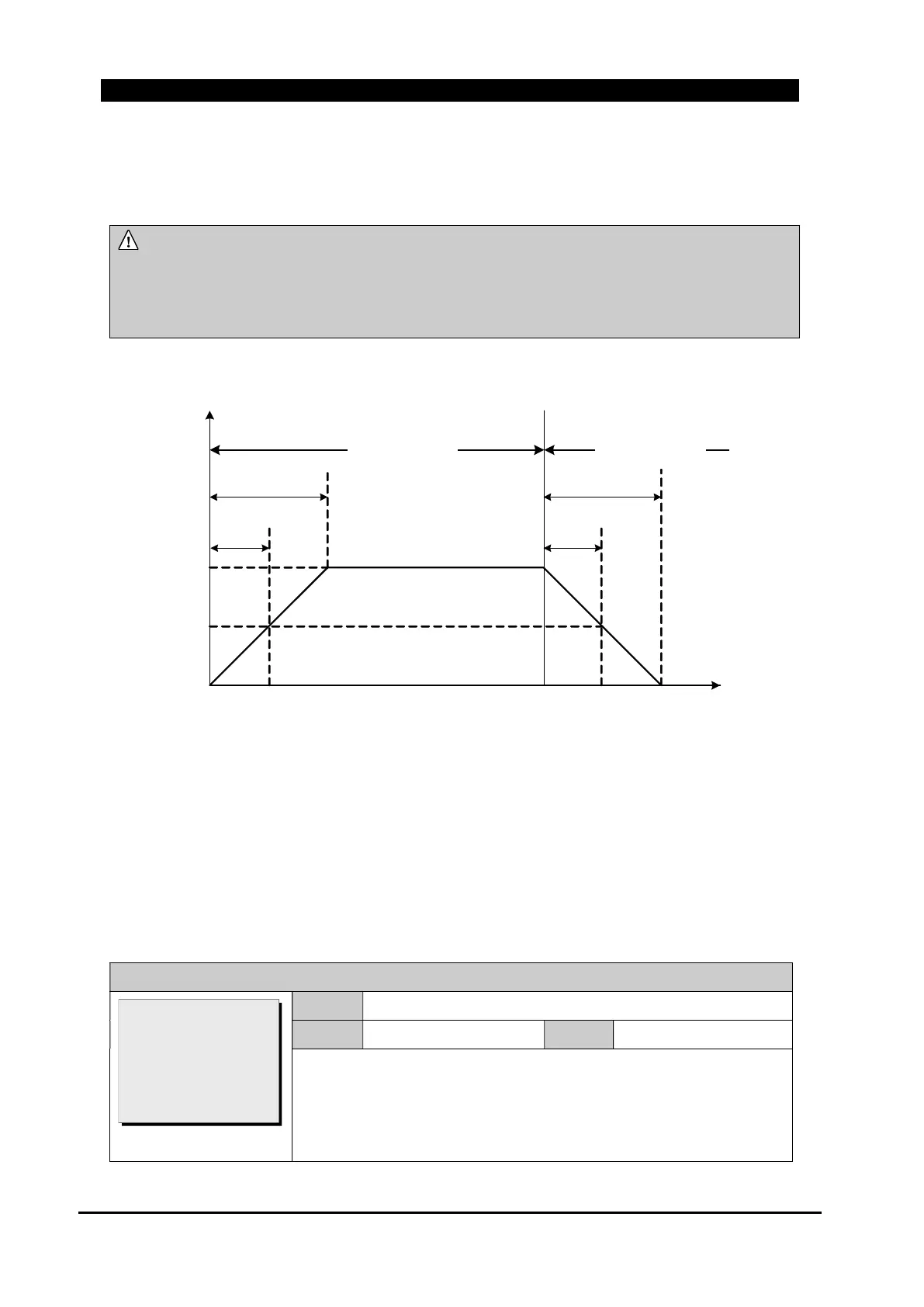
When ‘Pickup Multi’ and ‘Interval Time’ are set to be 3.0 and 60 min respectively, the graph of the
cold load multiple in “Figure 8-48. Cold Load Multiplier” is shown as follows.
NOTE:
The risen level of overcurrent pickup by multiple of cold load is the pickup level to operate
overcurrent protection element. The standard current level of T-C curve is a minimum
working current.
Cold Load Multiplier
Time(min)
× 1
× 2
× 3
T(60min)
0.5×T
(30min)
0.5×T
(30min)
T(60min)
Without Supply Supply Restore
Figure 8-47. Cold Load Multiplier
8.4.1.1. Cold Load Pickup Setup
Place the curser on “COLD LOAD PICKUP” in GROUP# menu, press [ENT] button to move into
this menu. This menu applies to both “Fault Indication type(FITYPE)” and “Protection
type(PROTYPE)”.
GROUP # / COLD LOAD PICKUP / Function
Range
DISABLE, ENABLE
Default
ENABLE
Step
~
Set whether to Enable or disable the Cold load pickup function.
When it sets to ON, cold load multiplier is applied to pickup current of
fault indication, phase, ground and negative sequence time
overcurrent.
>Function: ENABLE
Make Use ‘I’: NO
Pickup Multi: 2.0
Interval Time: 10
[DISABLE/ENABLE]



 To Next Page