Multi-Function Control ETMFC610 http://www.entecene.co.kr
9.3. Fault Cycle - Summary
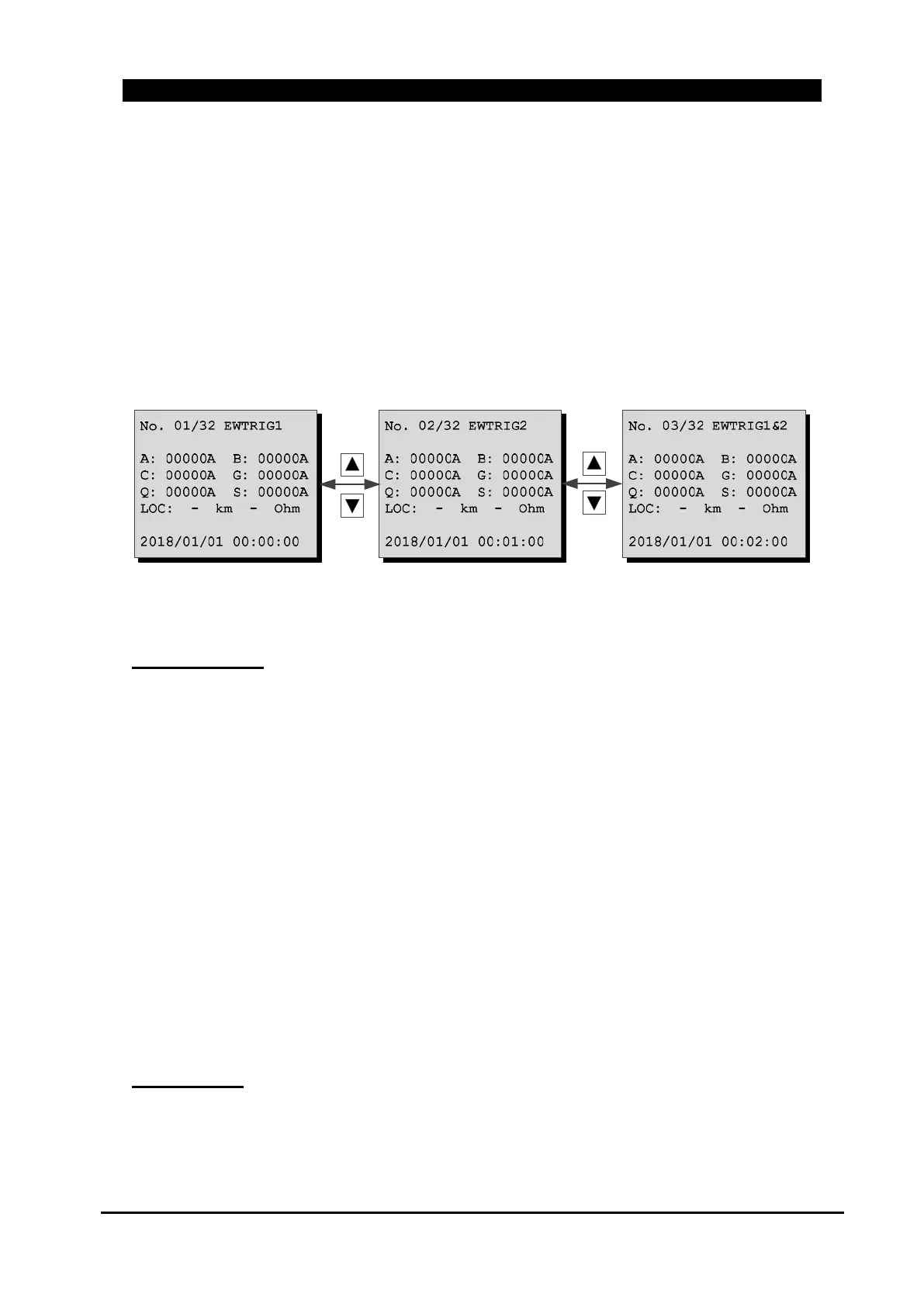
Fault wave is recorded up to 32 fault waves. Fault wave information is displayed on LCD.
Captured waveform can be checked in ETIMS Interface Software. However, if the ‘Wave Record’
setting in the “MAIN MENU/ GENERAL/ EVENT RECORDER” menu is OFF, fault cycles will
not be recorded.
Move to “MAIN MENU / EVENT / FAULT CYCLE” to confirm fault cycle summary.
[▼][▲] is used to check the fault event. [01/32] is the latest event record.
Trigger Source
Fault wave captured time.
- EWTRIG1 : Fault pick up time.
- EWTRIG2 : Fault detection time(Applied when Fault Indication Type) or trip time
Applied when Protection Type.
- EWTRIG1&2 : Fault Pickup & Trip time Fault detection time(Applied when Fault
Indication Type) or trip time Applied when Protection Type.
Fault current [A]: A phase, B phase, C phase, Ground, Sensitive earth and Negative sequence.
Fault Location Information
- Fault Location [km]
- Fault Reactance [Ohm]
*. NOTE) 1. Indicated when “Fault Locater” function is ENABLE.
2. For more details about settings of “Fault Locater” function, refer to “8.5.9. Fault
Locator”.
Trigger Time
Monitors changes of Trigger source status in every 1/4 cycle.



 To Next Page