Multi-Function Control ETMFC610 http://www.entecene.co.kr
6.1.2. Local Control Section
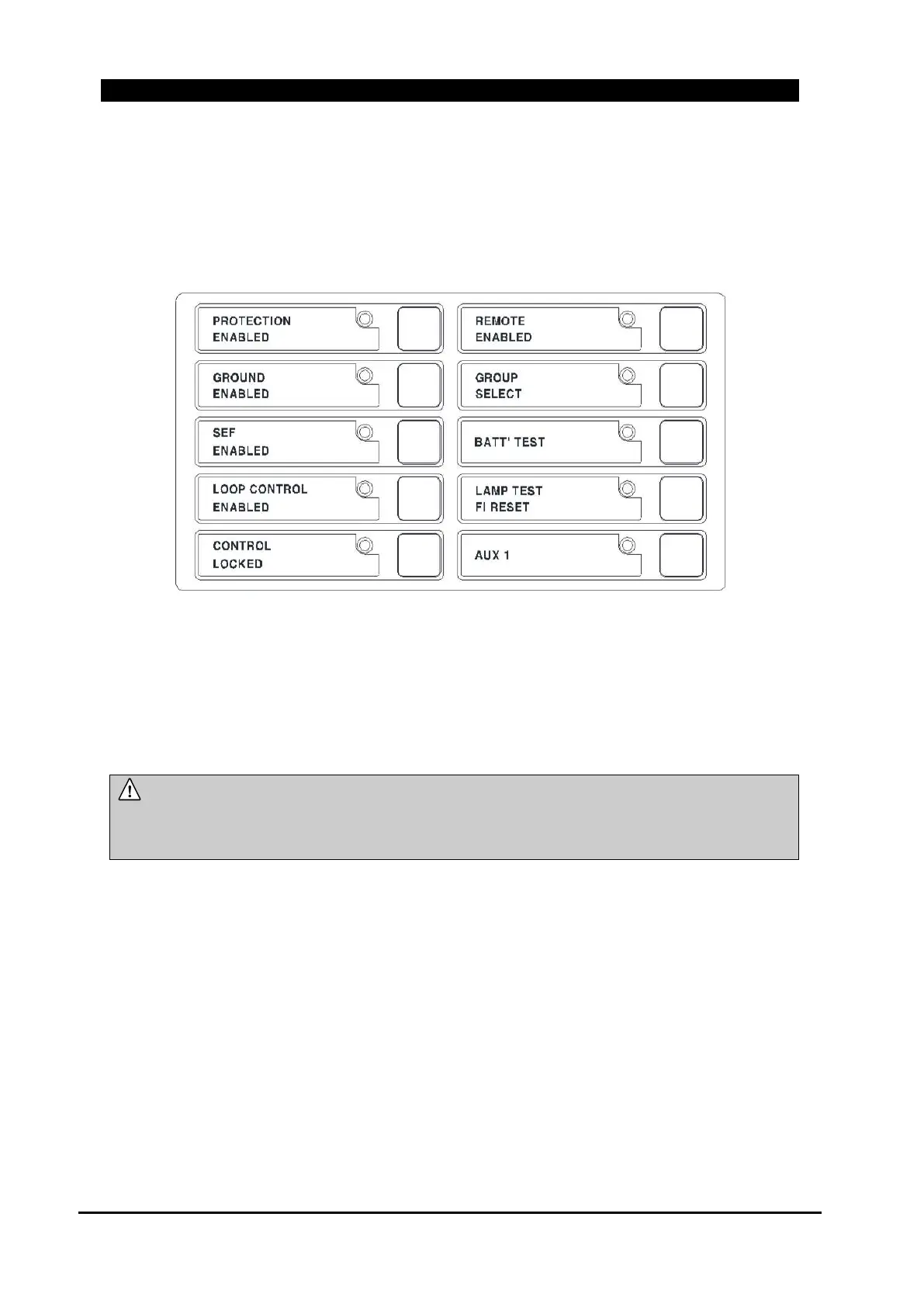
All indicators show status of Control function. The indicators are continuously ON when the
control function is enabled and the indicators are continuously OFF when control function is
DISABLE. The push-button toggles ENABLE/DISABLE.
Figure 6-3. Local Control Section
PROTECTION ENABLED
When the LED is illuminated, all fault indication elements (in case of Fault Indication type)
protection elements (in case of Protection type) are enabled. The fault indication and protection can
be disabled by pressing the “PROTECTION ENABLED” push button on the front panel.
NOTE :
If “PROTECTION ENABLED” is ON, all fault indication and protection elements
and are operating, however, Ground fault and Sensitive Earth Fault Elements are
individually set for enable or disable on front panel by LED ON/OFF button.
GROUND ENABLED
GROUND ENABLED LED is ON and OFF by pressing the “GROUND ENABLED” push-button.
When the “PROTECTION ENABLED” and “GROUND ENABLED” LEDs are both ON, ground
fault indication element (in case of Fault Indication type) and ground overcurrent protection
elements (in case of Protection type) are enabled. However, even if the “GROUND ENABLED” is
ON and the “PROTECTION ENABLED” LED is OFF, ground fault elements do not operate. If the
“GROUND ENABLED” is OFF, and the “PROTECTION ENABLED” is ON, ground fault
elements do not operate, too.
When “GROUND ENABLED” is OFF, “SEF ENABLED” becomes OFF at the same time. Also,
when “SEF ENABLED” is ON, “GROUND ENABLED” becomes ON.



 To Next Page