Multi-Function Control ETMFC610 http://www.entecene.co.kr
MAINTENANCE / COUNT / COMMUNICATION
COMM-S1(4/8)
DI Evt buf: Indicates the untransmitted DI events number of DNP3.0 Slave1.
AI Evt buf: Indicates the untransmiteed AI events number of DNP3.0 Slave1.
CI Evt buf: Indicates the untransmitted CI events number of DNP3.0 Slave1.
COMM-S2(5~8/8)
Indicates the communication counter of DNP3.0 Slave2. The composition counter is same as
DNP3.0 Slave 1.
10.1.5. User Count
Move to “MAINTENANCE / COUNT / USER COUNT” to confirm user count.
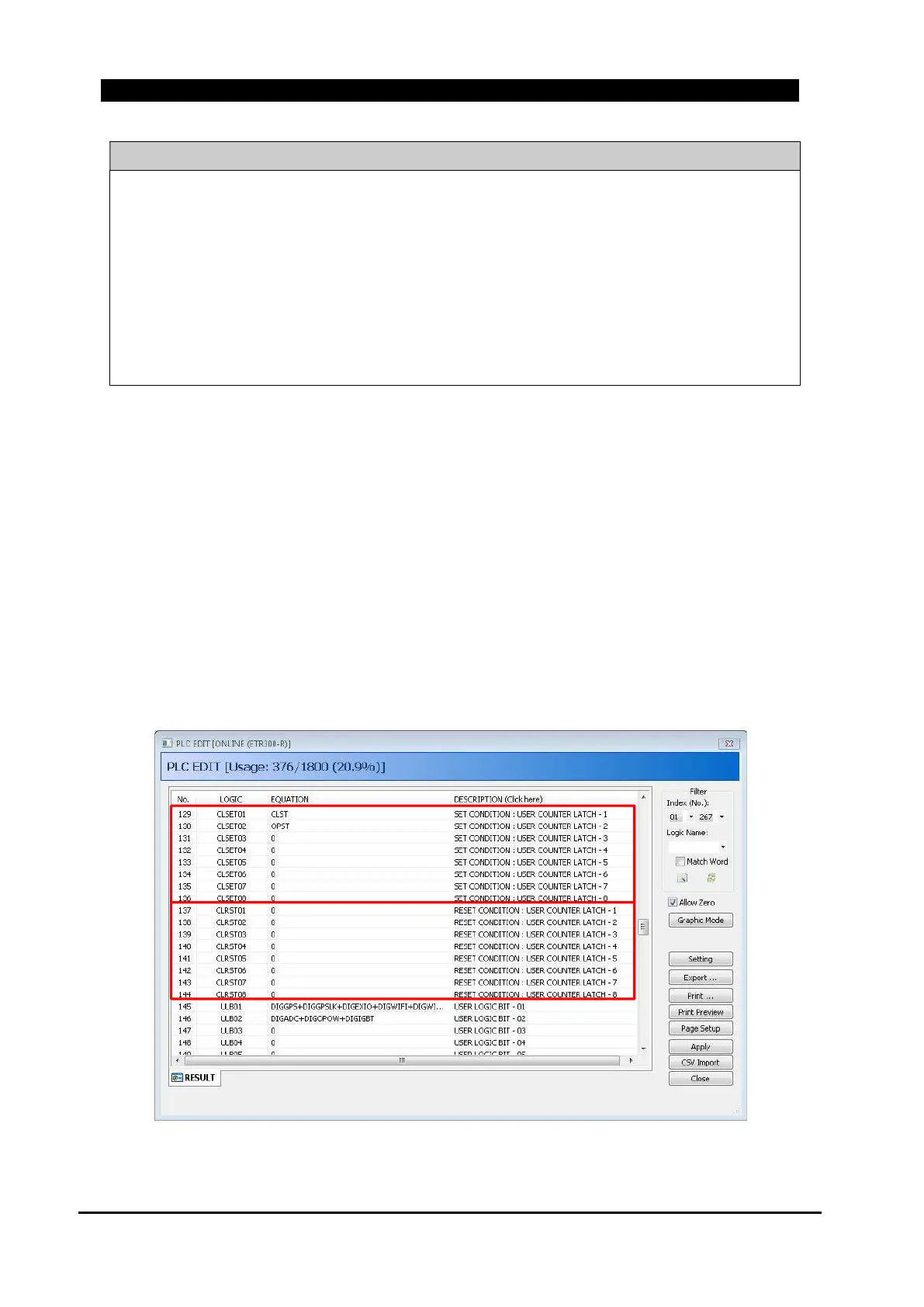
The ETMFC610 provides eight(8) user counts. The user count can define the counter to be
managed by the user through the PLC configuration. When input condition set in CLSET # (User
Counter Set Condition) of PLC is occurred, the corresponding user count is increased by 1. When
the input condition set in CLRST # (User Counter Reset Condition) occurs, the corresponding user
count is cleared to 0. When you set CLST (close status) on CLSET01, user count 1 is increased by
1, whenever the Switch(or CB) is closed. User count can be monitored by Pulse Count logic of
PLC function. For details, refer to “7.1.6.3. PULSE COUNTER”.
Figure 10-1. PLC Edit Window of ETIMS Interface Software



 To Next Page