Multi-Function Control ETMFC610 http://www.entecene.co.kr
GROUP SELECT
This button is used to change the setting group applied to ETMFC610.
The procedure of changing the active setting group using the "GROUP SELECT" push-button on
the front panel is as follows.
Use the "GROUP SELECT" push-button to
select the setting group you want to apply.
Setting group is cyclically selected;
GROUP1 GROUP2 … GROUP6
GROUP1.
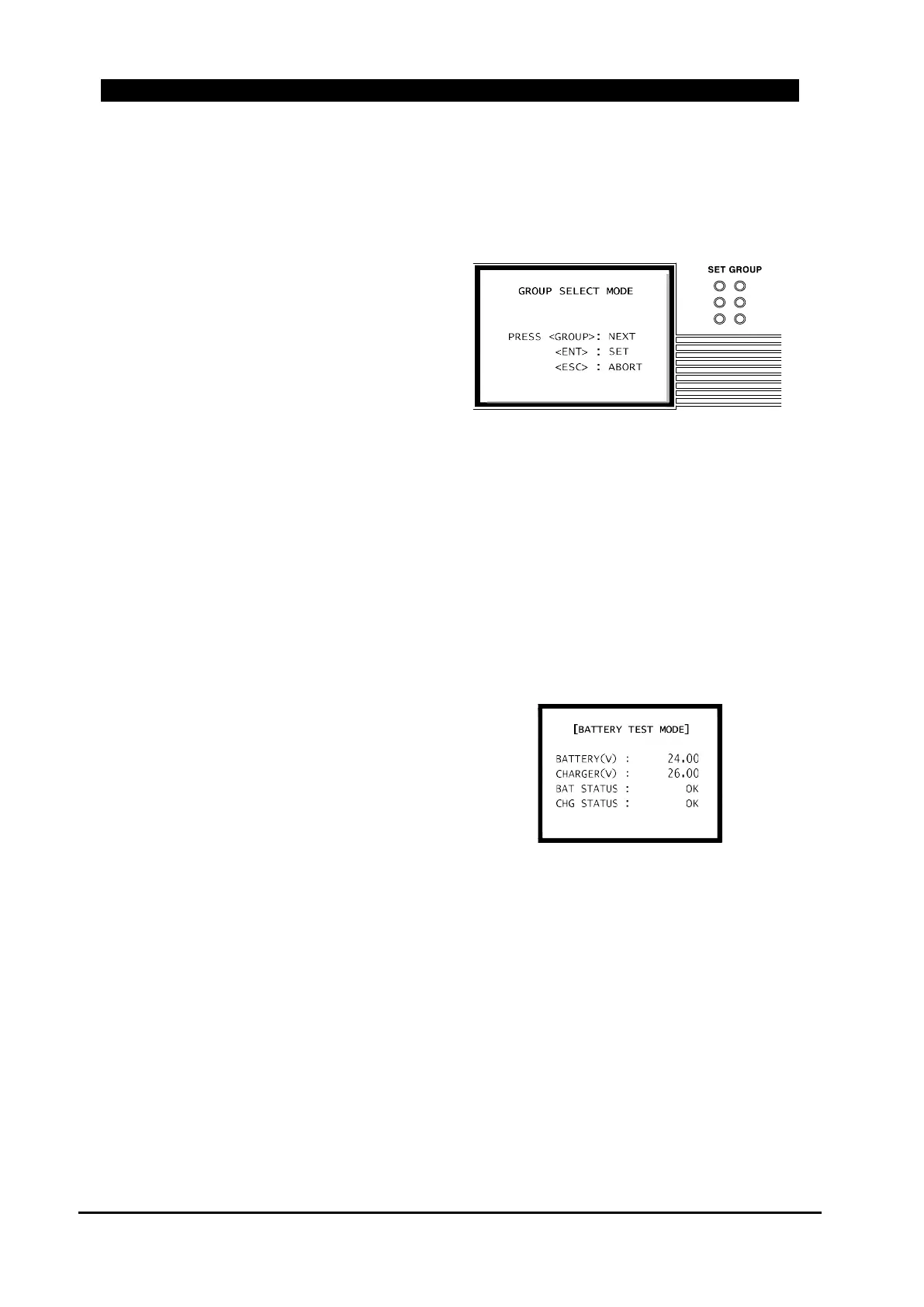
While controlling the "GROUP SELECT"
push-button, the LCD display will be like the
“Figure 6-4. Group Select Mode LCD
Display” and the selected
SET GROUP LED
1
3
5
2
4
6
Figure 6-4. Group Select Mode LCD Display
will flash.
At this time, if you press the [ENT] button, the selected setting group will be applied. The
flashing "SET GROUP" LED will light up.
If [ESC] button is pressed or if [ENT] button is not pressed for a long time, the setting group
before the "GROUP SELECT" push-button control will be returned.
BATT’ TEST
When “BATT’ TEST” push-button is pressed, battery load test is run.
On Test, Battery is disconnected from the charge
circuit and connected the battery with load
resistor and check the battery. Load resistor shall
be connected with AC supply.
LCD displays during Battery Load Testing.
BATTERY(V) : Display the battery voltage.
Figure 6-5. Battery Test Mode LCD Display
CHARGER(V) : Display the voltage of charge circuit.
BAT STATUS : Display battery status.
- OK : When the battery voltage is between 21V ~ 28V
- HIGH : When the battery voltage is over 28V
- LOW : When the battery voltage is between 15V ~ 21V
- NO BATT : When the battery voltage is below 15V
CHG STATUS : Display charge circuit status.
- OK : When the charge circuit is between 25V ~29.5V
- HIGH : When the charge circuit is over 29.5V
- LOW : When the charge circuit is below 25V



 To Next Page