C8-B/C12-B Service Manual Maintenance Disclosure Scope: Maintenance Trained Personnel Only
(C) Seiko Epson Corporation 2-349 Rev.1
B. Installation
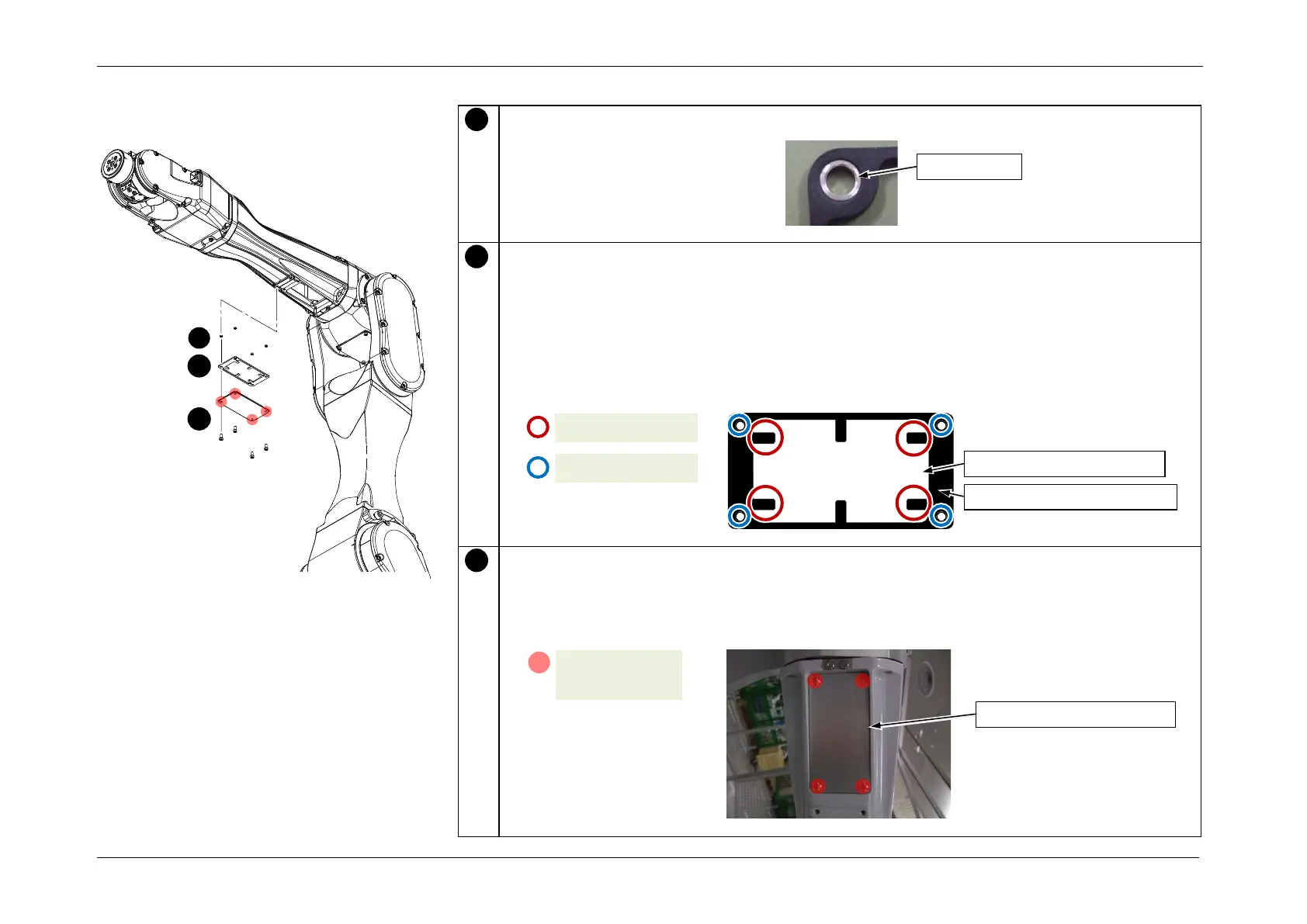
Install the spacers on the holes in the Rubber Gasket. (4 places)
Apply the liquid gasket to the Arm4 maintenance gasket, and secure the Arm4
maintenance gasket to the Arm4 maintenance cover.
POINT
• After applying the liquid gasket, leave it until the liquid gasket becomes solid and the
Rubber Gasket is fixed.
• If any damage or deterioration is observed in the Rubber Gasket, replace the Rubber
Gasket.
Install the Arm4 maintenance cover.
CAUTION
When installing the cover, be careful not to pinch the Rubber Gasket and cables. Also, do
not bend or push the cables in using excessive force.
S01: 4-M4x10
(4.0 +/- 0.2 N⋅m)














 To Next Page