C8-B/C12-B Service Manual Maintenance Information Disclosure Scope: Maintenance Trained Personnel Only
(C) Seiko Epson Corporation 1-4 Rev.1
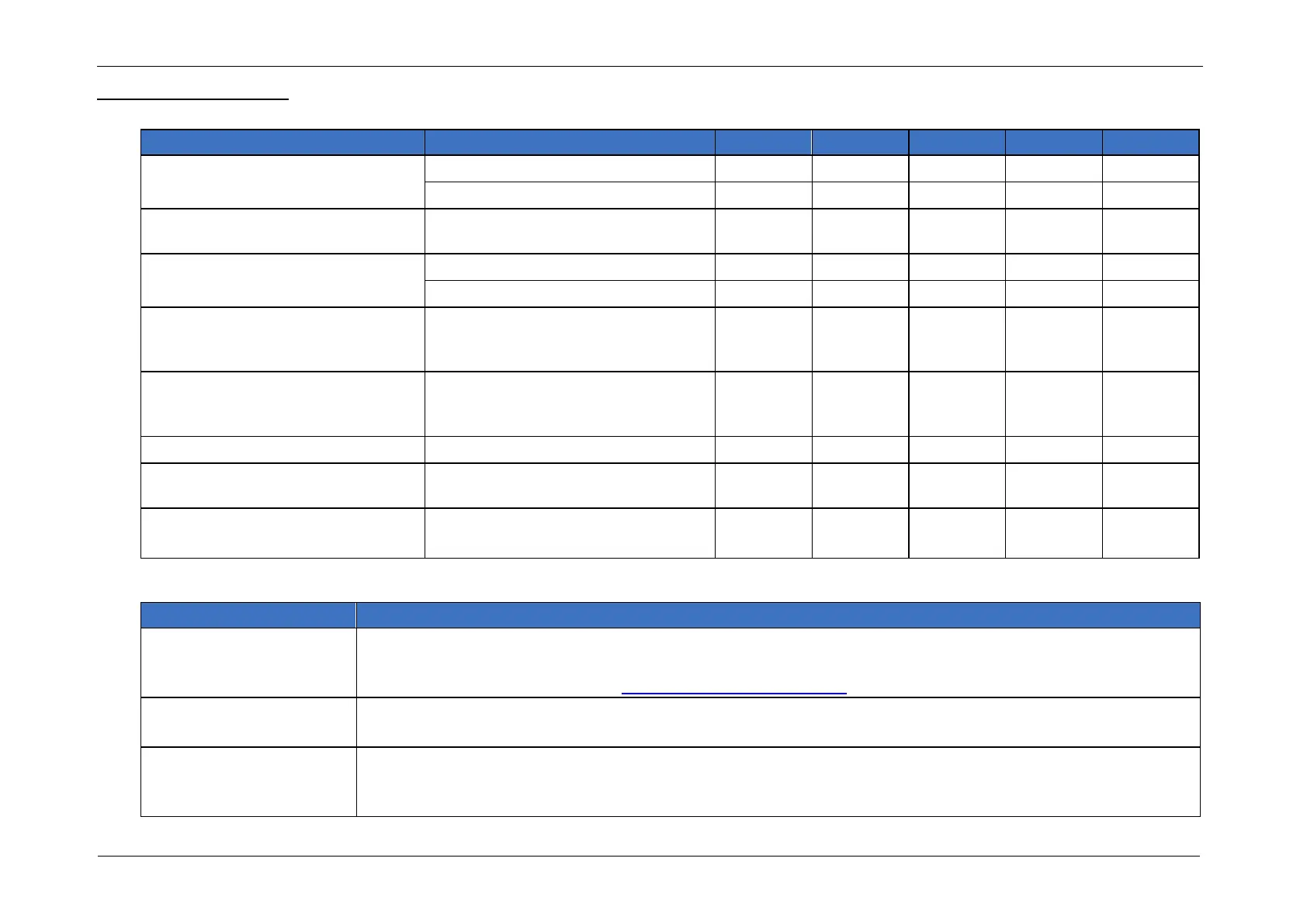
1.2.2 Inspection Point
Inspection Item
Check looseness or backlash of
bolts/screws.
End effector mounting bolts
Manipulator mounting bolts
Check looseness of connectors.
External connectors on Manipulator
(on the Connector Plates etc.)
Visually check for external defects.
Clean up if necessary.
External appearance of Manipulator
Check for bends or improper
location. Repair or place it properly
if necessary.
Check either the external short
connector or the brake release unit
connector is connected.
The external short connector on the
back side of the Manipulator, or the
brake release unit connector.
Check the Brake operation
Check whether unusual sound or
vibration occurs.
Check if the fan is running
(C8XL/C12XL only)
Check looseness or
backlash of bolts/screws.
Use a hexagonal wrench to check that the end effector mounting bolts and the Manipulator mounting bolts
are not loose.
When the bolts are loose, refer to 1.2.6 Tightening Bolts/Screws and tighten them to the proper torque.
Check looseness of
connectors.
Check that connectors are not loose.
When the connectors are loose, reattach it not to come off. Check that connectors are not loose.
Visually check for external
defects.
Clean up if necessary.
Check the appearance of the Manipulator and clean up if necessary.
Check the appearance of the cable, and if it is scratched, check that there is no visible internal cable.














 To Next Page