C8-B/C12-B Service Manual Maintenance Disclosure Scope: Maintenance Trained Personnel Only
(C) Seiko Epson Corporation 2-359 Rev.1
Protection Model
A. Removal
CAUTION
• Do not pull the Connector Plate with force. It may result in damage to the cables,
disconnection, and/or contact failure. These are extremely hazardous and may result
in electric shock and/or improper function of the robot system.
• At reassembly, check the cable arrangement when removing the Connector Plate in
order to return to a reasonable wiring arrangement.
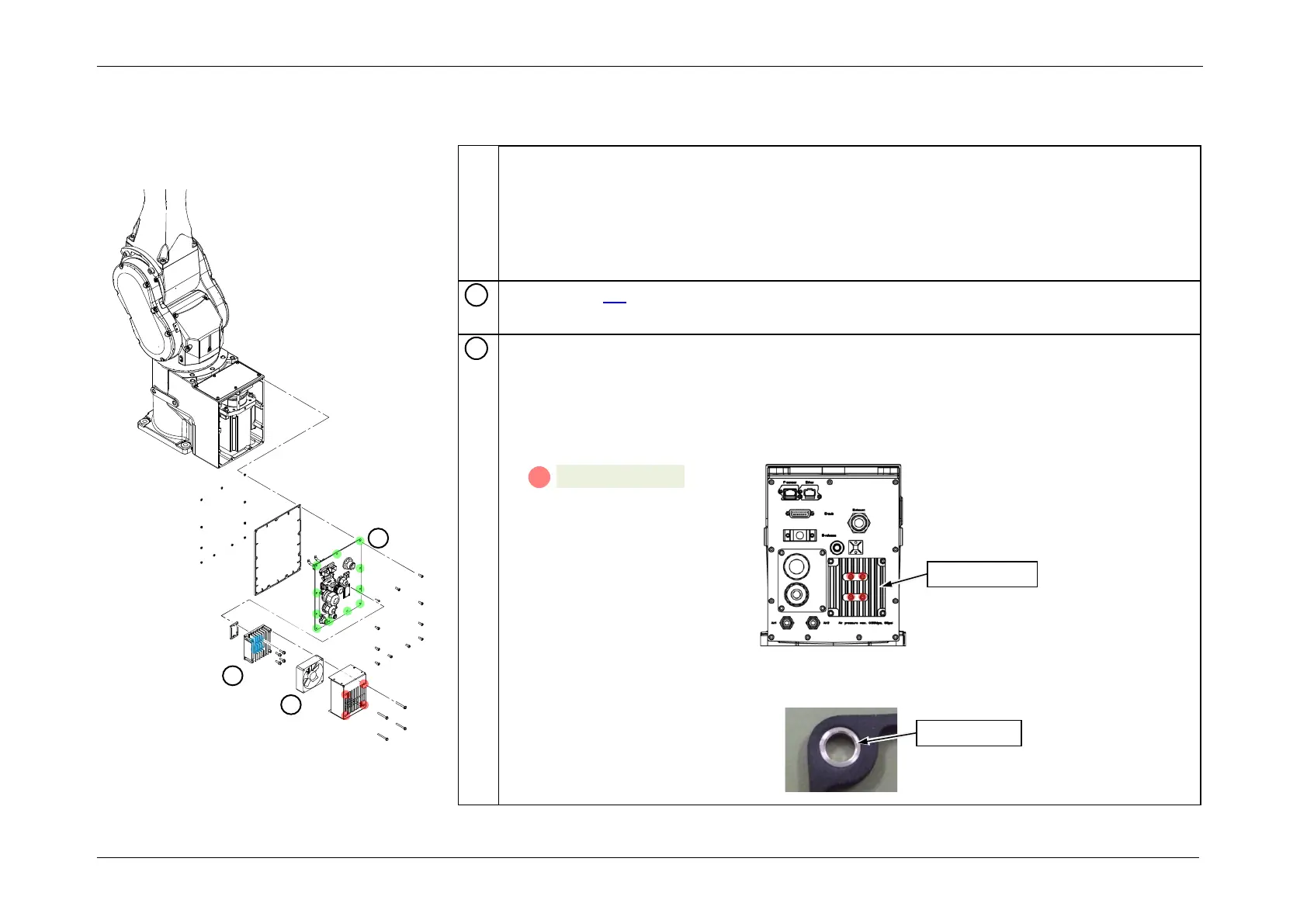
Remove the heat sink.
POINT
• When removing the heat sink, remove the Rubber Gasket on the heat sink and
Connector Plate.
• When removing the Connector Plate, also remove the base rear gasket.
CAUTION
The Rubber Gasket has spacers. Be careful not to lose these spacers.














 To Next Page