22 |
patiEnt data > MEdiCaL
tHErapy
· Diagnoses
· Medications
· Remark
This screen accommodates all fields for
entry of the diagnosis, the medications,
and any remarks. This information is es-
sential for the therapist. Existing medical
findings and / or instructions for the use
of medications are adopted with [ Create ].
The Create/edit diagnosis or Create/edit
medication window opens.
If you select Type , another window
with the title Create/edit diagnosis type
or Create/edit medication type opens.
Specify the type in the Name text box
and click
[ OK ] to close the window. After
you click the [ OK ] button once more, the
type will be added to the drop-down list.
All entries are saved with [ Save ]. With
[ Close ] you exit the menu.
| 23
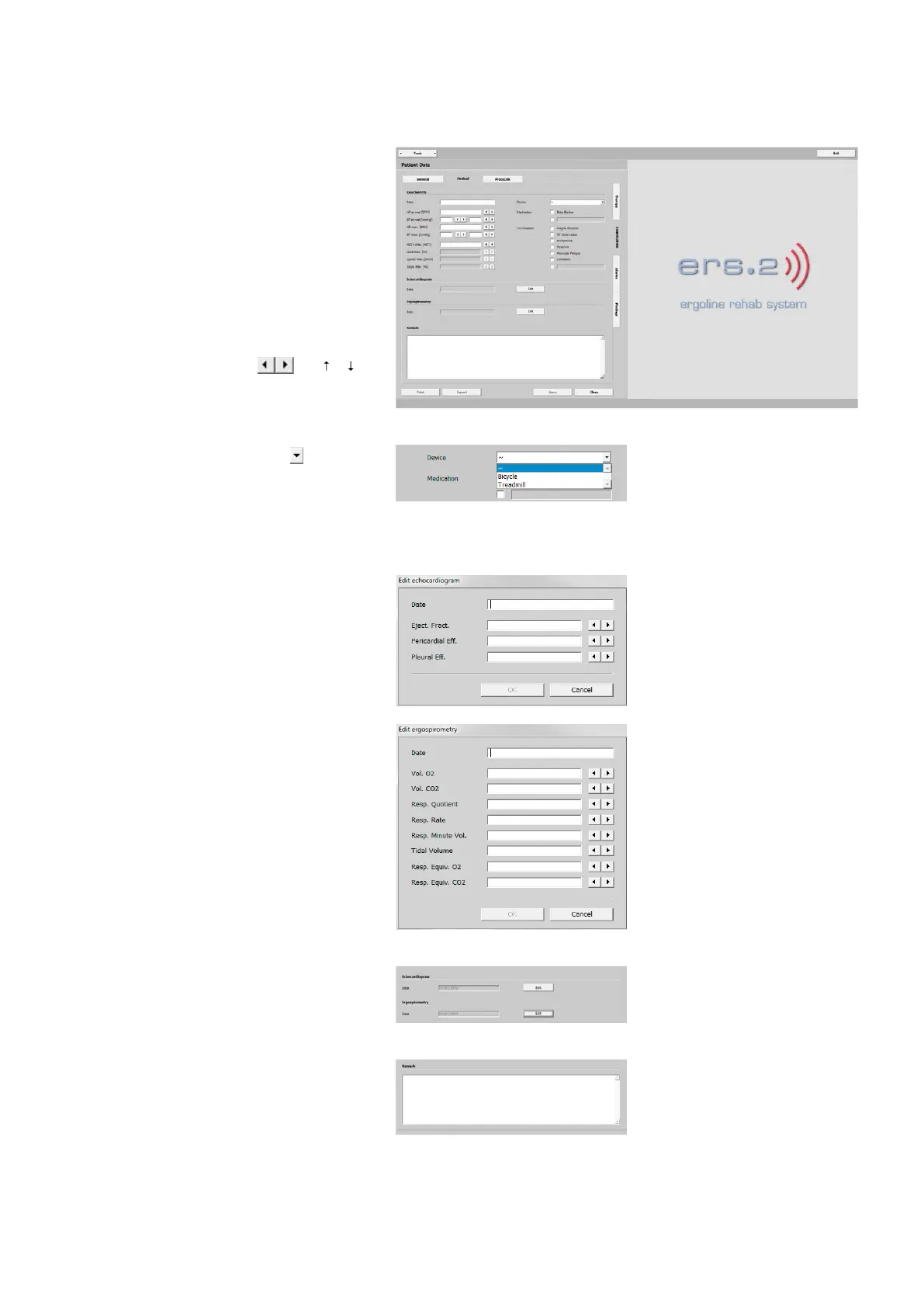
patiEnt data > MEdiCaL
ExaMinations
· Exercise ECG
· Echocardiogram
· Ergospirometry
· Remark
You will find a number of different en-
try fields. Enter values for HR at rest,
BP at rest, etc.
Use the arrow buttons or [ ] [ ]
on the keyboard to change values.
With the drop-down arrow you can
choose the training device. When the
text box is active (blue), you can select
the device by typing the first letter b for
the bicycle and t for the treadmill.
If you click the
[ Edit ] button in the
Echocardigram or Ergospirometry pane,
another window opens. Enter all relevant
data and click [ OK ] and [ Save ] to close
the window.
If data were entered for these items, a
date in a gray text box will be displayed.
Additional information can be entered in
the Remarks text box.



 To Next Page