48 |
ManagEMEnt > protoCoLs
t
rEadMiLL
Protocol Type ‘Custom’
Via [ Extended ] and Repeat you can eas-
ily copy the step types.
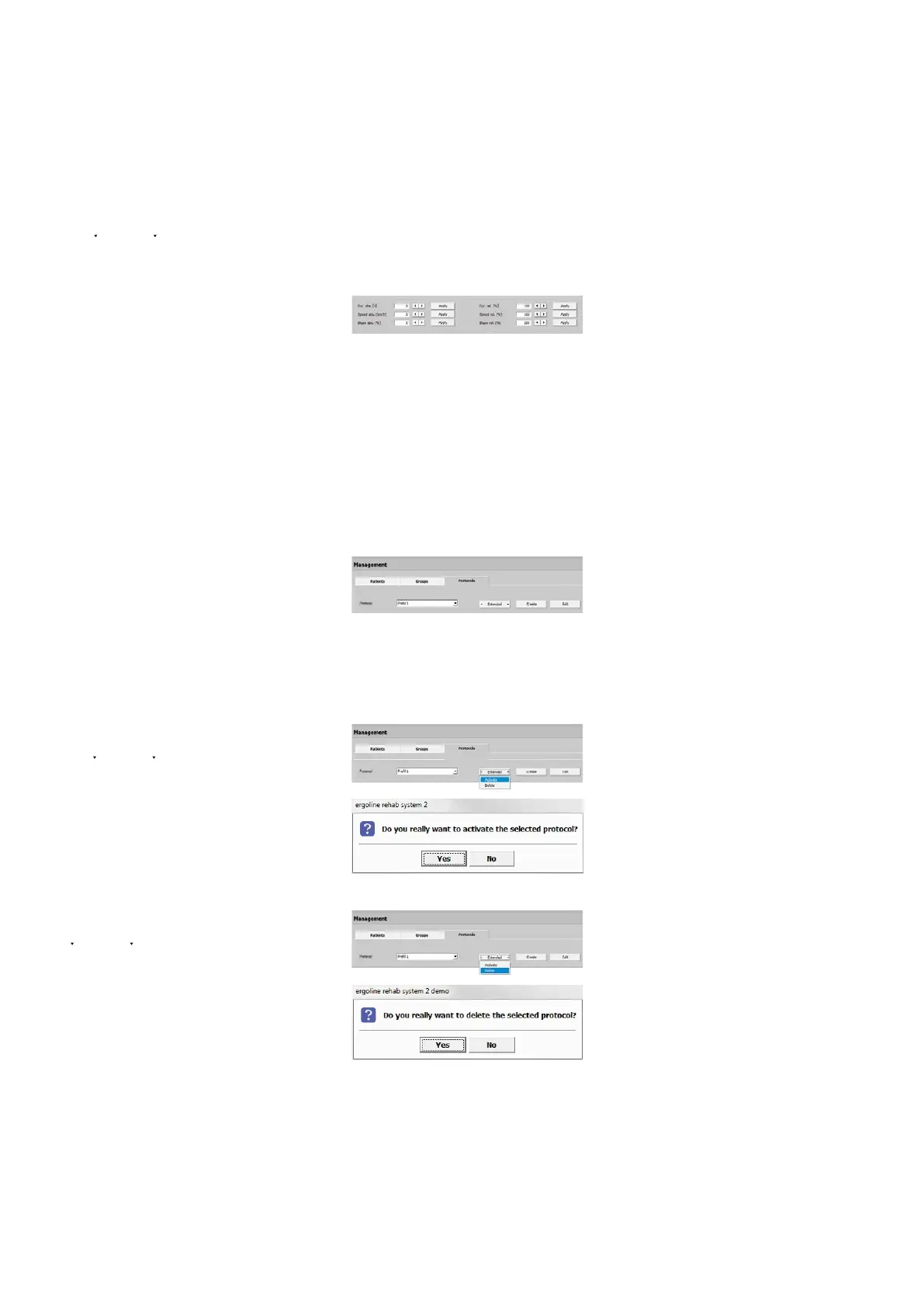
With [ Edit ] you can modify the dura-
tion, speed, and slope of individual or of
all steps. Highlight the steps you want
to modify (they turn blue) and enter
a value for Duration (abs. [s]/rel. [%]),
Speed (abs. [km/h]/rel. [%]) and/or
Slope (abs. [%]/rel. [%]). When you click
[ Apply ], the modifications will be adopt-
ed. To close the window, click [ Apply ].
Editing the Default Protocol
To edit a Default Protocol click [ Edit ].
Edit the settings and close the window
with [ Apply ]. The changes will be effec-
tive from now on.
Activating the Default Protocol
You activate a Default Protocol by click-
ing [ Extended ] and Activate. Answer the
question in the next window with [ Yes ].
The Default Protocol is now active which
can be recognized by the asterisk *.
Deleting the Default Protocol
To delete a Default Protocol click
[ Extended ] and select Delete.
When you click [ Yes ], the protocol will be
removed and is no longer available.
Please note that it is not possible to de-
lete an active protocol!



 To Next Page