19
4) Use copper conductors only.
5) Don’t run input wires together with power cables.
6) For 24 V DC the polarity is a not care condition.
7) The power supply input is fuse protected by a sub miniature fuse
rated T, 1A, 250 V.
When fuse is damaged, it is advisable to verify the power supply
circuit, so that it is necessary to send back the instrument to your
supplier.
8) The safety requirements for Permanently Connected
Equipment say:
- a switch or circuit-breaker shall be included in the building
installation;
- it shall be in close proximity to the equipment and within
easy reach of the operator;
- it shall be marked as the disconnecting device for the
equipment.
NOTE: a single switch or circuit-breaker can drive more than one
instrument.
9) When a neutral line is present please connect it to the 32
terminal.
PRELIMINARY HARDWARE SETTINGS
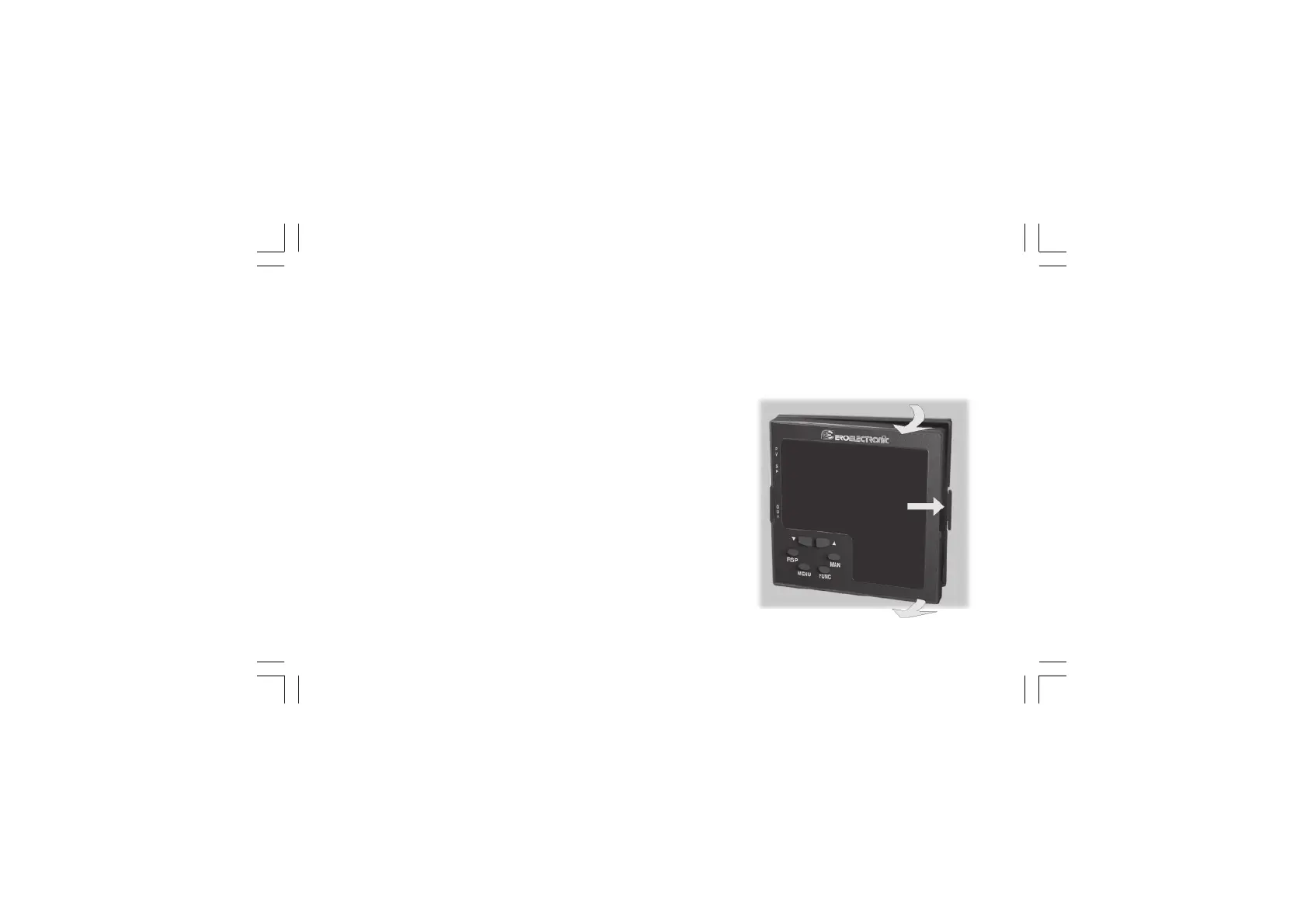
How to remove the instrument from its case
1) Switch off the instrument.
2) Push gently the lock A on the right.
3) While the lock A is maintained out, slide out the right side of
the instrument (see fig. 19.a)
A
B
B
Fig. 19.a
Xkc-1-C0.P65 5/29/02, 11:59 AM19



 To Next Page