VIP-X System Manual
Revision 1.0 VIP-X - 19
3.2.2. Installing EQX-OP288-XLINK and EQX-OP576-XLINK Rear Module in EQX 16RU
The EQX-OP288-XLINK and EQX-OP576-XLINK are installed in the EQX 16RU router.
"
The EQX 16RU frame must be factory X-LINK enabled; the frame type must be
EQX16FR-XLINK or part of an EQX package with –XLINK option. The EQX-OP288-
XLINK and EQX-OP576-XLINK output modules will not work in any of the non-XLINK
enabled EQX 16RU frames. The EQX 16RU non-XLINK enabled router cannot be
upgraded in the field, this is an option only installed at the factory. The EQX-
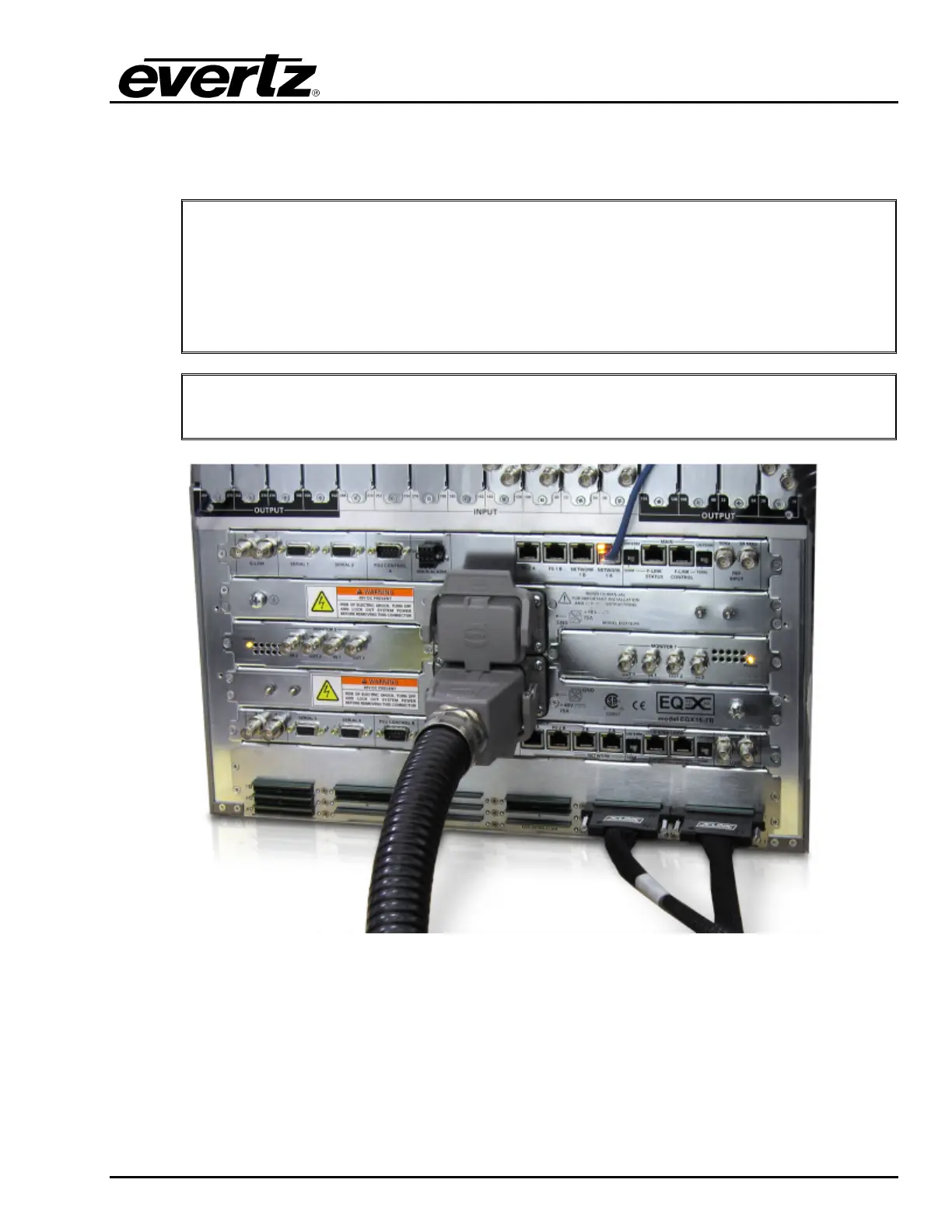
OP288/576-XLINK module is installed in the very bottom of the EQX 16RU router, see
Figure 3-3 for location details.
"
To obtain outputs from this output module, the lower or third cross point must be
installed in the router.
Figure 3-3: EQX 16RU with EQX-OP288-XLINK Installed (Two X-LINK Cables Installed)
3.2.3. Installing EQX-OP36-XLINK Output Card in EQX 26RU
The EQX-OP36-XLINK output module is installed in the standard output router slot of the EQX 26RU.
A single rear plate is shared between two EQX-OP36-XLINK output cards; therefore two adjacent slots
must be dedicated to this function.



 To Next Page