VIP-X System Manual
VIP-X - 54 Revision 1.0
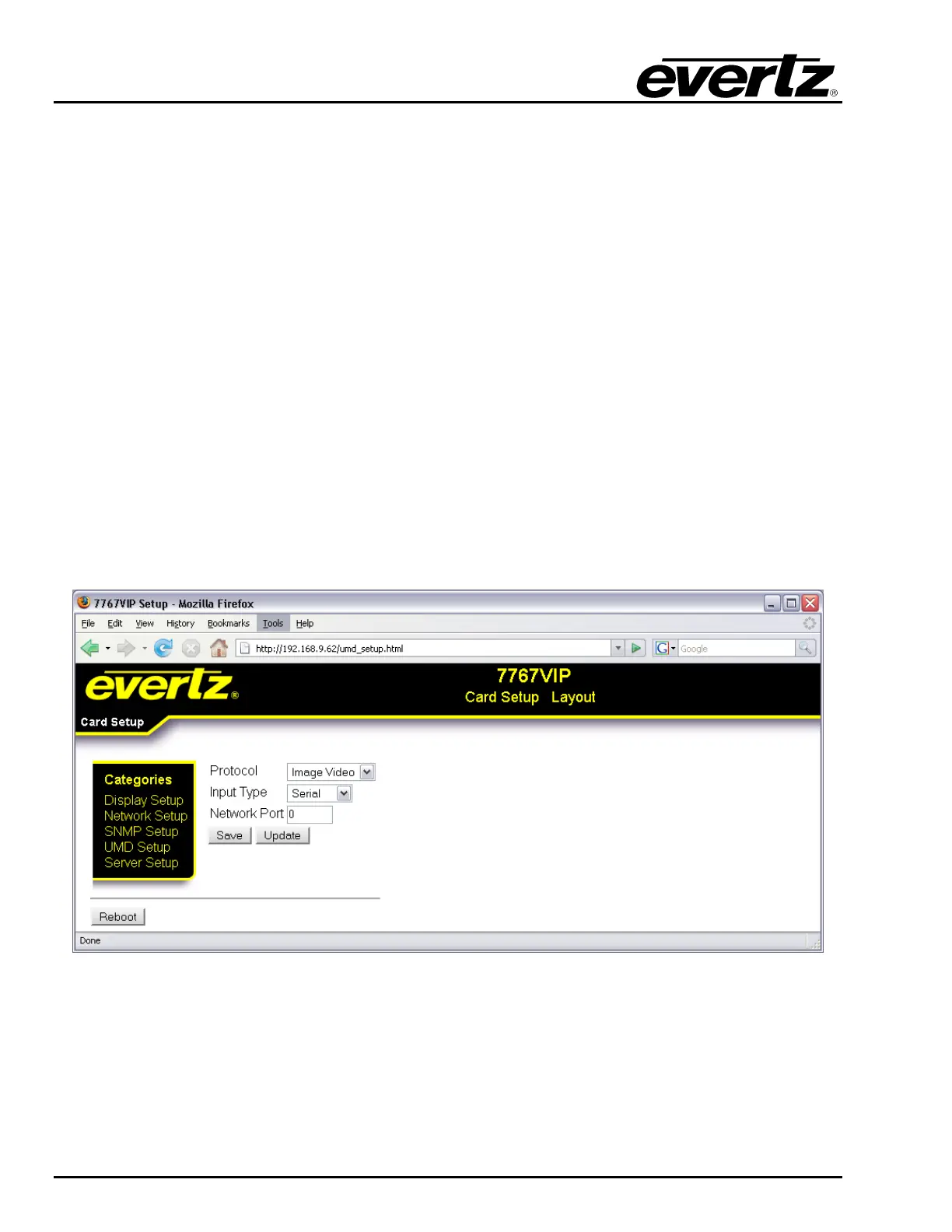
9.3.4. Card Setup: UMD Setup
The UMD Setup enables the user to configure the UMD protocol for the VIP.
Protocol: This parameter enables the user to select the appropriate UMD protocol. The
options include:
• Image Video: Supports both Ethernet and serial connections
• Philips ASCI (VMSI 3000): Support for Jupiter control system (requires
additional configuration files)
• XY Integrator: Support for Harris routers (requires additional configuration
files)
• TSL 3.1: TSL standard protocol, support for both Ethernet and serial
• TSL 4.0: TSL advanced protocol, support for both Ethernet and serial
• ECHO: Echoes commands in bound on auxiliary serial port to configuration
serial port (upgrade port)
Input Type: This parameter enables the user to select the format for the input. The format will
be either serial or Ethernet (requires an IP address port to be defined in the next
property)
Network Port: This parameter enables the user to set the network port that the protocol device
would use to connect to the VIP module, for example 9800.
Figure 9-4: UMD Setup



 To Next Page