VIP-X System Manual
VIP-X - 58 Revision 1.0
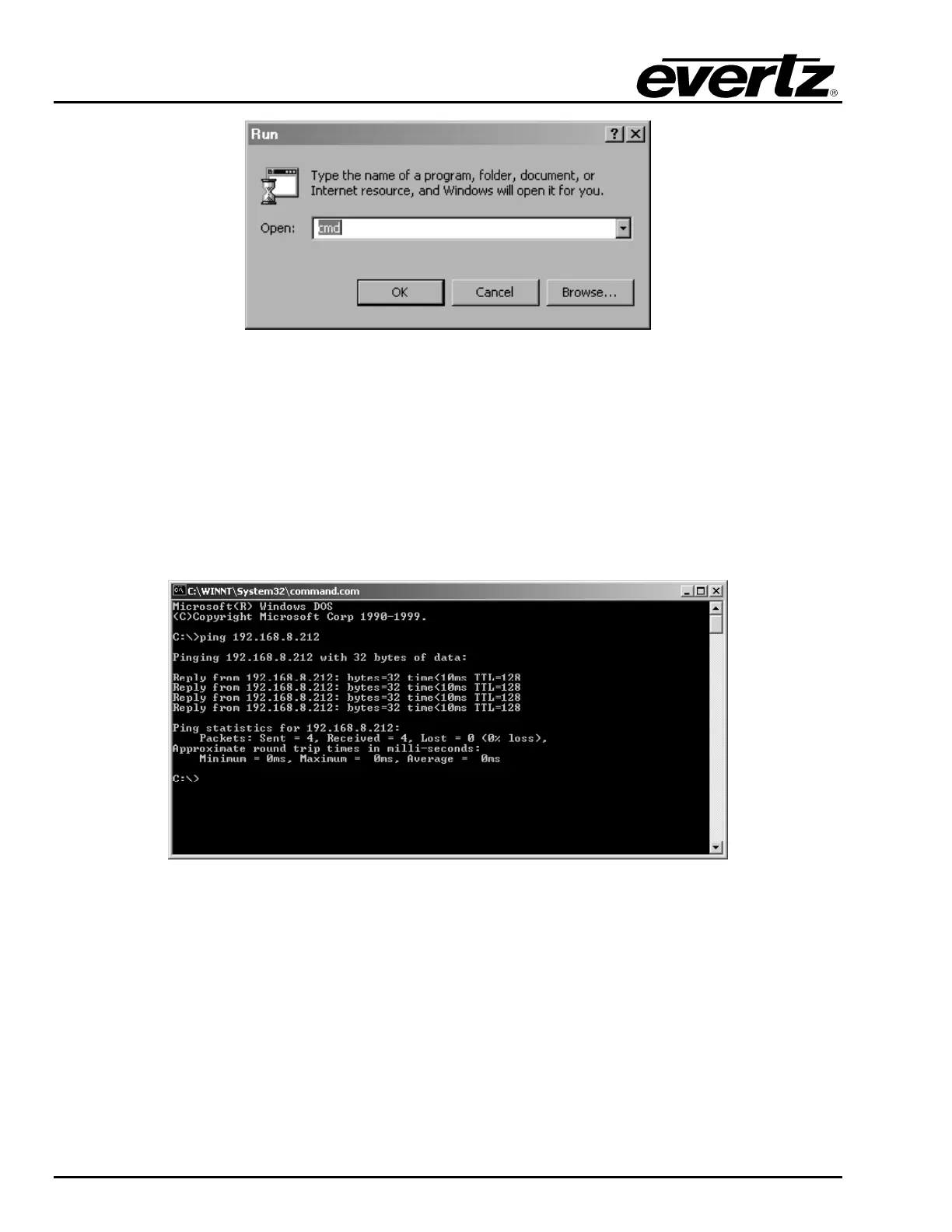
Figure 10-1: Run Window
3. “Ping” the IP address of the module being upgraded to confirm a valid network connection. In the
command prompt window type:
ping xxx.xxx.xxx.xxx (IP address of the module) and press
<Enter>.
If a proper network connection has been established, a “reply” is displayed on the DOS window. If
there is a faulty network connection, a “Destination Host Unreachable” message is provided. If this
occurs, either the IP addresses of the nodes should be verified or the network (Ethernet) cable is
faulty. For more information, please see sections 5.6 and 9.2.1 of this manual.
Figure 10-2: Pinging the IP Address
10.1.3. Step 3 – Upgrading the Application Code
4. Obtain the new application code and place it on the local drive of the PC.
5. In the command prompt window type:
ftp xxx.xxx.xxx.xxx (IP address of the module).
6. Press the <Enter> key when prompted for a “Username”.
7. Press the <Enter> key when prompted for a “Password”. A message indicating a log in is
displayed.



 To Next Page