Test Setup - Test Configurator, Timer, and System
MaxTester 73
Modify Structure Button
Connector allows the selection of the unit’s port.
Framing, available for EtherBERT test application, allows the selection
of the test framing type; otherwise the framing is set to Framed Layer 2.
See Network on page 134 for more information on frame format.
The framing is not configurable and set to Framed Layer 2 for 100GE
dual port topology.
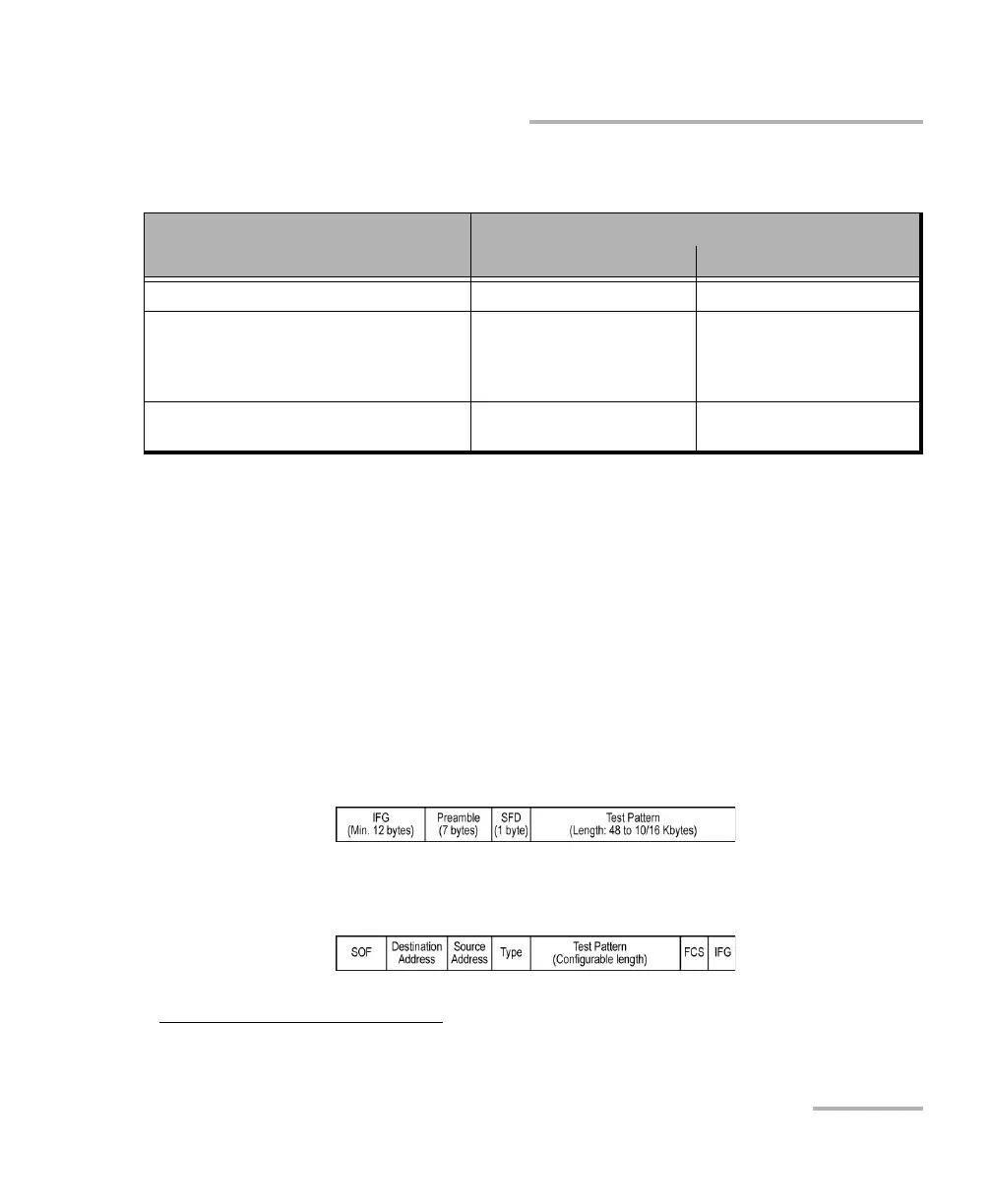
Framed Layer 1: Frame of x bytes that allows connection to any
interface that complies with 802.3 Ethernet PHY or DWDM fibre.
Available with rate up to 10G WAN.
Framed Layer 2: Frames of x
1
bytes without network layer (None)
that complies with IEEE 802a Ethernet II standard.
Interface/Rate
Connector
860/860G/880 890/890Q
100GE (4 Lanes) [103.125 Gbit/s] - Port A1/A2 - QSFP28
10GE WAN
10GE LAN
1GE Optical
100M Optical
Port 1 - SFP+
Port 2 - SFP+
Port B1/B2 - SFP28
10/100/1000M Electrical Port 1 - RJ45
Port 2 - SFP+ (RJ45)
a
a. Only available as a second port when the test application requires two ports. Ethernet 10/100/1000
Mbit/s electrical is supported when using an active copper SFP.
Port B1/B2 - SFP28 (RJ45)
1. To set the frame length, see Frame Size on page 96 for EtherBERT and page 141 for RFC 2544.










 To Next Page