Chapter 8 Options
PAGE 8-12
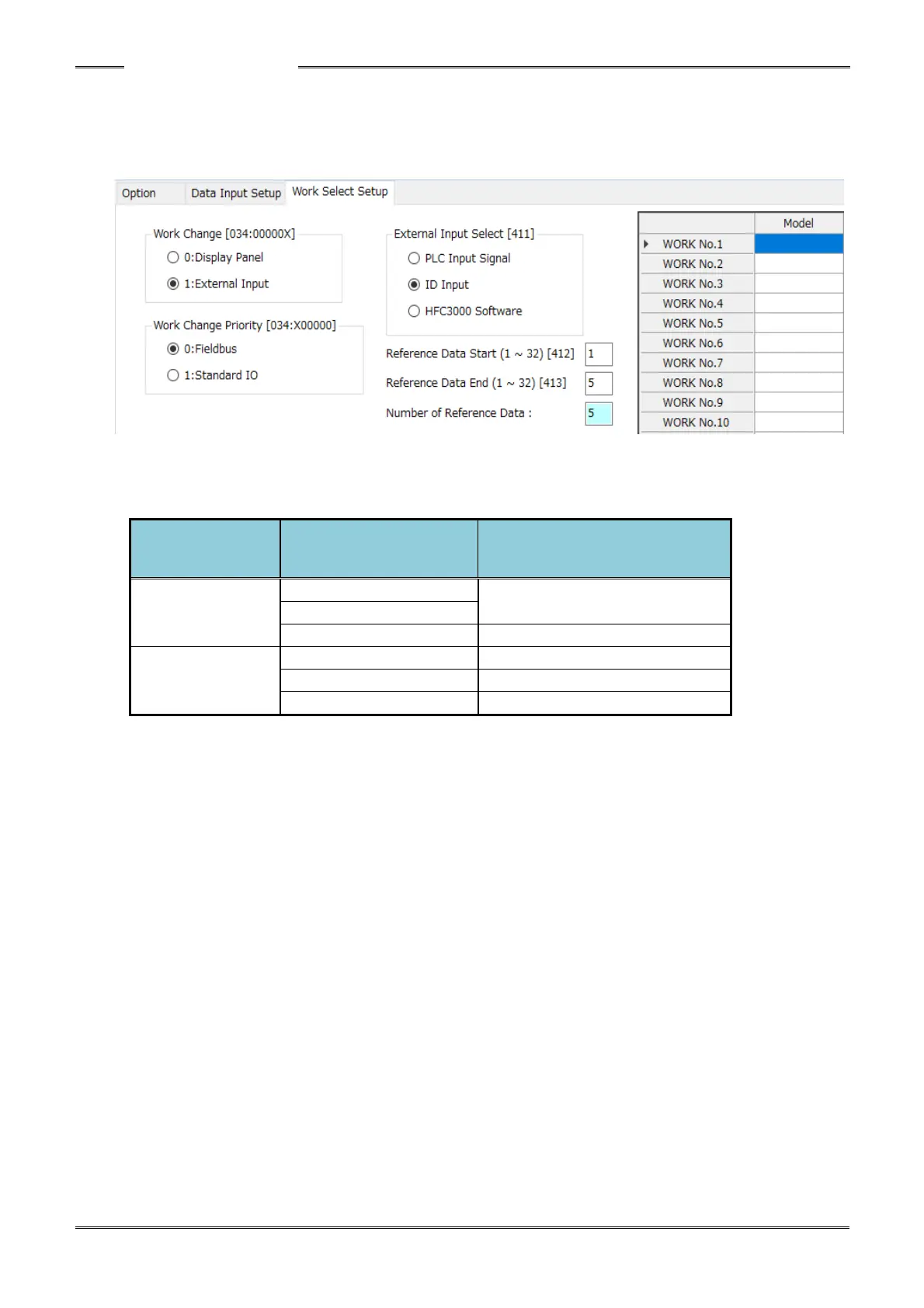
Changing Work No. by Input Data
The method for selecting the Work No. is selectable either by PLC Input Signal, RS232 Port ID Data or
the HFC3000 Software (for testing). “PLC Input Signal” is set as the factory default setting. To set the
work selection method, the HFC3000 User Console Software must be used.
While the PLC I/O input signal “ID SELECT ENABLE Signal” is “ON,” the “Select by Input ID” Work No.
selection setup [D-No. 411] is enabled. When the signal is “OFF,” “Select by PLC” is available and the
selection for “ID INPUT” is disabled.
Using “Select by Input ID,” a maximum of 5 ASCII characters can be setup for each Work No. allowing
the work No. to be selected by an ASCII data string that comes from the Input ID Data. If the ID data
is not input or the ID data and the selected setting do not match, the PLC I/O output signal
“ABNORMAL” is set “ON” when the (PLC I/O input signal) “START” (or “REVERSE”) is turned “ON.”
Also, the ID data is not updated if the input ID data and the selected setting do not match. Updating
(and holding) of the ID data is only performed if the settings match. If “PLC“ or “HFC3000 Software” is
set, the input ID data is always updated and held.
To clear the ID data, turn ON the PLC I/O input signal “ID DATA CLEAR”. In case of ID data input by
Fieldbus Message, clear the PLC ID data register and then turn ON the PLC I/O input signal “ID DATA
CLEAR” (to be sure you don’t accidentally load the same data back into the ID data buffer.



 To Next Page