MULTIMEDIA
338
350 F1A0758
NOTE The scheduled update option
can be used 20 times per update. After
the 20th postponement the update will
be made mandatory when the vehicle
is first started. In case of a mandatory
update you can only press the "OK"
button on the pop-up and start the
update.
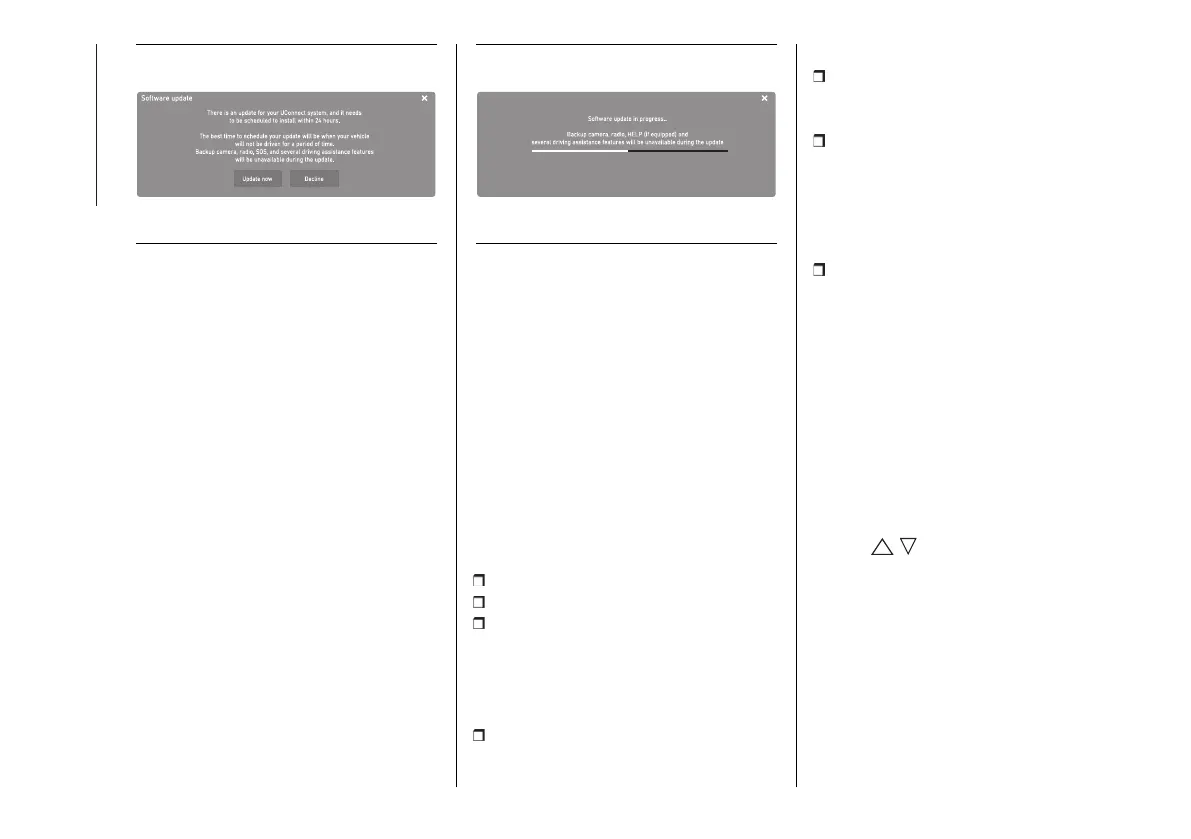
During the update the radio will
show the percentage of the update
completed and the time remaining until
completion fig. 351. When the update
is complete the Uconnect™ system
will automatically restart.
351 F1A0759
Updates over external Wi-Fi
When a software update via Wi-Fi is
available, a pop-up window will appear
on the screen offering the update
instantly or at a later time.
NOTE The rear-view camera,
Uconnect™ system and other driver
assistance systems are not available
during the update. It is recommended
to carry out the update when the
vehicle is stationary.
To allow the Uconnect™ system to
update its software:
Select "Settings" on the screen
Select "Wi-Fi" in the settings list
Select the correct Wi-Fi router from
those shown
NOTE If the Wi-Fi router is too far from
the vehicle, it will not be shown among
the available ones.
If prompted, enter the password to
access the router and select "OK".
To enable software updates:
Select “Enable software download
over Wi-Fi" on the Wi-Fi settings
screen.
When a software update is available,
a pop-up window will appear on the
Uconnect™ system screen to alert
you that a new update is available.
When asked to connect to a Wi-Fi
network, select "Yes".
During the update, a second pop-
up screen shows the estimated time
remaining and the progress percentage
of the update. When the update is
finished, press "OK".
Instant update
When the pop-up window appears on
screen, press the "Update Now" button
to update the software immediately.
Scheduled update
Use the scheduled update option to
set a deferred update time. Press the
arrows / on the screen to set the
desired time.
NOTE The scheduled update option
can be used 20 times per update. After
the 20th postponement the update will
be made mandatory when the vehicle
is first started. In case of a mandatory
update you can only press the "OK"
button on the pop-up and start the
update.












 To Next Page