KNOWING YOUR VEHICLE
72
in the specific housing, the user will be
informed by means of a LED indicating
the state of the wireless charging
system:
"Your phone is being charged" blue
LED: this is displayed when the mobile
phone is positioned correctly in the
wireless charging compartment and the
system is activated correctly;
"Phone fully charged" green LED:
this is displayed when the phone has
completed charging its battery (if
suitable to transmit the information);
"Object not allowed" red LED: this
is displayed when a phone that is not
enabled for wireless charging or an
object that is not permitted (e.g. the
ignition key) is placed (e.g. ignition key,
credit card, a coin);
"System error" red LED: this appears
when there is a malfunction in the
wireless charger system;
"System not active" LED off: there
are no objects in the compartment
and/or the ignition device of the vehicle
in the STOP position and/or the doors
are not all closed correctly and the
engine is not on.
WARNING Do not place contactless
cards (RFID), credit cards, metal
objects or the vehicle keys in the
charging compartment.
WARNING Not all mobile phone covers
guarantee the correct charging of
the phone. Check that charging is in
progress after having placed the phone
in the charging compartment.
WARNING With a compatible
smartphone positioned on the charging
deck, when you move the ignition
device to the STOP position, a warning
message will appear on the instrument
panel to prevent you from forgetting
your smartphone.
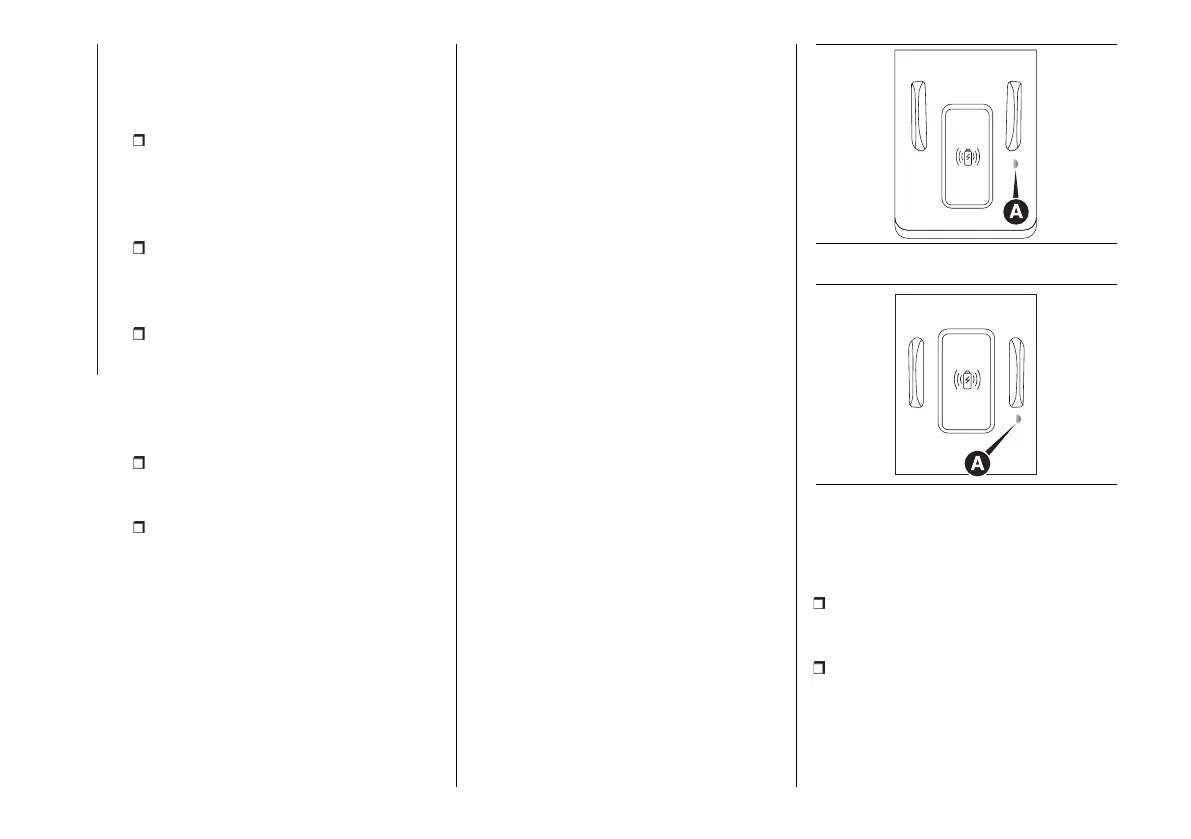
Correct positioning of the mobile
phone
To start wireless charging correctly,
make sure the mobile phone is
positioned completely inside the glove
compartment in fig. 127 or in the
housing between the two cup holders
fig. 128with the display facing up, and
that the device does not cover the alert
LED (A).
127 F1A0695
128 F1A0694
USB PORTS
(for versions/markets, where provided)
They can be located:
on the central dashboard (A) fig. 129,
for use as a charging source for
external equipment;
on the central tunnel, (B) fig. 130,
for connecting USB remote devices
(see explanation in the specific
supplements).












 To Next Page