KNOWING THE INSTRUMENT PANEL
90
The menus are indicative and may vary
for versions and markets.
Screenshot list
/
Main screen
By pressing and releasing /
the user can choose to display:
the multifunction dial indicator
showing the speed of the vehicle
or:
the multifunction dial indicator
showing the speed of the vehicle,
plus the indicator recommending
the gear to engage
Home (°)
Speedometer
Speedometer + GSI
Trip
Press and release / :
Instant information (**)
Trip A
Trip B
Speedometer (**)
GSI (**)
Screen provided only for manual
transmission, not for AT9
Driver assist
Adaptive Cruise Control
Lane Departure Warning
Traffic Sign Recognition
Intelligent Speed Assist
/
Vehicle info
Press and release / :
Tyre pressure
Coolant temp
Oil level
Oil temperature
Oil life
Battery charge
Suspension level
AdBlue (*)
Service (scheduled servicing)
Audio
Phone
Navigation
Alerts
Settings
Display
Units
Date and Time
Safety
Brakes
Safety/Assistance
Mirrors and windscreen wipers
Lights
Doors & Locks
Idle preset
Engine switch off procedure
/
In the case of multiple screens,
indicates the presence of screens
to the right and/or left of those
displayed. Scrolling between
pages is possible using the arrows
/ .
* Light Duty versions only
** Display 3.5” only
° 7" display only
Trip computer
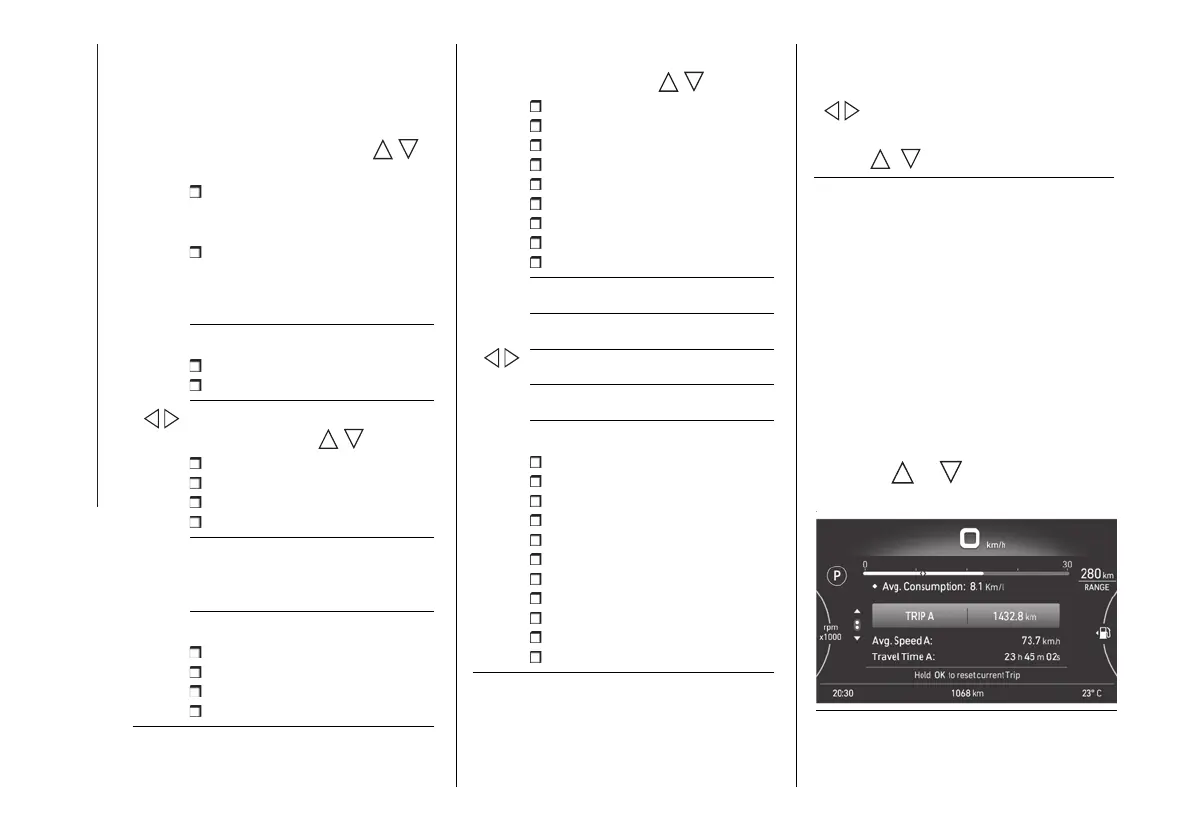
The "Trip computer" screen (fig. 157)
can be used to view several
parameters relating to the operational
status of the vehicle. This function
has two separate memories, "Trip
A" and "Trip B", where the data for
the "complete journeys" (trips) of the
vehicle is recorded independently from
each other.
Press the or button to switch
from "Trip A" to "Trip B" and vice versa.
157 F1A0737
The screen can be used to show the
following items: "Current consumption",












 To Next Page