91
"Average consumption", "Distance",
"Average speed", "Travel time".
The sizes are displayed in "km"/"mi"
and "km/h"/"mph" depending on the
display settings.
Both values can be reset: press and
hold down the OK button on the
steering wheel.
NOTE The total consumption cannot
be reset.
Driver assist
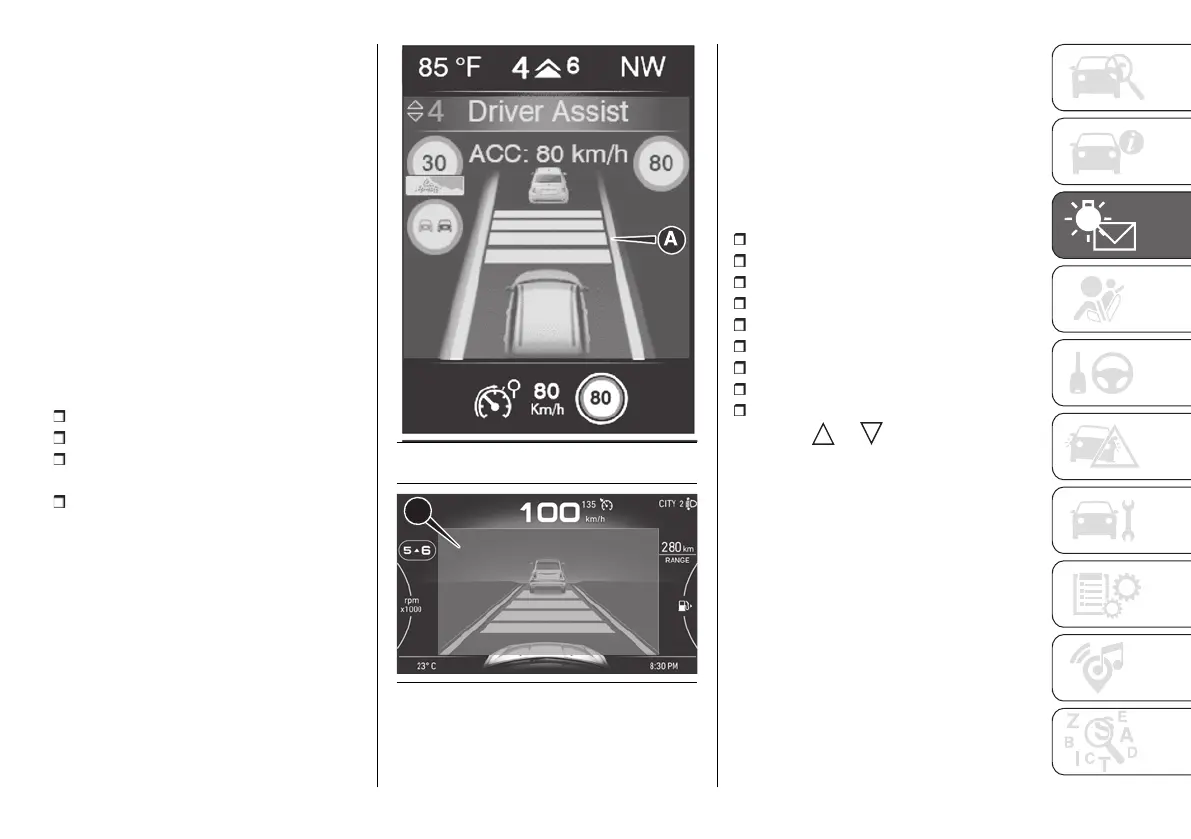
This screen in area (A) fig. 158 (for the
3.5" display) or (A) fig. 159 (for the 7"
display) shows messages and visual
indications of the following driving
assistance systems:
CC (Cruise Control)
ACC (Adaptive Cruise Control);
TSR (Traffic Sign Recognition) / TSI
(Traffic Sign Information);
ISA (Intelligent Speed Assist).
As more recent notifications are shown,
previous notifications are overwritten.
158 F1A0771
159 F1A0639
For some driving assistance devices,
pop-up warnings are marked in yellow
or red at the bottom of the screen
according to the type of warning.
Refer to the "Starting and Driving"
section for more information about
driving assistance systems.
Vehicle info
The screen shows the following
information:
Tyre pressure
Coolant temp
Oil level
Oil temperature
Oil life
Battery charge
Suspension level
AdBlue (Light Duty versions only)
Service (scheduled servicing)
Press the or button to switch
between the "Tyre pressure" screen
and the "Service" screen.
Oil level
The indicator fig. 160 or fig. 161
(depending on the version) graphically
displays the oil level in the engine.
To see the oil level, turn the key to
MAR; the oil level will appear on the
display by lighting a six-notch indicator
bar. Two additional notches indicate
underfilling and overfilling.












 To Next Page