Chapter 8: Diagnostic and Repair Procedures
8-23
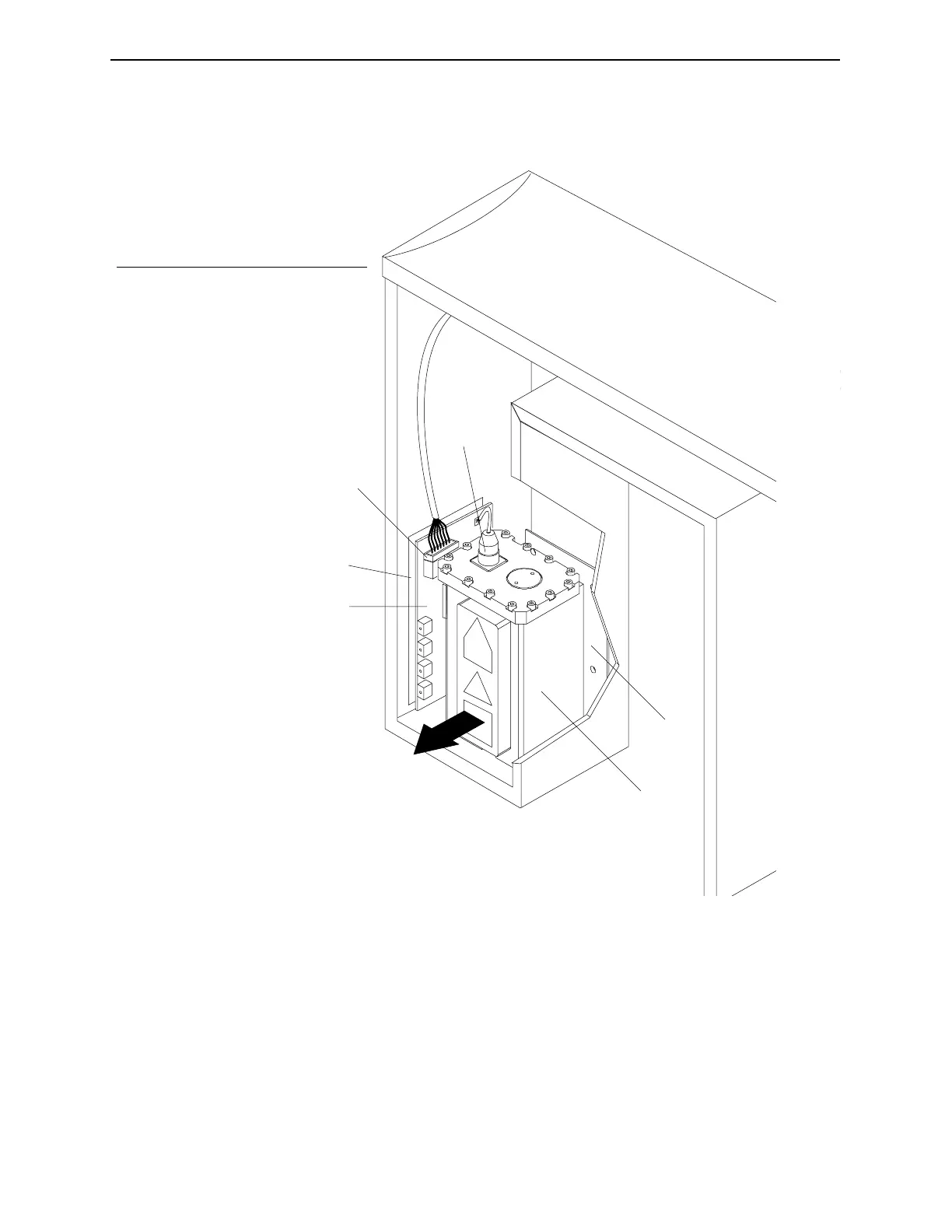
4. Remove the x-ray generator and the generator insulator that is
between the generator and the chassis.
Figure 8-5. Remove the x-ray generator.
5. Disconnect connector PX-1 from the x-ray generator power
supply board.
6. Remove the two securing nuts from the generator power
supply board and then remove the board.
1
2
3
4
5
6
No. Description
1 Generator
2 Generator Insulator
3 Power Cable
4 Connector PX-1
5 Power Supply Board Insulator
6 Power Supply Board
Industrial Dynamics Company, Ltd. © Form 40256-0600



 To Next Page