Tips for troubleshooting
127
12.5 Cleaning the sensors of the PostBase
Over time, paper dust may settle on the franking machine’s sensors and cause
problems with recognizing positioned letters. We recommend cleaning the sensors in
the PostBase once a month to ensure optimal results. You can order a special
cleaning kit from Francotyp-Postalia.
Caution! Make sure not to soil yourself, your clothes or any objects.
Use a mat to deposit the drawer.
Caution! As long as the print system is in printing position, the drawer is
locked. Do not pull out the drawer by force. Wait until the print system moves
into idle position, then remove the drawer.
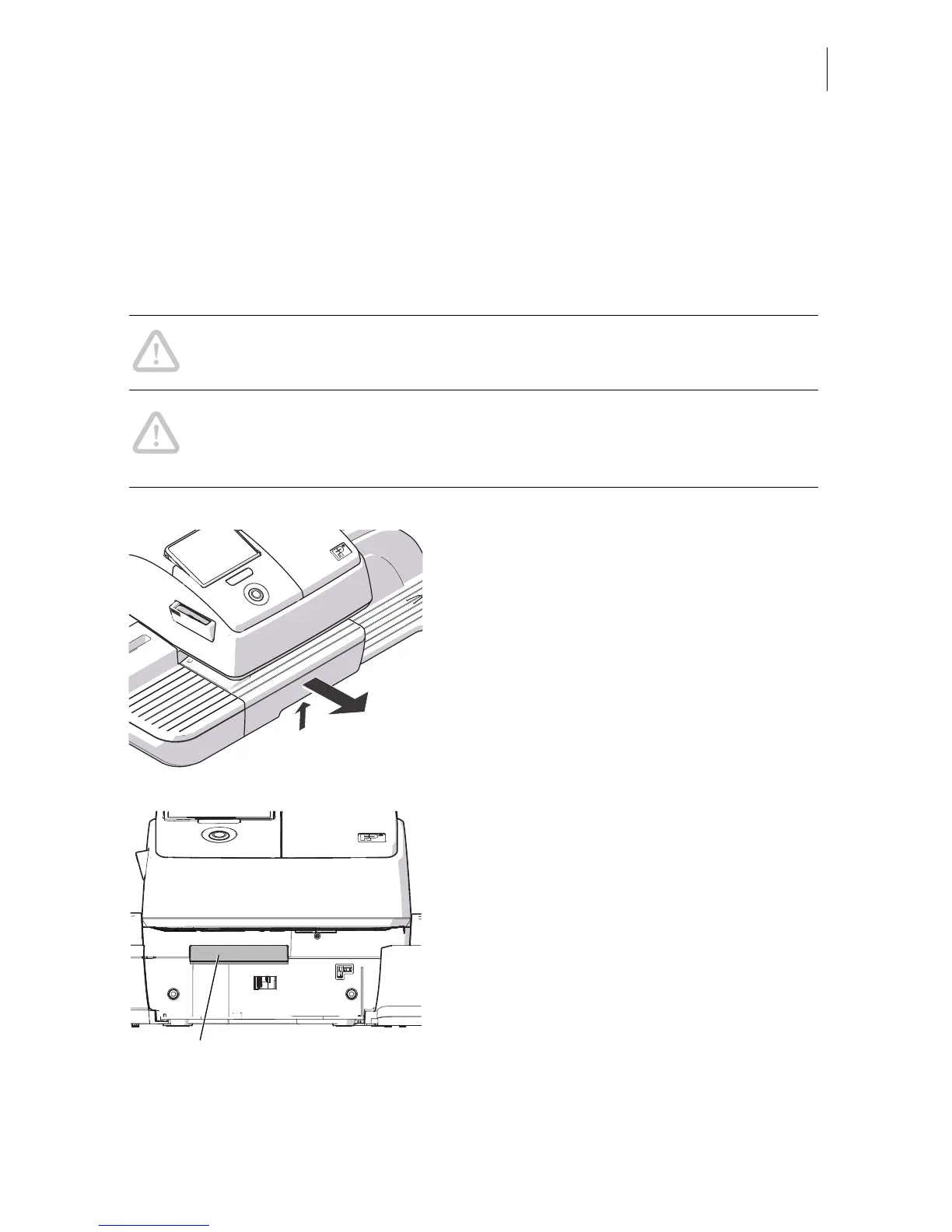
• Unlock the drawer by pushing the drawer
latch lever upward.
• Pull the drawer to the front and out of the
housing.
• Deposit the drawer on a mat.
• Apply cleaning solution to the cleaning
cloth.
• Clean the sensors by wiping them
repeatedly with the cleaning cloth.



 To Next Page