PostBase Mailing System
62
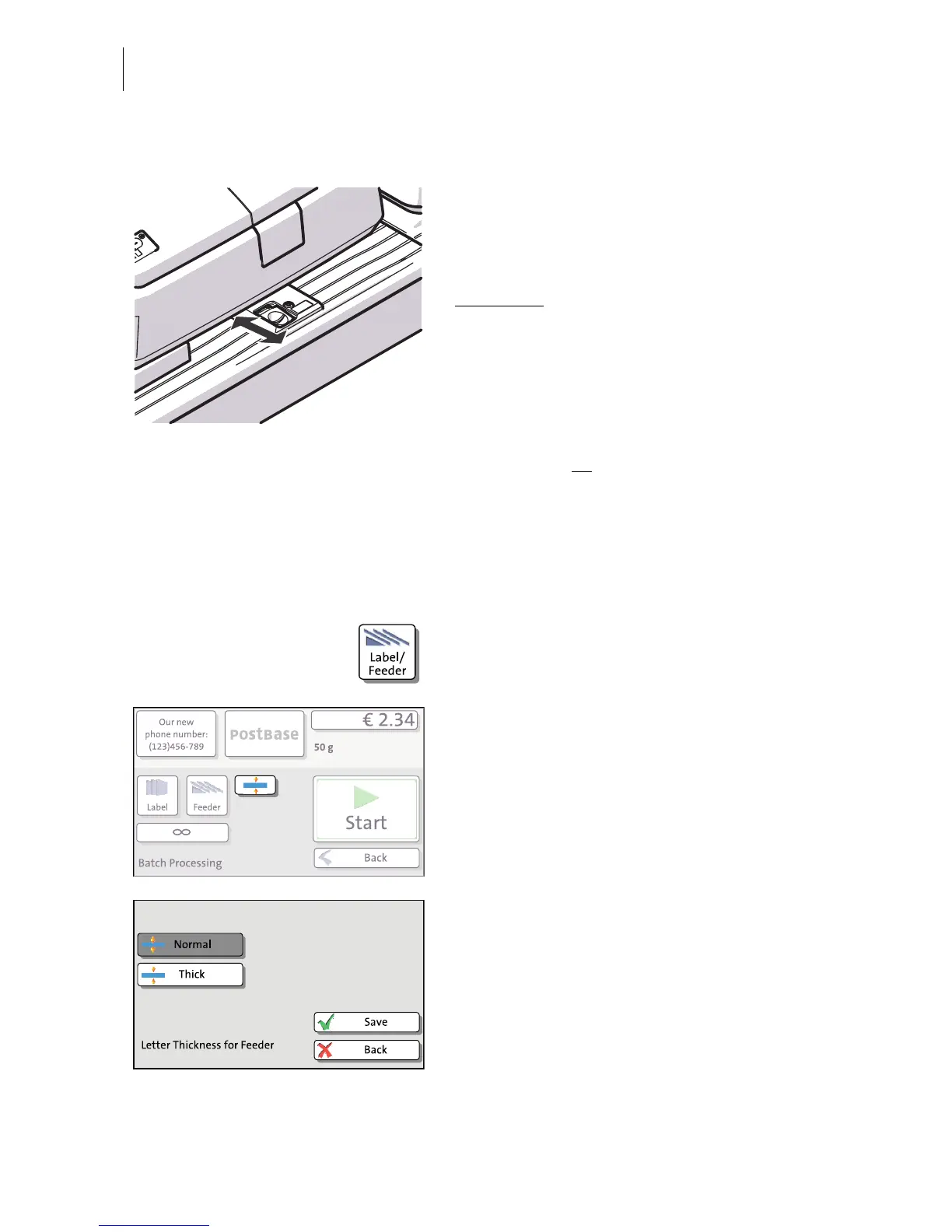
6.3.3.2 Switch on / off seal function
If the letters (up to 7 mm / 0.3") are to be
sealed:
• Set the switch to the rear position (seal).
Sealing is switched on, the sealant tank is
illuminated
.
If you do not want to seal letters or if they are
already sealed:
• Set the switch to the front position
(non-seal).
Sealing is switched off, the sealant tank
illumination is off
.
6.3.3.3 Setting letter thickness
For reliable results, make use of the ‘thick letters’ feature when franking letters with a
thickness of 6 - 10 mm (0.24" - 0.4") with the feeder.
• In the Home screen, press the LABEL/
F
EEDER button.
PostBase opens the ‘Batch Processing’
pop-up.
• In the pop-up, press the button next to the
FEEDER button.
•Select
NORMAL or THICK, according to the
letters you wish to frank.
•SAVE the setting. The current setting is
shown on a dark background.
When ‘thick letters’ is activated, PostBase
processes letters much slower. Make sure to
switch back to
NORMAL to achieve the best
performance.



 To Next Page