PostBase – Addendum to the Operator Manual
6
| USA |
3 Special imprints and functions
3.1 Postage correction
You can correct faulty meter imprints on an already metered letter. The correction
print must always be printed on the non-address side of the mail piece.
If you have metered a postage value which is too low, print a correction with the
missing amount on the non-address side of the mail piece.
Setting the CORRECTION imprint
In the Home screen:
• Press the P
RODUCT button.
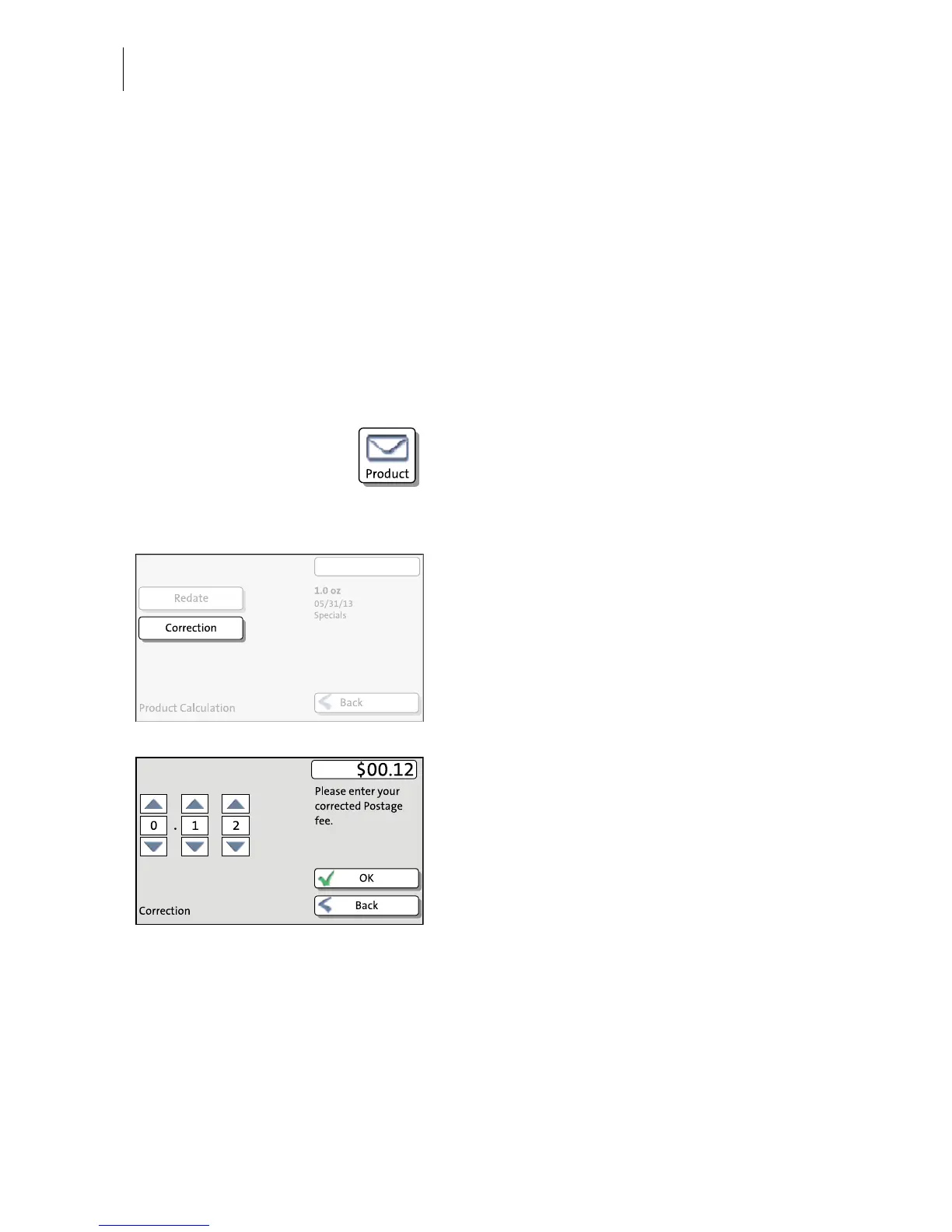
PostBase opens the Product calculation
menu.
•Select S
PECIALS.
•Select C
ORRECTION.
PostBase opens the Correction menu.
• Set the amount to be imprinted on the mail
piece in addition to the postage value
already metered.
Use the arrow buttons to increase or
decrease the figure in each digit until the
desired amount is displayed in the top right
text box.
• Confirm the displayed correction amount
with OK.
• Press OK to accept the displayed product
setting and to return to the Home screen.



 To Next Page