PostBase Mailing System
98
Cleaning
• Moisten a lint free cloth with demineralized
water.
You can also use distilled water or normal tap
water if demineralized water is not at hand.
The minerals contained in tap water could,
however, leave residues in the print head.
For best cleaning results, use FP contact
cleaner and cleaning cloths contained in the
clean & renew cleaning kit offered by
Francotyp-Postalia.
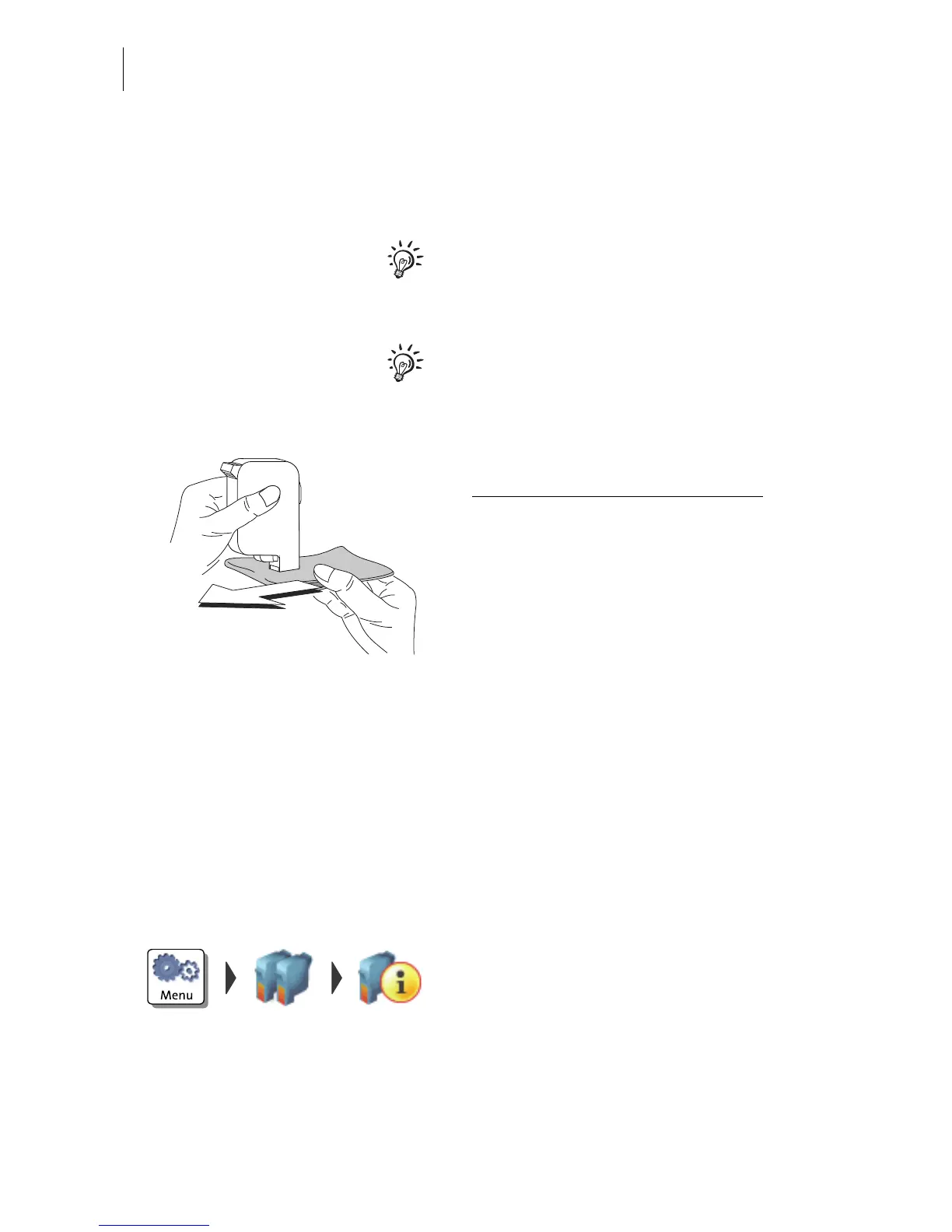
• Hold the cartridge as shown in the picture.
The nozzles must point downwards
!
• Slowly and carefully wipe the print head
with the cloth in the direction of the arrow.
Repeat this action several times.
The water will blend with ink residues and
clean the nozzles.
• Reinsert the cartridge.
• Remove the second cartridge and clean it
in the same manner.
• Reinsert the cartridge.
• Close the flap of the print system.
• Align the cartridges (see chapter 11.3,
page 95).
11.5 Print system: displaying filling level
• Open the MENU.
• Choose P
RINT SYSTEM.
• Choose INFORMATION in the submenu.
The PostBase displays the filling level of the
ink cartridges.



 To Next Page