PostBase Mailing System
60
6.3.3 Feeder
(optional)
6.3.3.1 Preparing the letter stack and setting up the feeder
Caution! If PostBase is ready to frank, letter transport starts as soon as a
letter is positioned on the feeder.
This is how you avoid letters being unintentionally fed:
Simply open the MENU on the touch screen. The letter sensor is then inactive.
You can now take your time to set up the feeder.
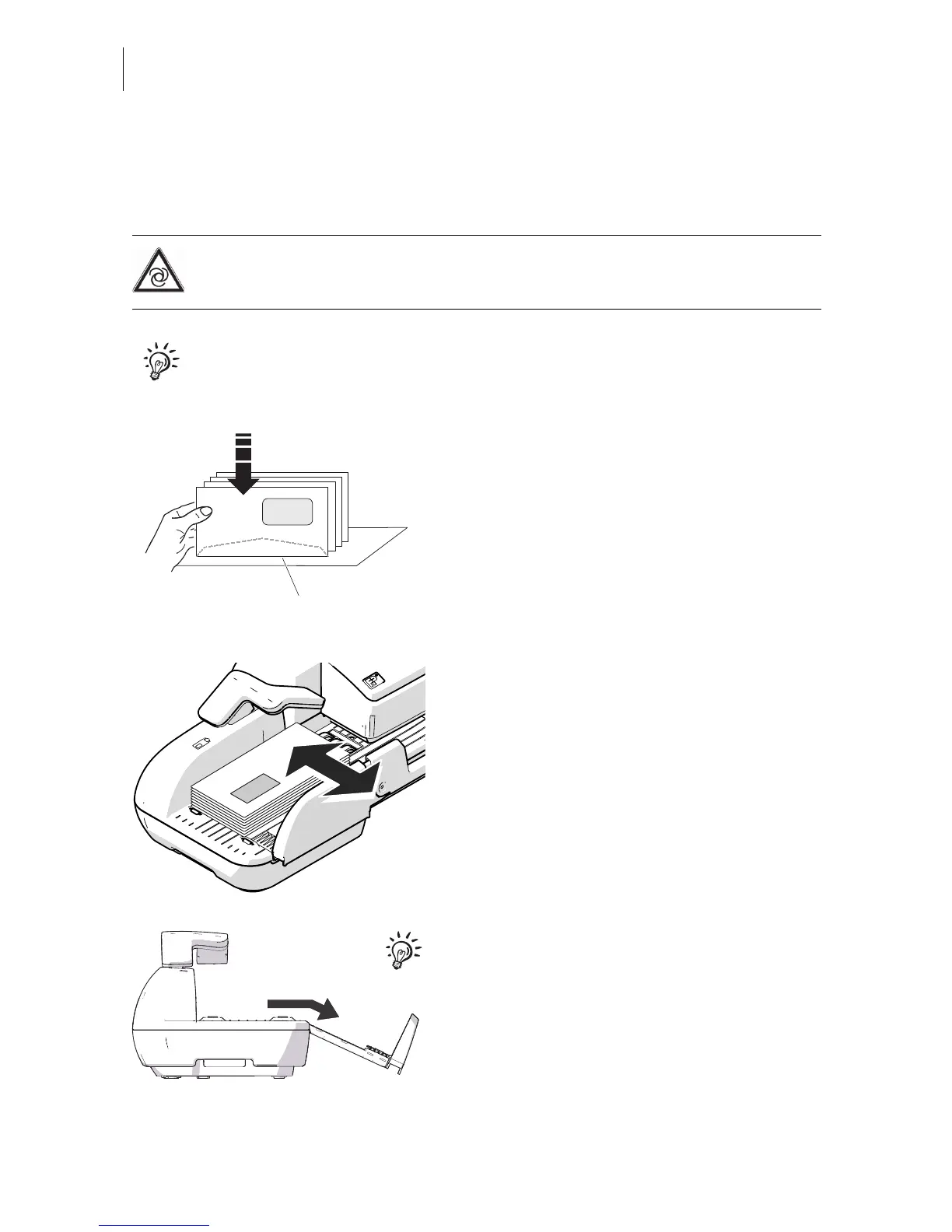
Prepare letter stack
• Arrange the letter stack so that all envelope
flaps are face down.
• Make sure the letters are flush at their
upper sides: Loosen letter stack with the
upper edge on a level base and shake
smooth.
Position letter guide
• Position a letter stack:
– side to be printed face up (address field
is visible)
– the top edge must touch the letter guide
face
– observe the maximum stack height of
55 mm (2.2").
• Move the letter guide so that the letter
guide rests against the letter stack.
For large letters to be franked large side first:
• Pull out the letter guide until you can fold it
down.



 To Next Page