Franking
63
6.3.3.4 Positioning and franking letters in stack
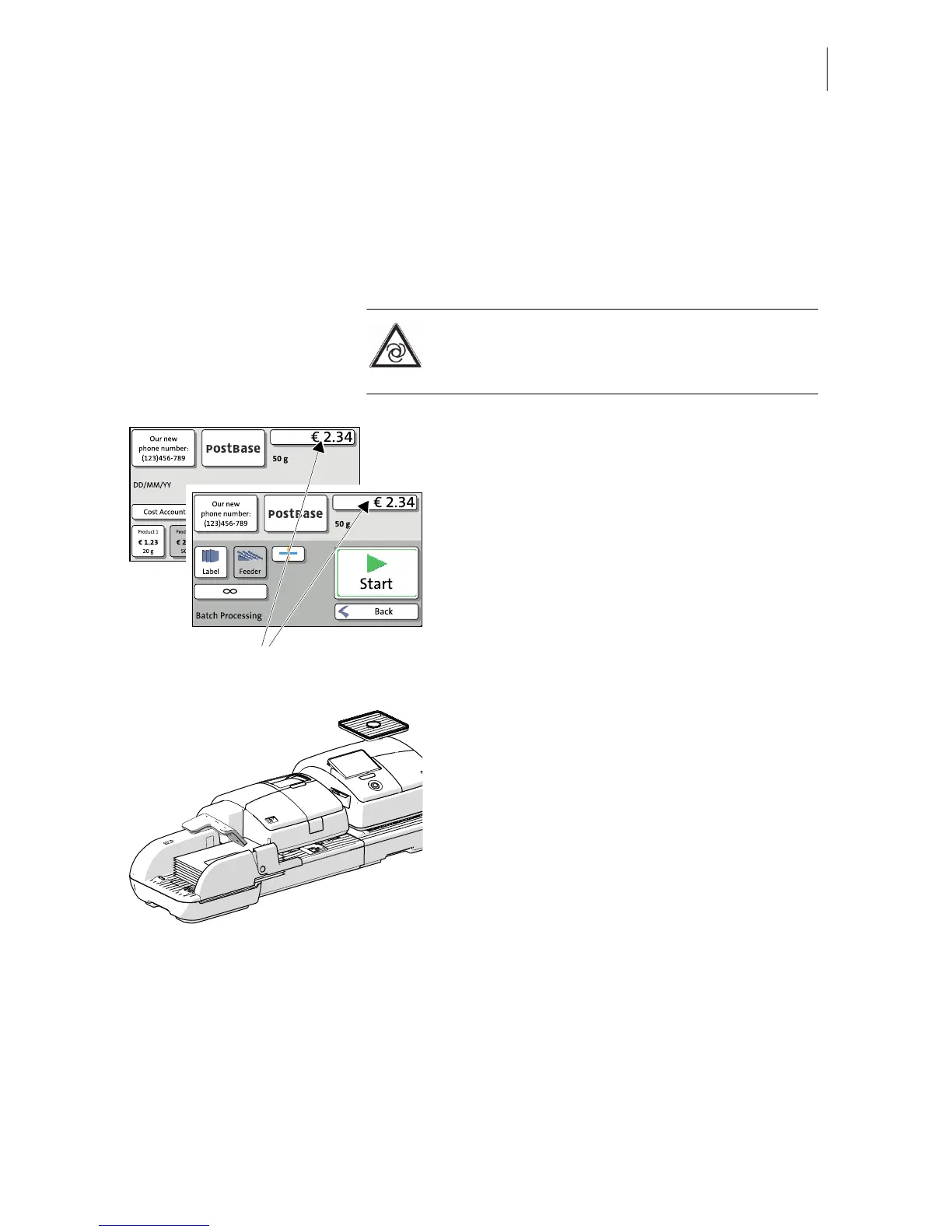
When the feeder is set up (see chapters 6.3.3.1 to 6.3.3.3) and the desired franking
imprint is set (see chapter 5), you can start batch processing. You can set also set
the number of letters to be franked prior to starting batch processing. Refer to chapter
“Using the batch counter” on page 64.
Caution! If PostBase is ready to frank, letter
transport starts as soon as a letter is
positioned on the feeder.
You can start batch processing in the Home
screen as well as in the ‘Batch Processing’
pop-up by simply feeding a letter stack.
• Raise the pendulum.
• Position the prepared letter stack:
– side to be printed face up (address field
is visible)
– the top edge must touch the letter guide
face
– observe the maximum stack height of
55 mm (2.2").
• Lower the pendulum (if necessary).
PostBase feeds the letters one by one, prints,
and places the franked letters in the catch
tray.
You can interrupt batch processing with the
S
TOP button.



 To Next Page