EasyManua.ls Logo

FP PostBase - 1 The Home Screen

FP PostBase
176 pages
Print Icon
To Next Page IconTo Next Page
To Previous Page IconTo Previous Page
Loading...
PostBase – Addendum to the Operator Manual
4
| USA |
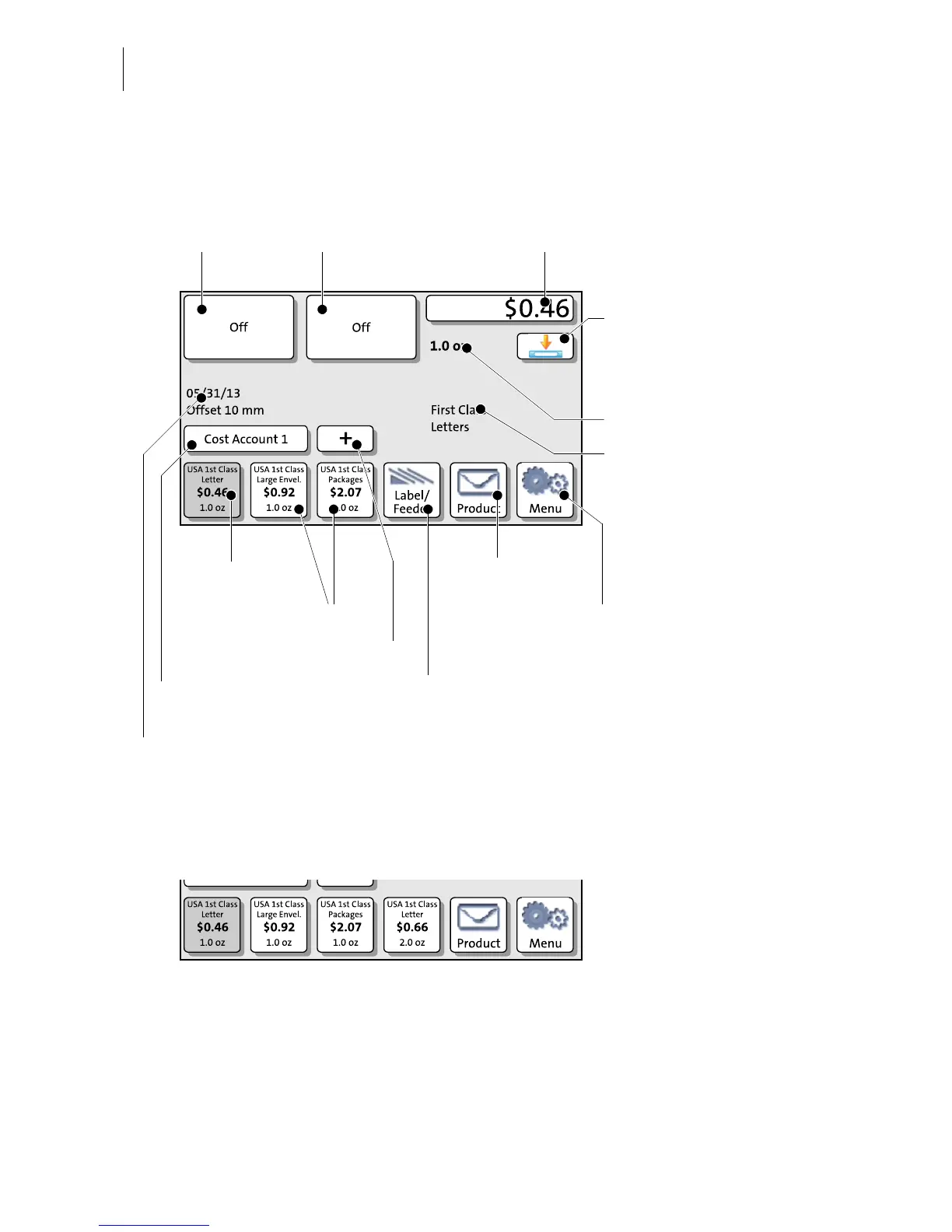
1 The Home screen
The Home screen appears after the PostBase was turned on and the start routine has
been successfully completed. Depending on the settings, you may have to select a
user and enter the PIN.
* Availability depending on PostBase variant / equipment.
Info panel:
Date in meter imprint
Other information
Advert / SMS text *
Mailing data
(selected USPS services)
Postage
Weight
Current shortcut
Advert / SMS text *
Open the Menu, access
Administration functions
System settings
Service functions
Open the Product
calculation menu
Select shortcut
Meter labels
Use the Feeder
(batch mail processing) *
Switch on / off the
differential weighing mode *
(In the example:
Differential weighing is OFF)
Further shortcuts *
Current account *
PostBase 20 – additional shortcut instead of Label/Feeder button:

Table of Contents

Other manuals for FP PostBase

Related product manuals