PostBase Mailing System
130
12.7 Removing / inserting the security device
Caution! Remove the security device in exceptional cases only, e.g. if you
need to send in the franking machine to the Customer Support. The connec-
tor of the security device is designed for a maximum of 30 connection cycles
(removal / insertion).
Caution! When the franking machine or the security device was in a cold
environment (i.e. below 10 °C / 50 °F) before: Wait for at least two hours
before connecting and commissioning the PostBase franking machine. The
franking machine needs this time to adapt to the ambient conditions. Any
condensation evaporates.
Removing the security device
• Turn the PostBase off.
The PostBase will complete any current
actions and then switches off. The display
light and PostBase button illumination go out.
• Unplug the power plug from the wall
socket.
• Unplug the power cable from the power
connection of the franking machine.
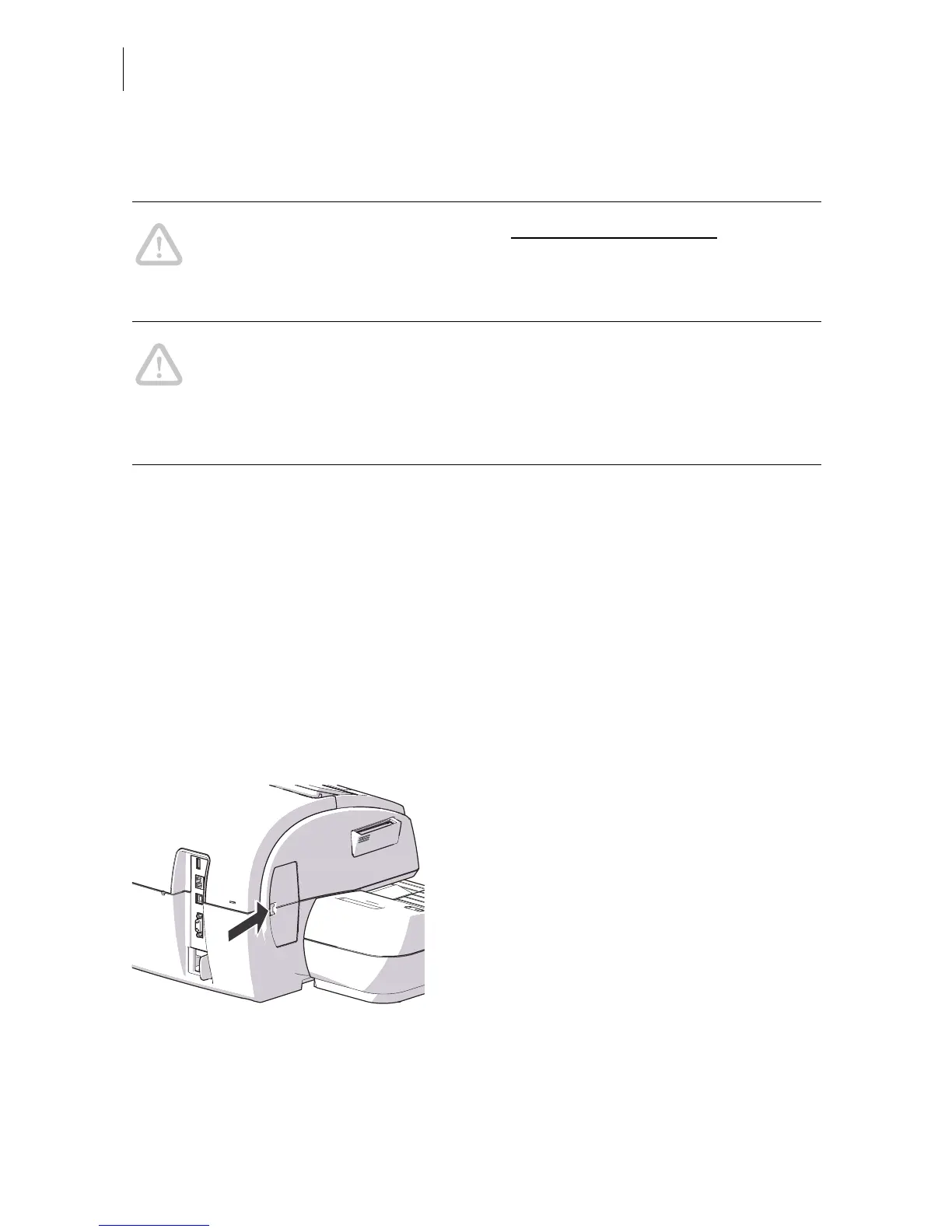
• Press the clip catch on the cover of the
security device slot in the direction of the
arrow and remove the cover.



 To Next Page