PostBase Mailing System
132
12.8 Manually ejecting the ink cartridges
If need be, the ink cartridges can be removed without the franking machine running
(e.g. in case the franking machine is defective and is to be send to the Customer
Support).
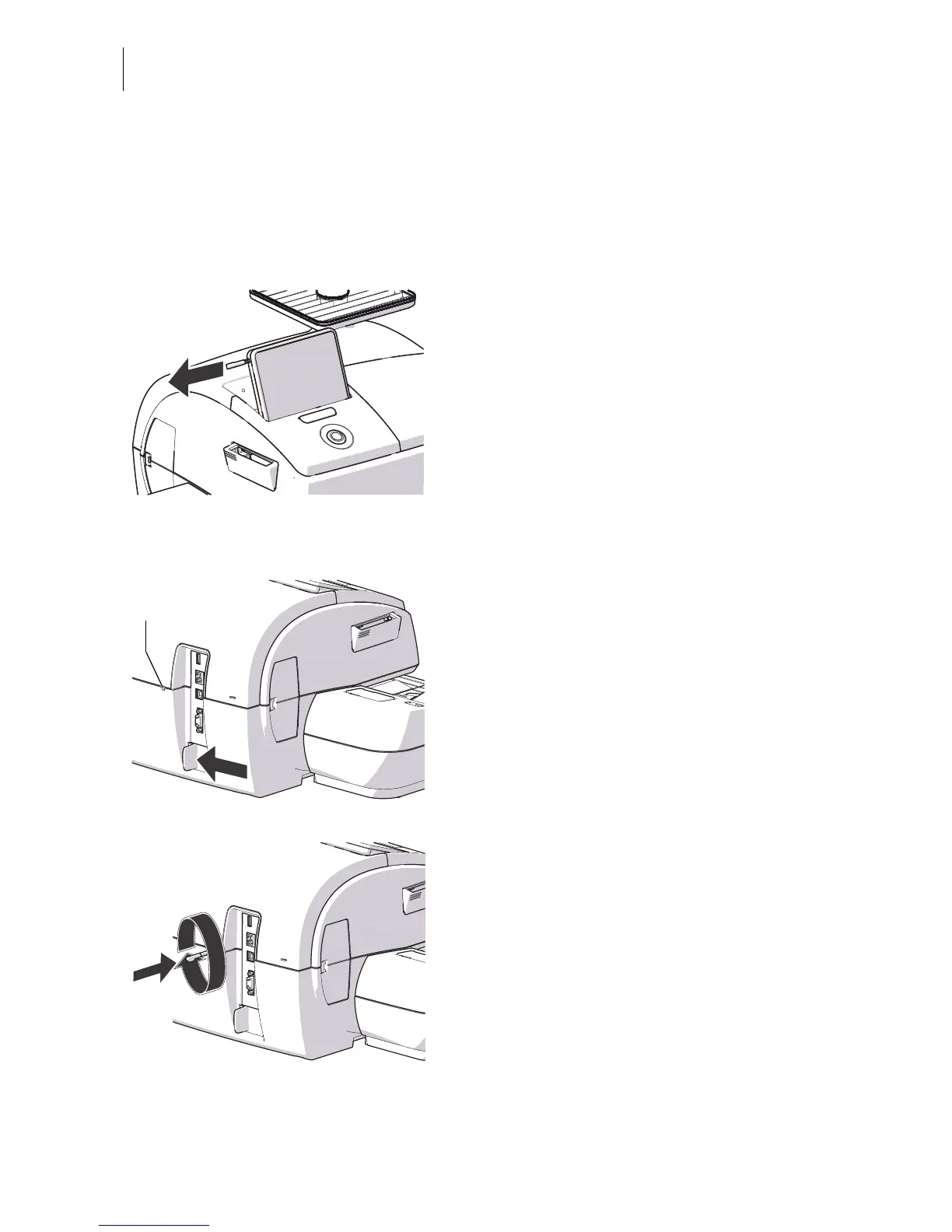
• Take the stylus from its carrier behind the
display.
• If necessary, turn the PostBase off.
The PostBase will complete any current
actions and then switches off. The display
light and PostBase button illumination go out.
• Unplug the power plug from the wall
socket.
• Unplug the power cable from the power
connection of the franking machine.
• Push the white slider next to the power
socket on the PostBase in the direction of
the arrow and hold it, thus allowing the
manual removal of the ink cartridges.
• Insert the stylus in the opening in the back
of the franking machine.
• Rotate the stylus clockwise until the flap
opens.
• Remove the ink cartridges as usual (see
page 91).



 To Next Page