PostBase Mailing System
18
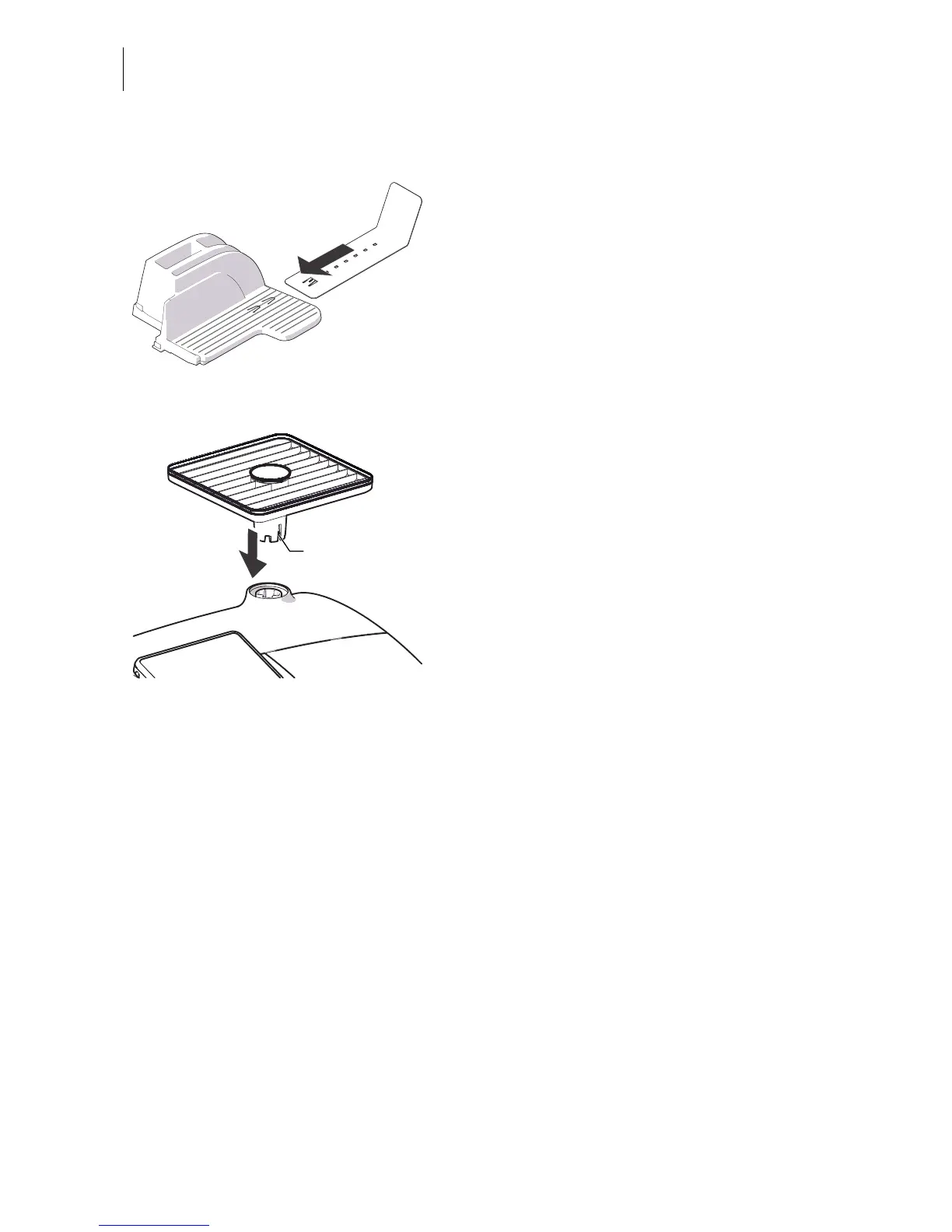
Catch tray: attaching the stop
• Attach the stop to the catch tray:
Slide the stop into the guides on the catch
tray bottom.
Mounting the weighing platform
• Hold the weighing platform such that the
long slot in the weighing platform foot
points to the front.
• Place the weighing platform onto the scale
receptacle from above. The long slot of the
weighing platform must slide in the
counterpart on the scale receptacle.
• Press down slightly on the weighing
platform with your flat hand.
Mounting catch tray and feeding device
• Place the respective attachment next to the
franking machine (see overviews on previ-
ous page).
• Slightly lift the franking machine on the side
on which you wish to mount the attach-
ment. The bottom side of the housing fea-
tures slots where the attachments are
fastened.
• Push the respective attachment under-
neath the franking machine such that the
catches on the attachment engage in the
slots.
• Put the franking machine carefully down.



 To Next Page