Franking
65
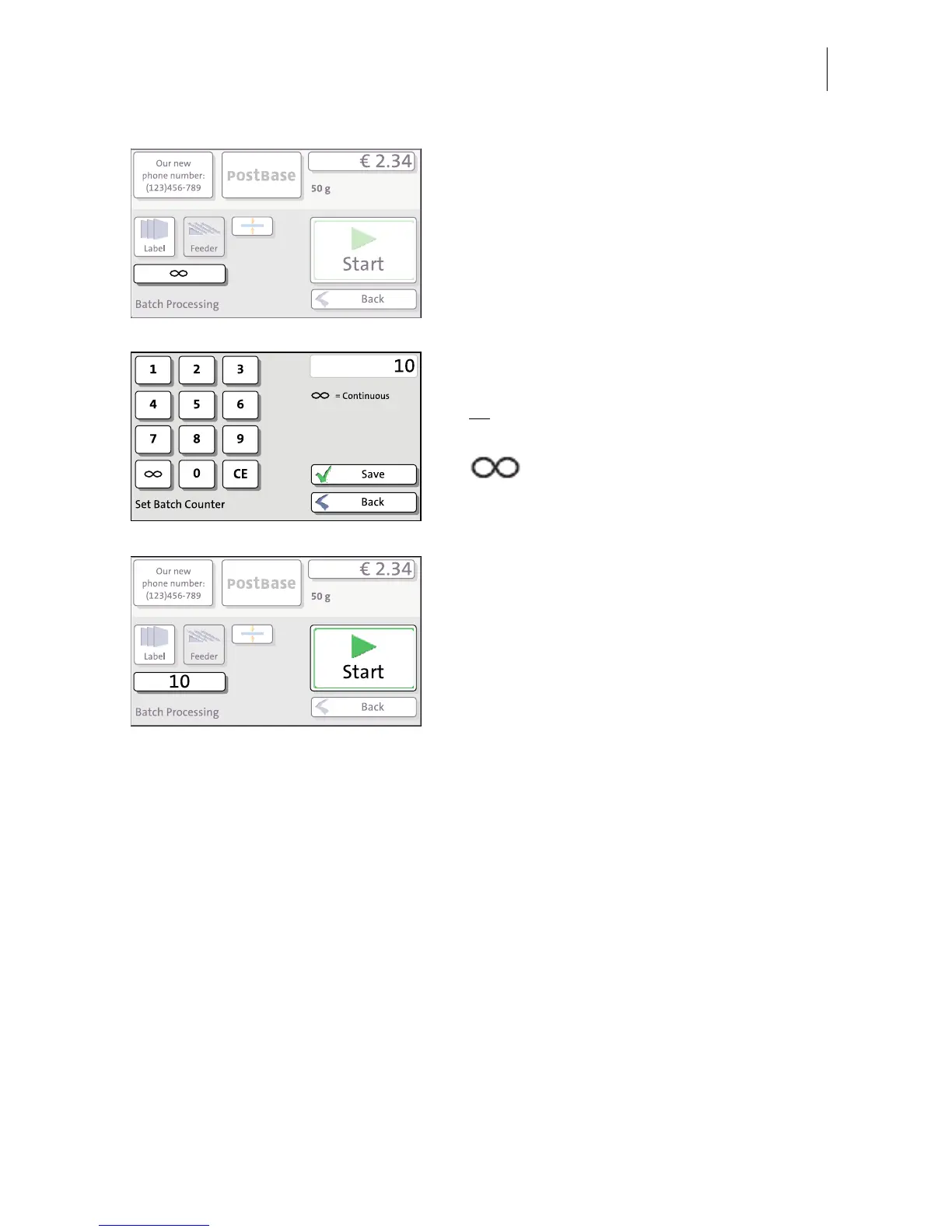
• In the pop-up, press the button below the
FEEDER button.
• Enter the amount of letters you want to
frank.
Or
:
Enable continuous operation with the
button.
•SAVE the setting.
• Position the prepared letter stack.
For details on how to set up the feeder and
position letter stacks, please read
pages 60 to 64.
PostBase feeds the letters one by one, prints,
and places the franked letters in the catch
tray. The counter displays the number of
letters still to be franked. You can interrupt
batch processing with the S
TOP button.



 To Next Page