86
5
Taking Photographs
Copying Custom Settings
Copy custom settings from one bank to another, overwriting the
settings in the destination bank. If the source bank has been re-
named, the name will also be copied to the destination bank.
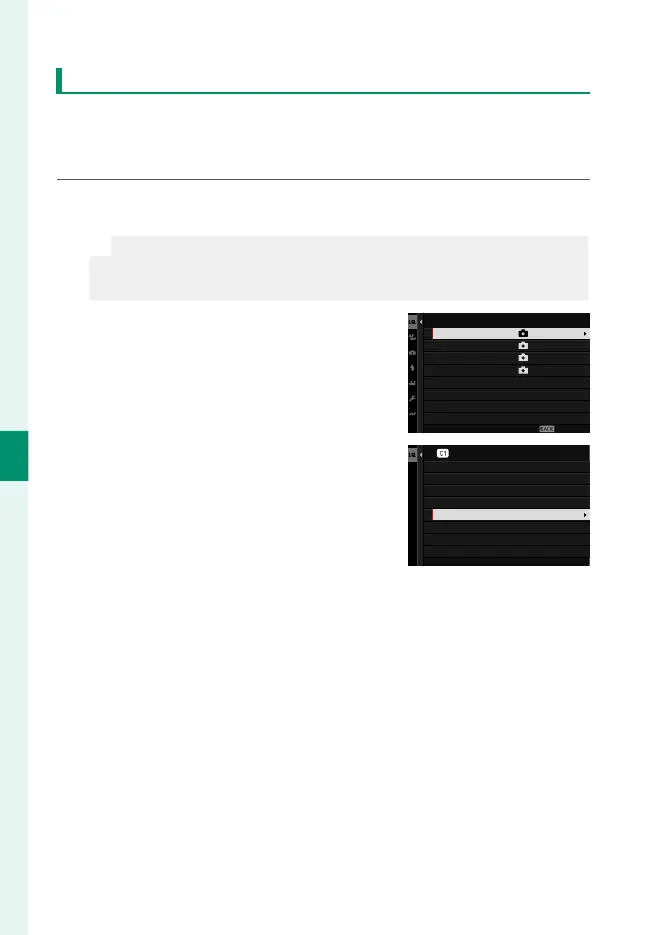
1
Navigate to H IMAGE QUALITY SETTING in the photo menus,
highlight x EDIT/SAVE CUSTOM SETTING, and press MENU/OK.
N
To copy settings for a movie custom settings bank, navigate to
B MOVIE SETTING in the movie menus and select F EDIT/
SAVE CUSTOM SETTING.
2
Highlight the source bank and press
MENU/OK.
CUSTOM 2
CUSTOM 3
CUSTOM 4
EDIT/SAVE CUSTOM SETTING
CUSTOM 1
ASSIGNED
ASSIGNED
ASSIGNED
ASSIGNED
EXIT
3
Highlight COPY and press MENU/OK.
RESET THE CHANGES
COPY
RESET CUSTOM SETTING
EDIT CUSTOM NAME
SAVE CURRENT SETTINGS
EDIT/CHECK
SAVE THE CHANGES
CUSTOM 1













 To Next Page