28
1
Before You Begin
Touch Function
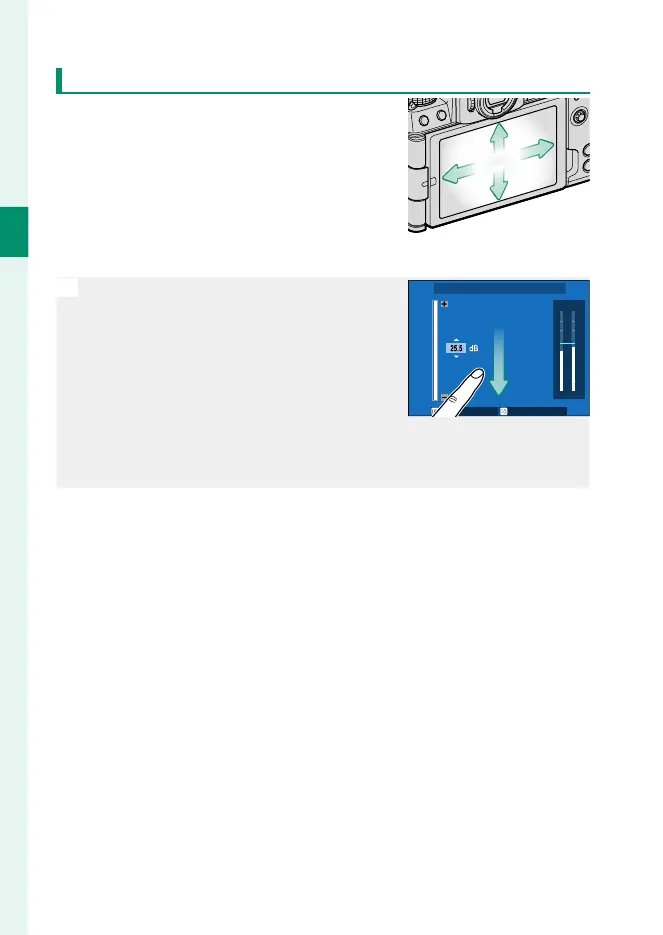
Functions can be assigned to the follow-
ing ick gestures in much the same way
as function buttons (P 322):
•
Flick up: T-Fn1
•
Flick left: T-Fn2
•
Flick right: T-Fn3
•
Flick down: T-Fn4
N
•
In some cases, touch-function ick ges-
tures display a menu; tap to select the
desired option.
-20
0
-6
-12
-40
-50
dB
LR
INTERNAL MIC LEVEL ADJUSTMENT
SET CANCEL
•
Touch-function gestures are disabled by default. To enable
touch-function gestures, select ON for D BUTTON/DIAL SETTING>
TOUCH SCREEN SETTING> c TOUCH FUNCTION.













 To Next Page