29
1
Before You Begin
Touch Screen Mode
Touch Zoom
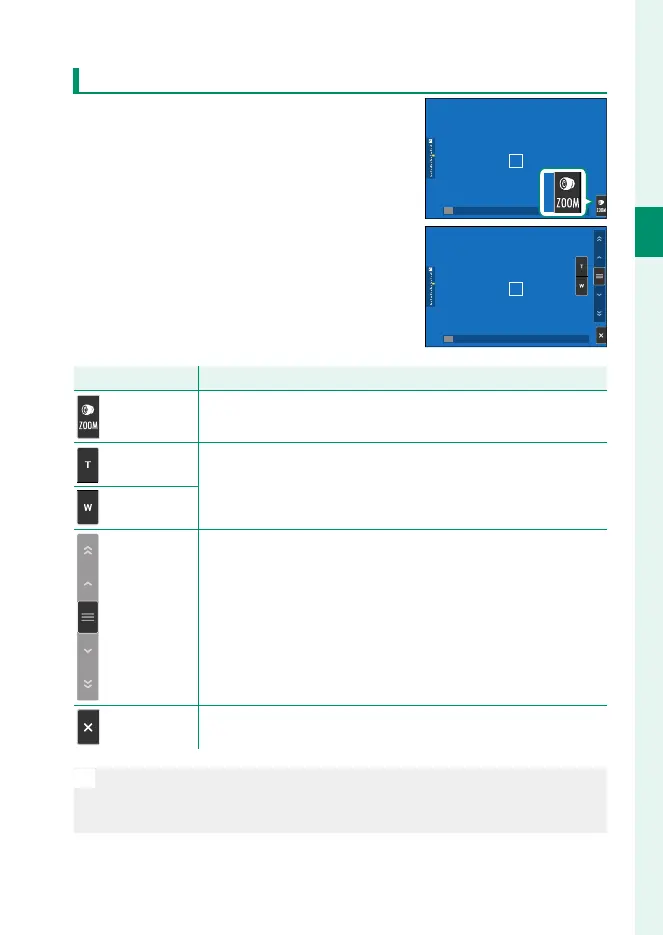
If the lens supports touch zoom, you can
zoom in and out by touching the display.
Tap the touch zoom button in the display
to enable touch zoom.
Touch zoom is controlled using the but-
tons in the display.
Button
Description
Touch zoom Enable touch zoom.
Zoom in
Zoom in or out. Touch and hold to zoom in or out at a constant
speed.
Zoom out
Rocker switch
The camera zooms in or out at a speed corresponding to the
position of the rocker switch.
Disable Disable touch zoom.
N
The rate at which the camera zooms in and out in response to the T
and W buttons can be selected using D BUTTON/DIAL SETTING>
LENS ZOOM/FOCUS SETTING> CONSTANT SPEED ZOOM (Fn).













 To Next Page