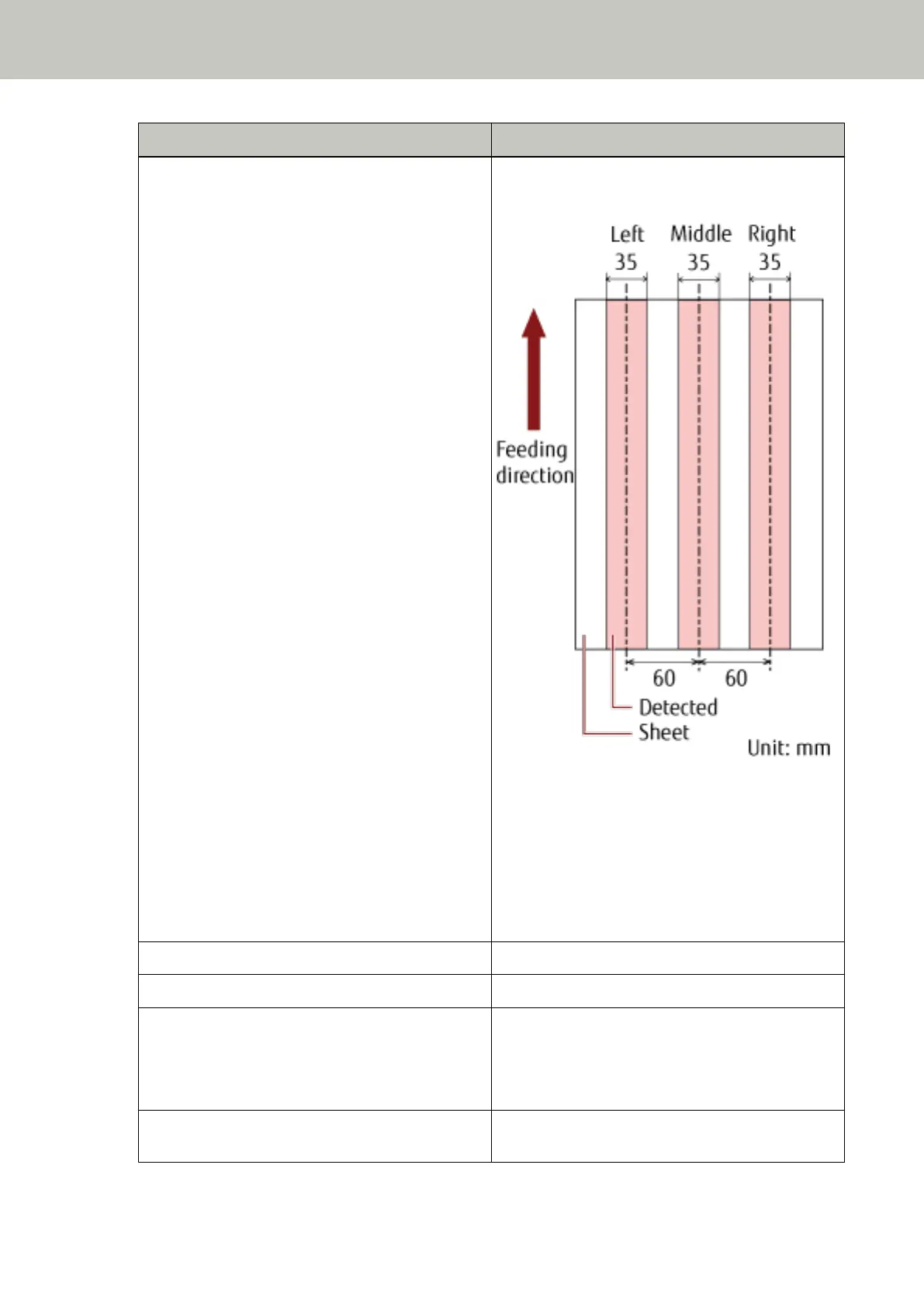
Range Description
Selected range Select the check box to specify the detection range
(colored in light pink) in the picture below.
Select the check box to enable the setting in this
window. Clear the check box to disable the setting.
Clearing this check box sets both the start and the
end positions to "0", so that multifeed is detected for
the whole document.
The above condition applies when the document is
set to the center of the pick roller width.
Disable (Left/Middle/Right) Does not detect multifeeds for the selected area.
Enable (Left/Middle/Right) Detects multifeeds for the selected area.
Start (Left/Middle/Right) Displays the starting point of the detection by the
length from the leading edge of the document.
Range: 0 to 510 mm, in 2 mm increments, Start <
End
End (Left/Middle/Right) Displays the end point of the detection by the length
from the leading edge of the document.
Operational Settings
256



 To Next Page